INS_CNGE3FE8MS[POE][HO] Rev. 11.7.17 PAGE 193
INSTRUCTION MANUAL CNGE3FE8MS[POE][HO]
TECH SUPPORT: 1.888.678.9427
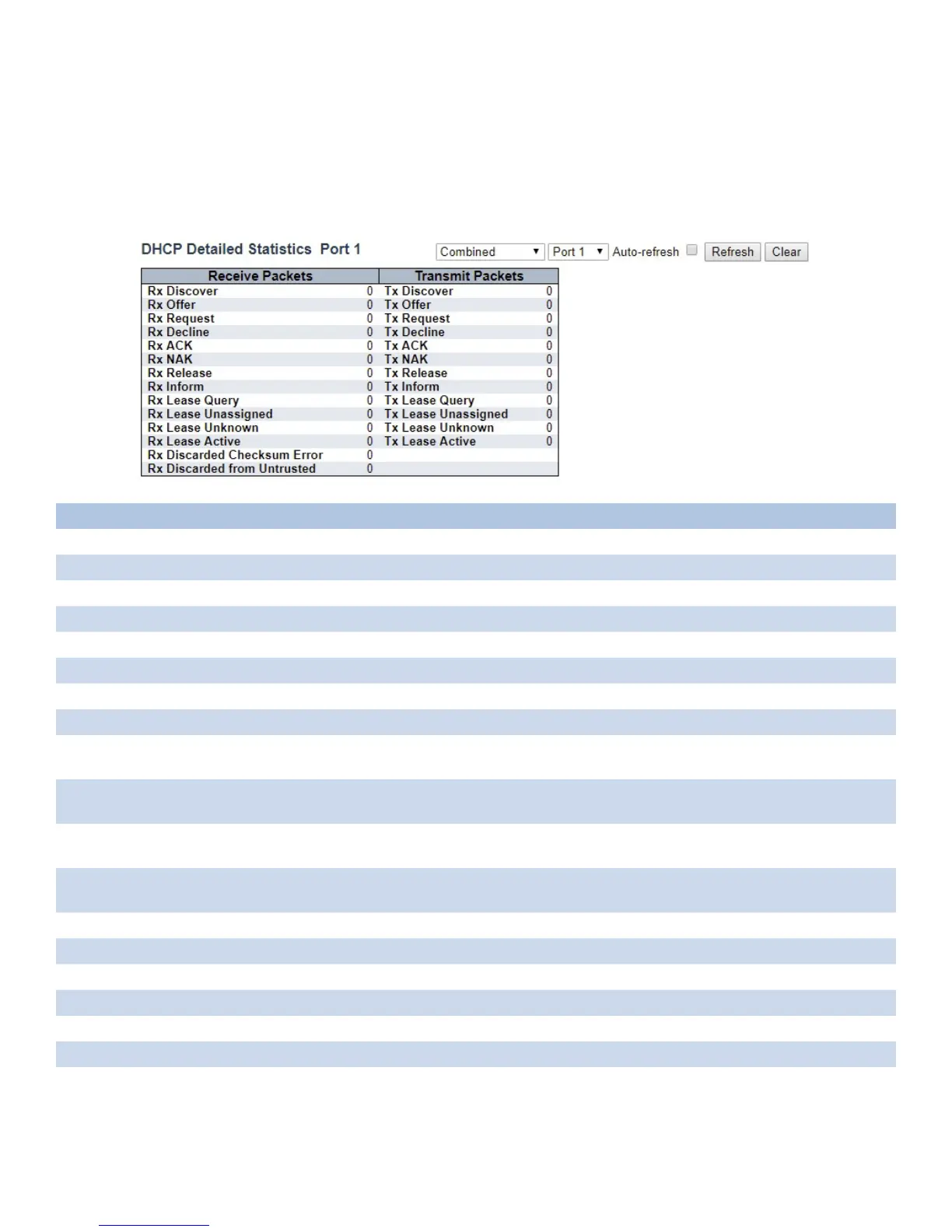
Detailed Statistics
This page provides statistics for DHCP snooping. Notice that the normal forward per-port TX
statistics isn’t increased if the incoming DHCP packet is done by L3 forwarding mechanism. And
clear the statistics on specific port may not take effect on global statistics since it gathers the
different layer overview.
Object Description
Rx and Tx Discover The number of discover (option 53 with value 1) packets received and transmitted.
Rx and Tx Offer The number of offer (option 53 with value 2) packets received and transmitted.
Rx and Tx Request The number of request (option 53 with value 3) packets received and transmitted.
Rx and Tx Delcine The number of decline (option 53 with value 4) packets received and transmitted.
Rx and Tx ACK The number of ACK (option 53 with value 5) packets received and transmitted.
Rx and Tx NAK The number of NAK (option 53 with value 6) packets received and transmitted.
Rx and Tx Release The number of release (option 53 with value 7) packets received and transmitted.
Rx and Tx Inform The number of inform (option 53 with value 8) packets received and transmitted.
Rx and Tx Lease Query The number of lease query (option 53 with value 10) packets received and
transmitted.
Rx and Tx Lease Unassigned The number of lease unassigned (option 53 with value 11) packets received and
transmitted.
Rx and Tx Unknown The number of lease unknown (option 53 with value 12) packets received and
transmitted.
Rx and Tx Active The number of lease active (option 53 with value 13) packets received and
transmitted.
Rx Discarded checksum error The number of discard packet that IP/UDP checksum is error.
Rx Discarded from Untrusted The number of discarded packet that are coming from untrusted port.
Combined Select the DHCP user from this drop-down list.
Port1 Click to select the port.
Auto_refresh Check to refresh the page automatically every 3 seconds.
Clear Click to clear the counters for the selected port.
Refresh Click to refresh the page.



 To Next Page