INS_CNGE3FE8MS[POE][HO] Rev. 11.7.17 PAGE 195
INSTRUCTION MANUAL CNGE3FE8MS[POE][HO]
TECH SUPPORT: 1.888.678.9427
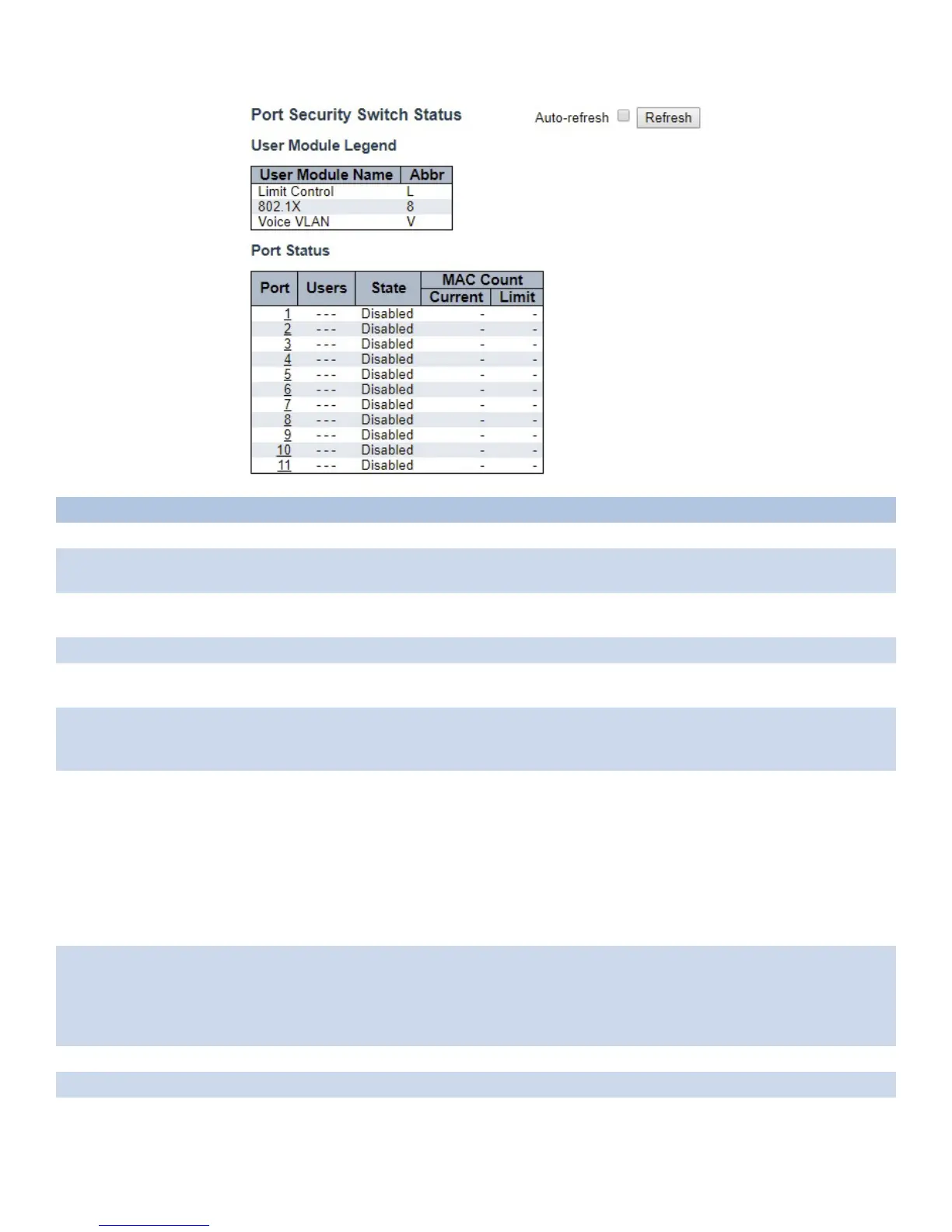
Object Description
User Module Legend
User Module
Name
The full name of a module that may request Port Security services.
Abbr A one-letter abbreviation of the user module. This is used in the Users column in the port status
table.
Port Status
Port The port number for which the status applies. Click the port number to see the status for this
particular port.
Users Each of the user modules has a column that shows whether that module has enabled Port
Security or not. A ‘-’ means that the corresponding user module is not enabled, whereas a letter
indicates that the user module abbreviated by that letter (see Abbr) has enabled port security.
State Shows the current state of the port. It can take one of four values:
Disabled: No user modules are currently using the Port Security service.
Ready: The Port Security service is in use by at least one user module, and is awaiting frames from
unknown MAC addresses to arrive.
Limit Reached: The Port Security service is enabled by at least the Limit Control user module, and
that module has indicated that the limit is reached and no more MAC addresses should be taken in.
Shutdown: The Port Security service is enabled by at least the Limit Control user module, and that
module has indicated that the limit is exceeded. No MAC addresses can be learned on the port
until it is administratively re-opened on the Limit Control configuration Web-page.
MAC Count
(Current,Limit)
The two columns indicate the number of currently learned MAC addresses (forwarding as well
as blocked) and the maximum number of MAC addresses that can be learned on the port,
respectively.
If no user modules are enabled on the port, the Current column will show a dash (-).
If the Limit Control user module is not enabled on the port, the Limit column will show a dash (-).
Auto_refresh Check to refresh the page automatically every 3 seconds.
Refresh Click to refresh the page.



 To Next Page