INS_CNGE3FE8MS[POE][HO] Rev. 11.7.17 PAGE 41
INSTRUCTION MANUAL CNGE3FE8MS[POE][HO]
TECH SUPPORT: 1.888.678.9427
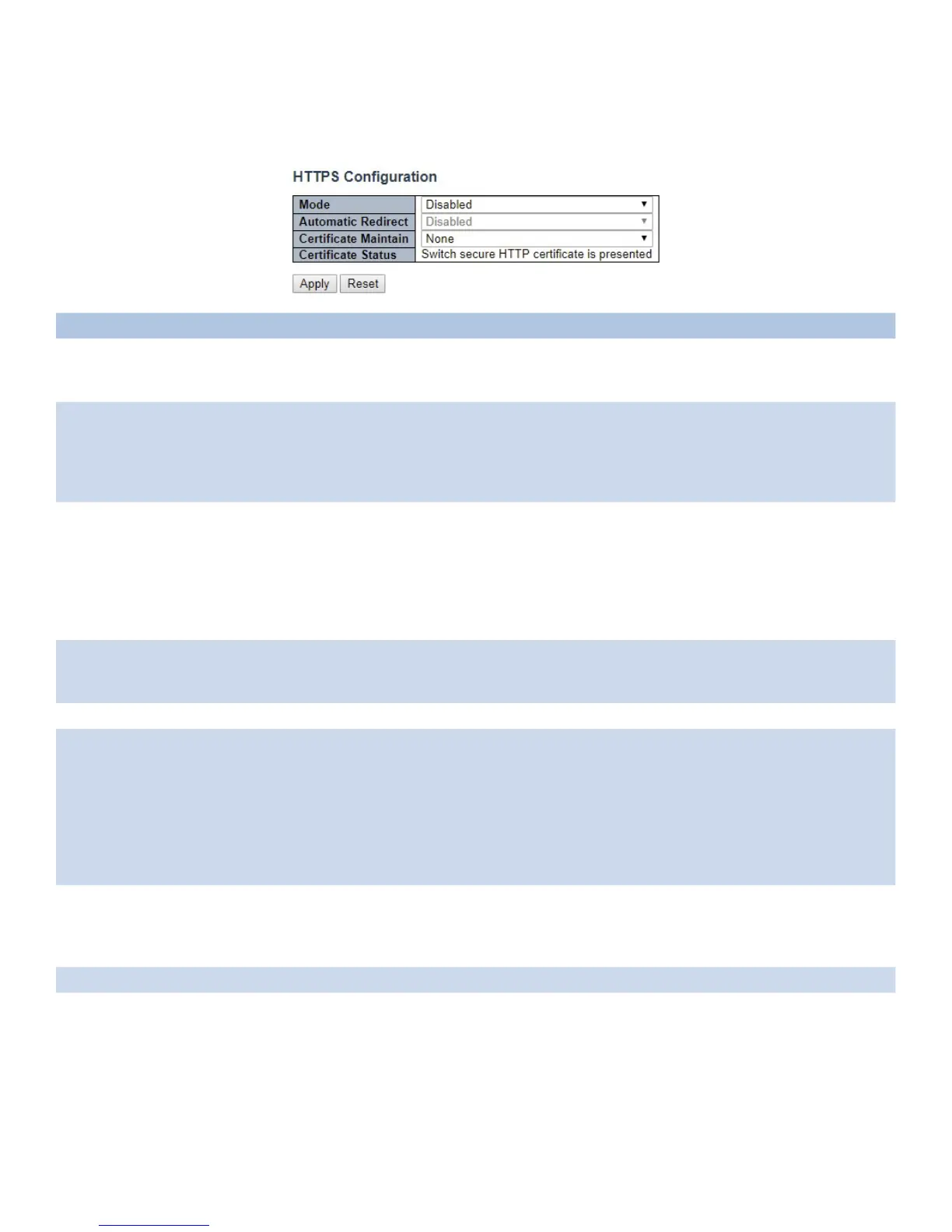
HTTPS
Configure HTTPS on this page.
Object Description
Mode Indicates the HTTPS mode operation. When the current connection is HTTPS, to apply HTTPS
disabled mode operation will automatically redirect web browser to an HTTP connection. Possible
modes are: Enabled: Enable HTTPS mode operation. Disabled: Disable HTTPS mode operation.
Automatic
Redirect
Indicates the HTTPS redirect mode operation. It only significant if HTTPS mode “Enabled” is
selected. Automatically redirects web browser to an HTTPS connection when both HTTPS mode
and Automatic Redirect are enabled. Possible modes are:
Enabled: Enable HTTPS redirect mode operation.
Disabled: Disable HTTPS redirect mode operation.
Certificate
Maintain
This field only can be configured when HTTPS is disabled. It is used to maintain the certification.
Possible actions are:
None: None action for certification.
Delete: To delete certification.
Upload: To upload certification, there are two kind of upload method can be selected: Web Browser
or URL.
Generate: To generate certification.
Certificate
Algorithm
HTTPS can generate two types of certification. Possible types are:
RSA: RSA certification.
DSA: DSA certification.
PassPhrase The pattern is used for encrypting the certification.
Certificate
Upload
Possible modes are:
Web Browser: To Upload certification via Web browser.
URL: To Upload certification via URL, the supported protocols are HTTP, HTTPS, TFTP and FTP.
The URL format is <protocol>://[<username>[:<password>]@]<host>[:<port>][/<path>]/<file_
name>. For example, tftp://10.10.10.10/new_image_path/new_image.dat, http://username:passwo
rd@10.10.10.10:80/new_image_path/new_image.dat. A valid file name is a text string drawn from
alphabet (A-Za-z), digits (0-9), dot (.), hyphen (-), under score(_). The maximum length is 63 and
hyphen must not be first character. The file name content that only contains '.' is not allowed.
Certificate
Status
Possible status is:
Switch secure HTTP certificate is presented: The certification is stored in HTTPS' database.
Switch secure HTTP certificate is not presented: No certification is stored in HTTPS' database.
Switch secure HTTP certificate is generating ...: The certification is generating.
Apply Click to apply changes.
Reset Click to revert to previous values.



 To Next Page