8-16 Using a Modem
Writer: Karen S. Williams Saved by: Cheryl Love Saved date: 09/03/97 9:44 AM
Part Number: 220709-003 File name: Ch08.doc
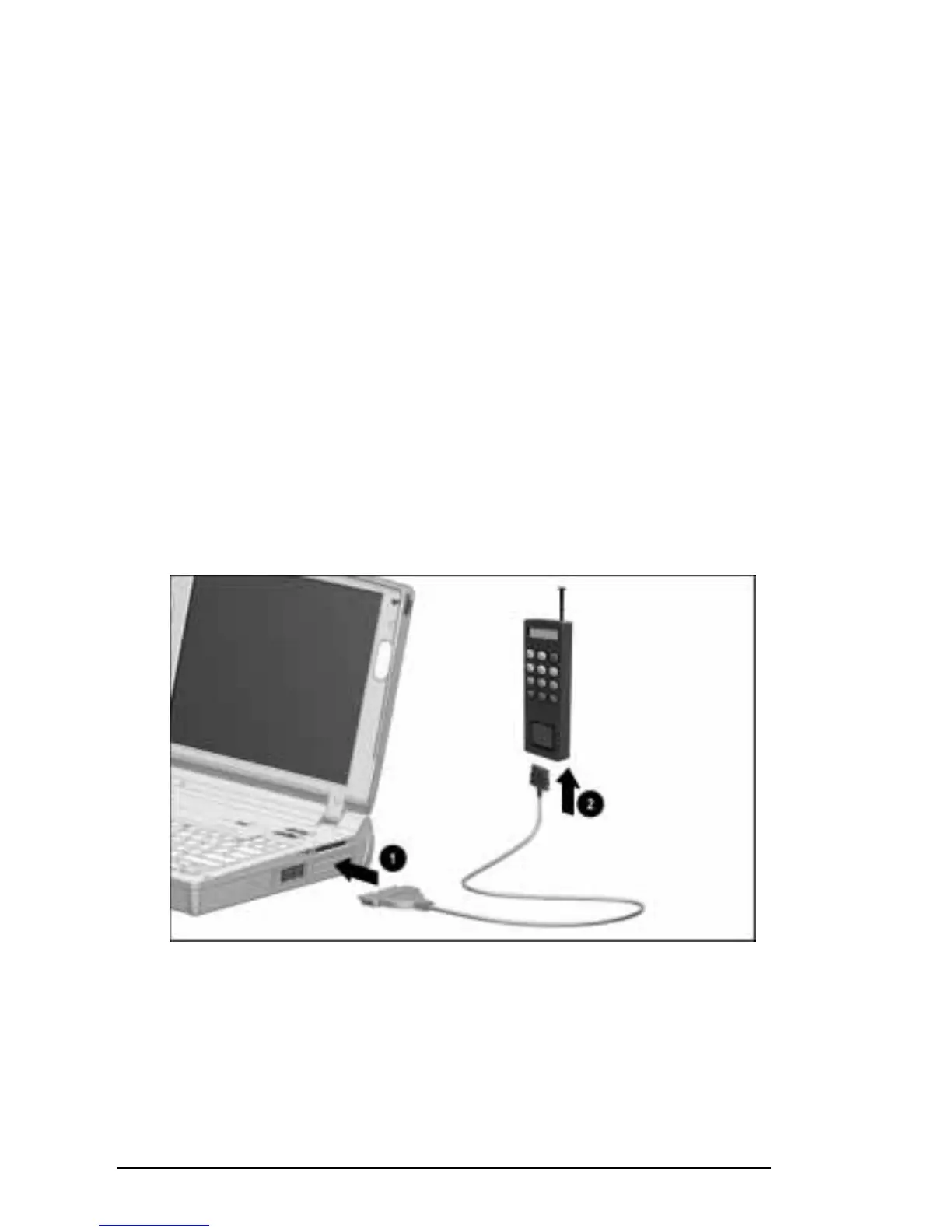
Connecting the Cellular Phone
To connect the modem to a supported cellular phone using a
cellular phone cable:
1. Save your work, exit all applications, and turn off
the computer.
2. Connect the 25-pin connector on the cellular phone cable to
the 25-pin connector on the computer
1
.
3. Turn on the computer.
4. Insert the opposite end of the cellular phone cable into the
cable connector on the cellular phone
2
.
NOTE:
For information about identifying and using this
connector, refer to the documentation that came with the
cellular phone.
5. Turn on the cellular phone.
To optimize a cellular phone connection: do place the cellular
phone upright and near a window; do not lay the cellular phone on
a metal surface; do not move the computer or the cellular phone
while in use.
Connecting the Modem to a Cellular Phone
NOTE:
The cellular phone-specific modem cable and cellular
phone jack that you are using may differ from the cable and jack
shown in this illustration. The sizes and shapes of cellular
phone-specific modem cables and cellular phone jacks vary
among supported phones.











 To Next Page