Getting Started 1-7
Writer: Karen Williams Saved by: Cheryl Love Saved date: 09/05/97 2:30 PM
Part Number: 220709-003 File name: Ch01.doc
Opening the Computer
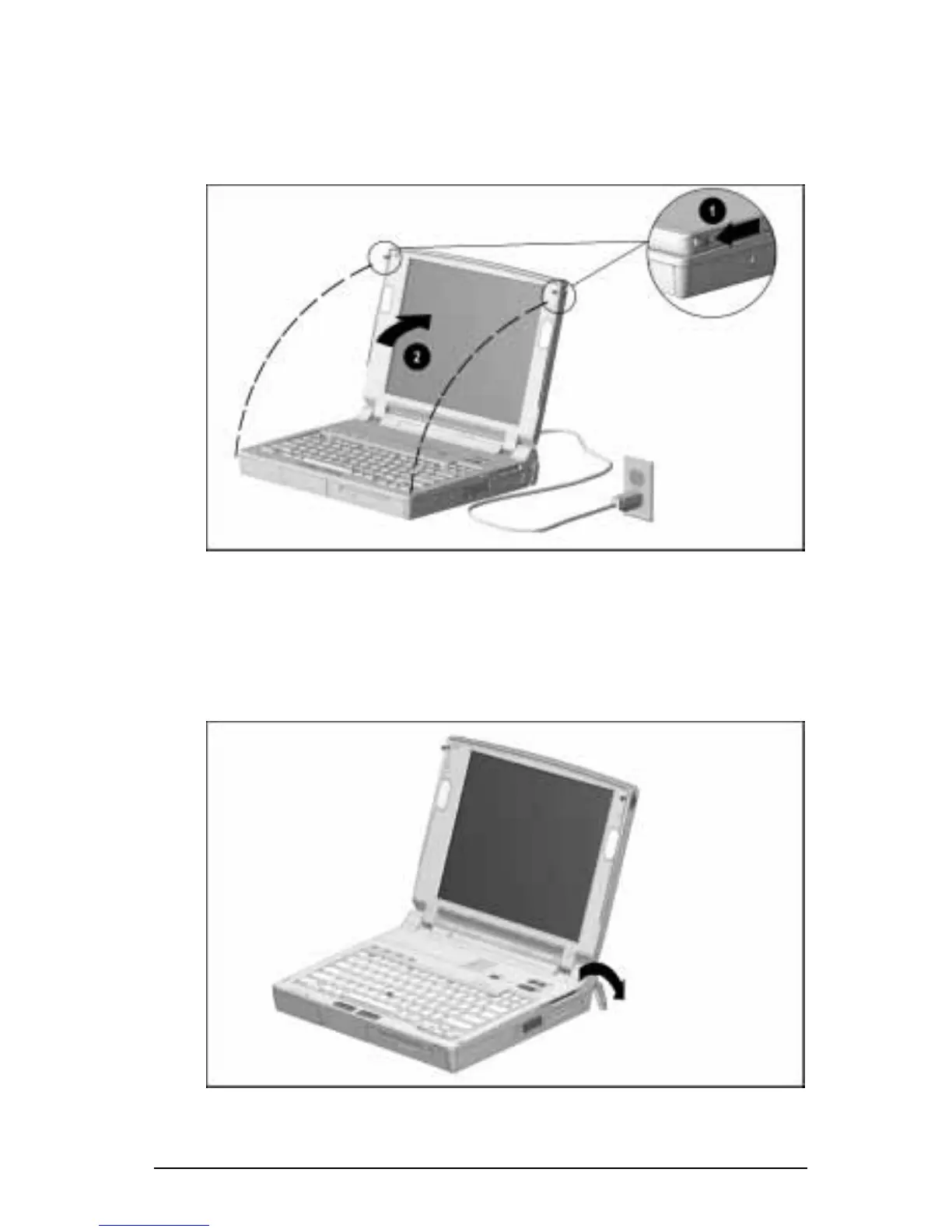
Open the computer by sliding forward the display release latch
1
on each side of the display, then raising the display to a
comfortable viewing angle
2
.
Opening the Computer
Adjusting the Keyboard
To elevate the back of the keyboard, swivel the tilt feet back and
down.
Tilting the Keyboard











 To Next Page