9-6 Using PC Cards
Writer: Karen Williams Saved by: Cheryl Love Saved date: 09/03/97 9:46 AM
Part Number: 220709-003 File name: Ch09.doc
When the Computer is Off
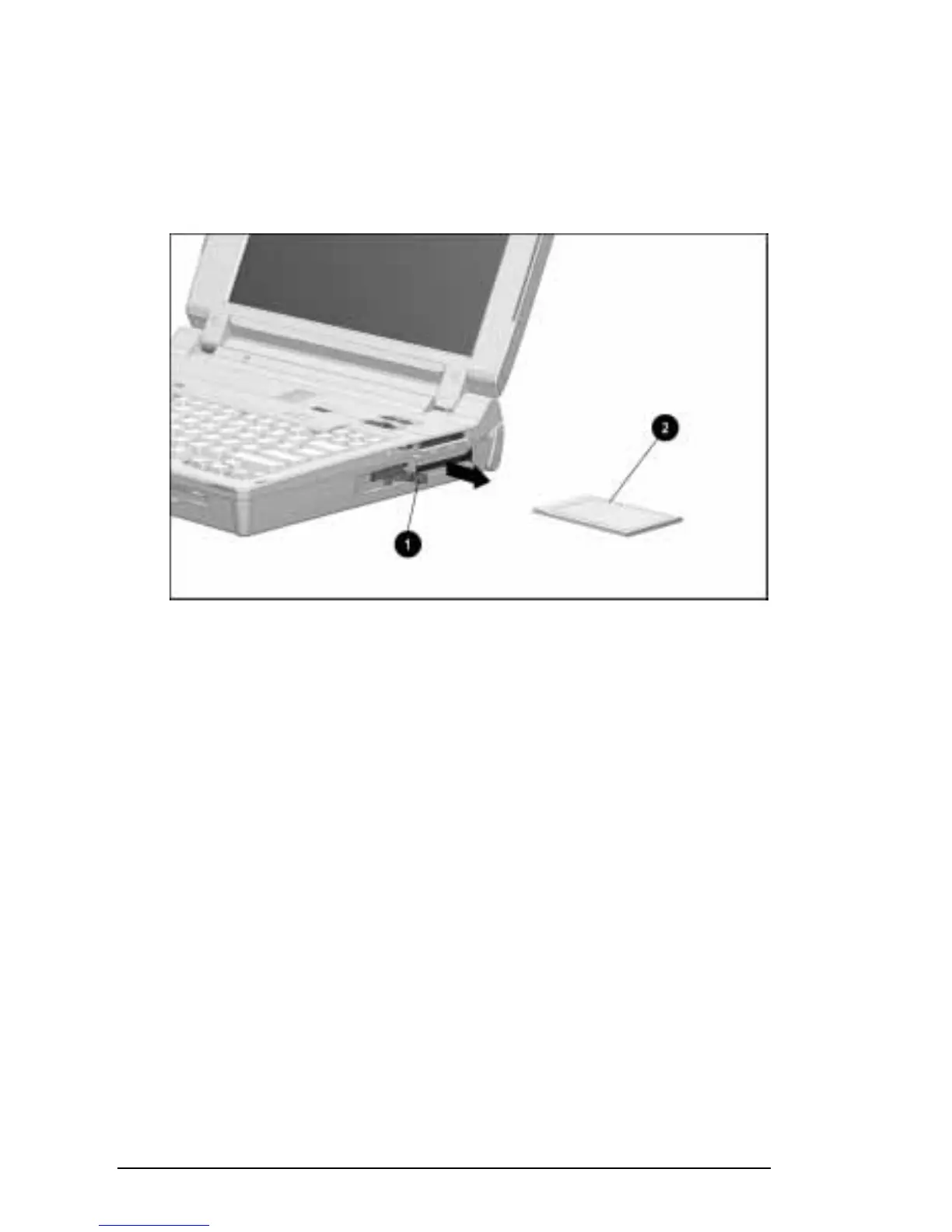
To remove a PC Card when the computer is off:
1. Pull the PC Card eject lever
1 that corresponds to the slot
containing the PC Card.
2. Gently grasp the card and pull it out 2.
Removing a PC Card
When the Computer is On
To stop, then remove a PC Card from a computer that is on and
running Windows 95:
1. Click the PC Card icon in the system tray on the Windows
taskbar. A list of PC Cards in the system appears.
2. Click the PC Card you want to stop.
IMPORTANT:
Always stop a LAN, ATA, or SCSI card before
removing it.
3. When a message appears that it is safe to remove the card, pull
the PC Card eject lever 1 that corresponds to the slot.
4. Gently grasp the card and pull it out 2.
■
A computer running Windows 95 beeps twice when the
card is removed.
■
A computer running Windows NT beeps three times in
descending tones when the card is removed.











 To Next Page