Increasing RAM 11-3
Writer: Karen Williams Saved by: Cheryl Love Saved date: 09/03/97 9:47 AM
Part Number: 220709-003 File name: Ch11.doc
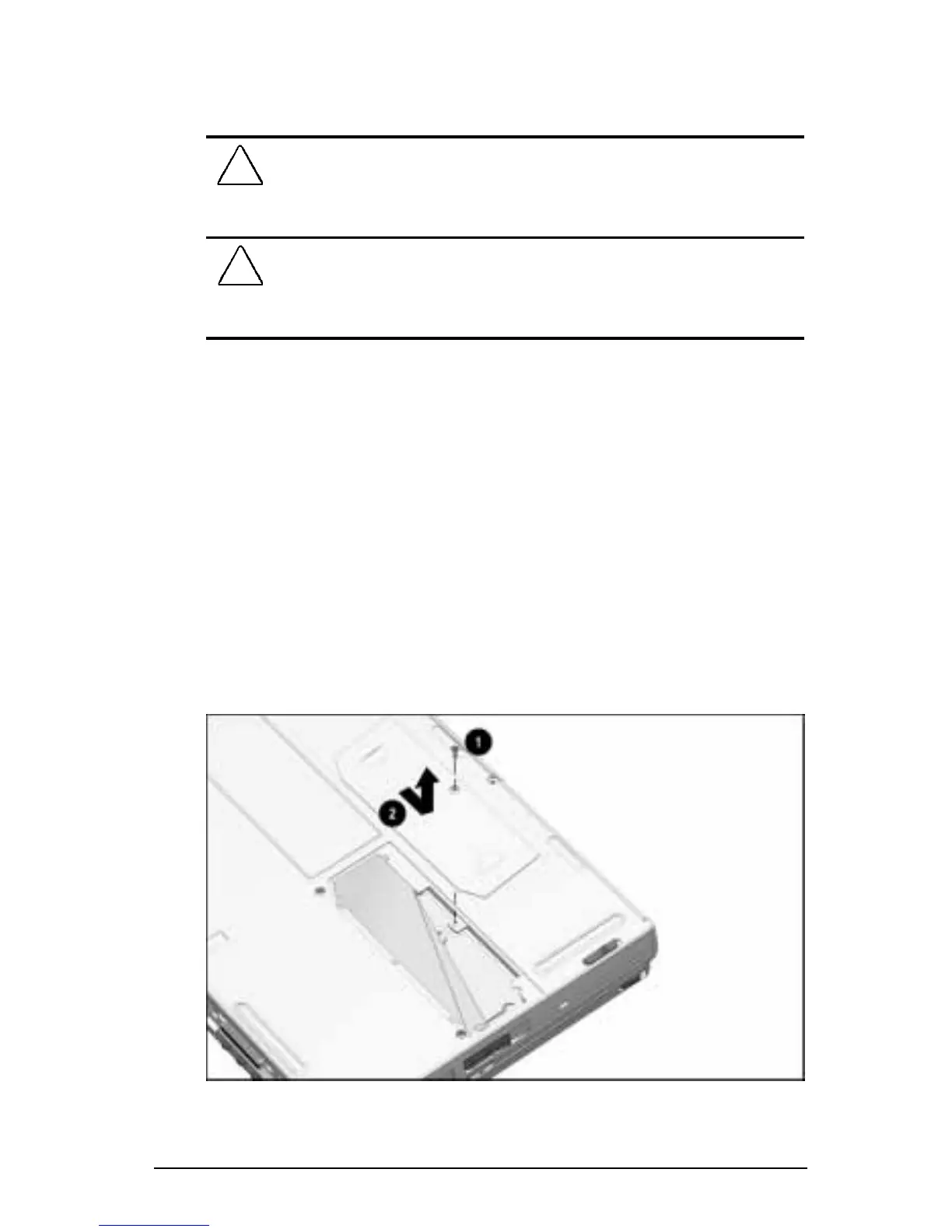
Removing a Memory Expansion Slot Cover
To remove the memory expansion slot cover:
!
WARNING:
Failure to unplug the power cord and remove the
battery pack before installing a memory expansion board can
damage the equipment and expose you to the risk of electrical
shock.
CAUTION:
Electrostatic discharge (ESD) can damage electronic
components. Before beginning this procedure, ensure that you are
properly grounded. For more information, refer to Appendix C,
“Electrostatic Discharge.”
1. Save your work, exit all applications, and shut down
the computer.
NOTE:
If you are unsure whether the computer is off or in
Hibernation, turn the computer on, then shut it down.
2. Disconnect all external devices connected to the computer.
3. Disconnect the power cord and remove any battery pack(s) in
the computer.
4. Turn the computer bottom side up on a flat surface with the
rear panel facing you.
5. Remove the screw
1 attaching the memory expansion slot
cover to the computer.
6. Slide right, then lift away the memory expansion slot cover 2.
Removing the Memory Expansion Slot Cover











 To Next Page