5-14 Using Battery Packs
Writer: Karen S. Williams Saved by: Cheryl Love Saved date: 09/05/97 2:33 PM
Part Number: 220709-003 File name: Ch05.doc
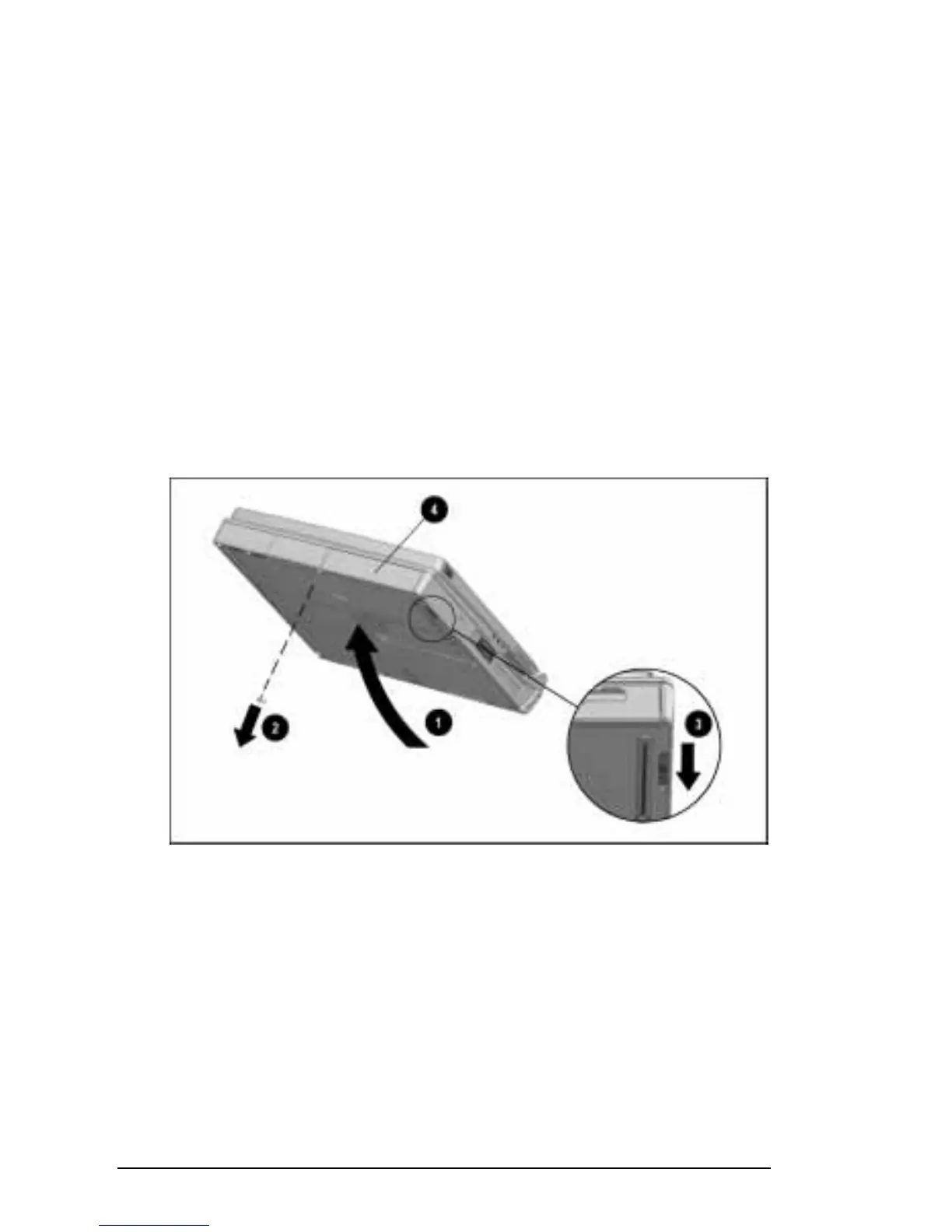
Removing a Battery Pack from the MultiBay
To remove a battery pack from the computer MultiBay:
1. If the computer is on and you want to return your work to the
screen after replacing the battery pack that is running the
computer, press the suspend button.
2. Tilt the computer
1
to access the MultiBay release features.
3. If the battery pack has been secured in the MultiBay with a
single-bay security screw
2
or a dual-bay security screw,
remove the screw with the Torx T-10 screwdriver included
with the computer. For more information about these security
features, refer to “Securing Devices in the Hard Drive Bay and
MultiBay” in Chapter 13.
4. Slide the MultiBay release latch
3
back while pulling on the
battery from the recess
4 beneath the MultiBay.
Releasing a Battery Pack from the MultiBay











 To Next Page