13-10 Securing the Computer
Writer: Karen Williams Saved by: Cheryl Love Saved date: 09/03/97 9:59 AM
Part Number: 220709-003 File name: Ch13.doc
Securing Devices in the
Hard Drive Bay and MultiBay
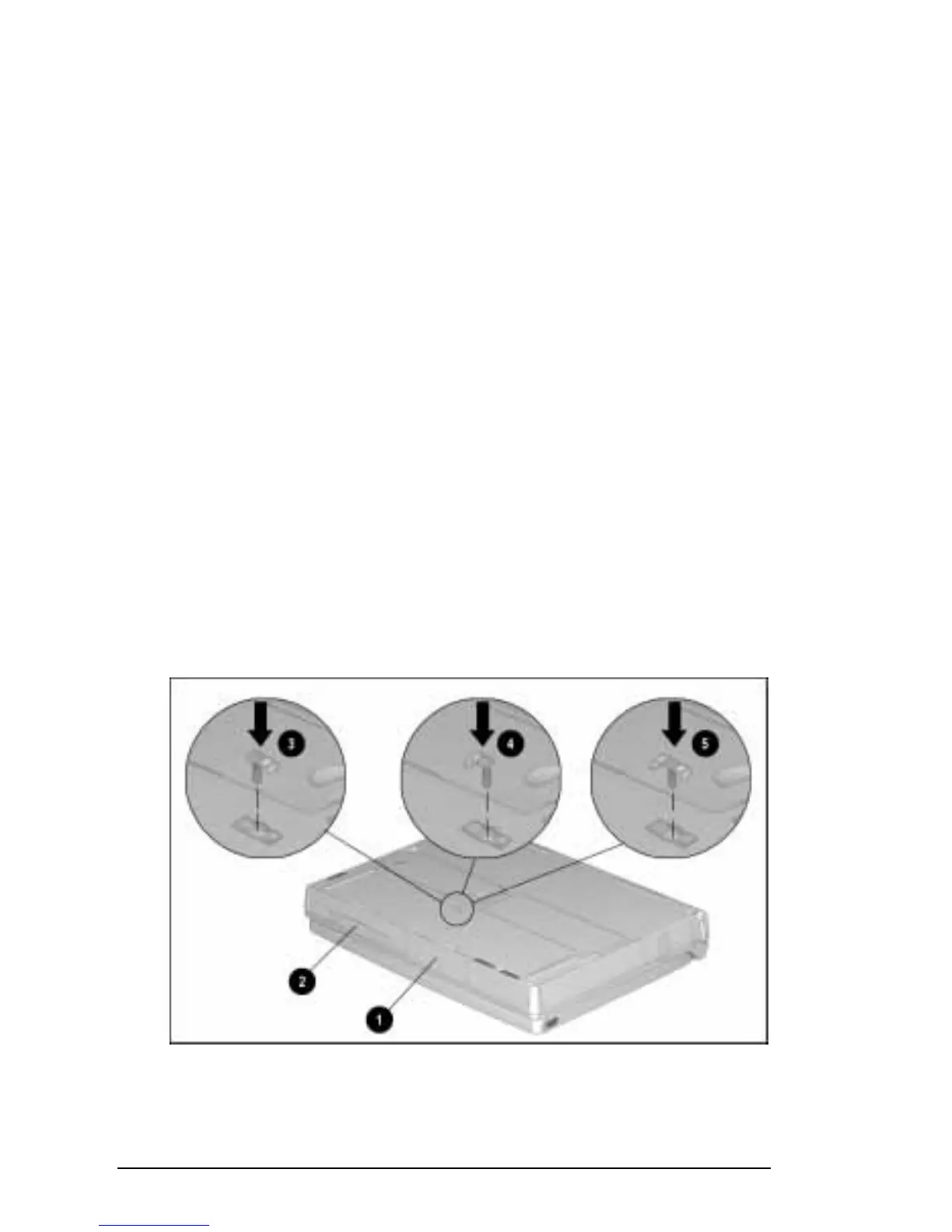
To secure devices in the hard drive bay
1
or the MultiBay
2
:
1. Place the computer on a flat surface, bottom side up and
facing forward.
2. Depending on the device(s) you want to secure, insert a
single-bay security screw or a dual-bay security screw into the
security slot(s) on the bottom of the computer.
To secure a hard drive in the hard drive bay
, position
the tab on the single-bay security screw to the right and
insert it in the right side of the security slot
3
.
To secure a device in the MultiBay
, position the tab on
the single-bay security screw to the left and insert it in the
left side of the security slot
4
.
To secure a hard drive in the hard drive bay and a
device in the MultiBay
, position the dual-bay security
screw so that the tabs on the security screw fit into both
security slots
5.
3. Tighten the single-bay security screw or the dual-bay
security screw with the Torx T-10 screwdriver included with
the computer.
Securing Computer Devices with a Single-Bay Security Screw
3
and
4
or a Dual-Bay
Security Screw
5











 To Next Page