11-6 Increasing RAM
Writer: Karen Williams Saved by: Cheryl Love Saved date: 09/03/97 9:47 AM
Part Number: 220709-003 File name: Ch11.doc
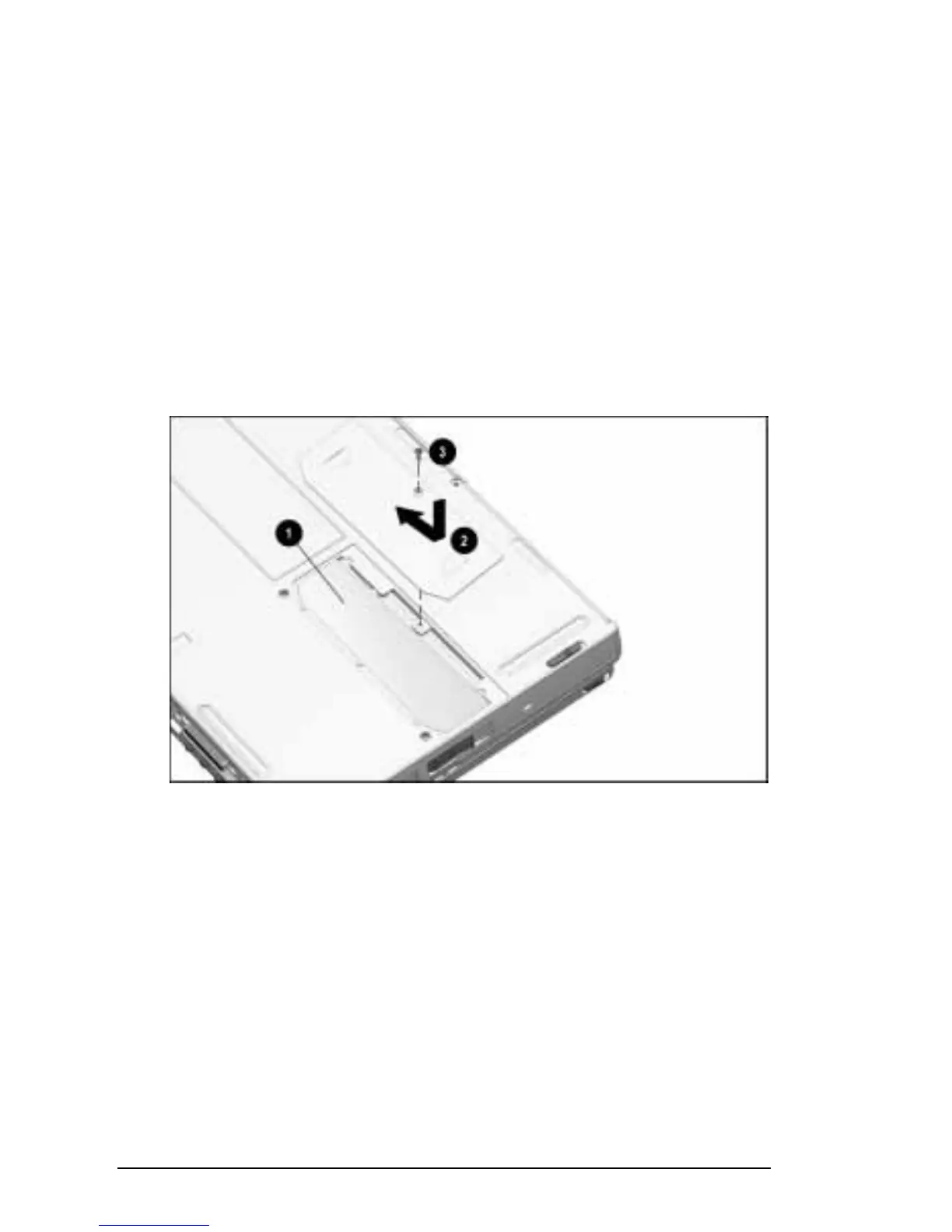
Replacing the Memory Expansion Slot Cover
To replace the memory expansion slot cover:
1. Lay the memory insulator
1
over the installed memory
expansion board (s), ensuring that all edges of the
memory insulator are tucked inside the memory
expansion compartment.
2. Replace the memory expansion slot cover
2
by placing it
flush right over the memory expansion compartment, then
sliding it left until it is seated.
3. Attach the memory expansion slot cover to the computer with
a memory expansion slot cover security screw
3
or a standard
Torx T-8 screw.
Replacing a Memory Expansion Slot Cover











 To Next Page