Securing the Computer 13-11
Writer: Karen Williams Saved by: Cheryl Love Saved date: 09/03/97 9:59 AM
Part Number: 220709-003 File name: Ch13.doc
Securing a Memory Expansion Board
On a model that ships with an empty memory expansion
compartment, the memory expansion slot cover is attached to the
computer with a standard Torx T-8 screw.
To secure the memory expansion slot cover with one of the two
tamper-resistant memory expansion slot cover screws supplied
with the computer:
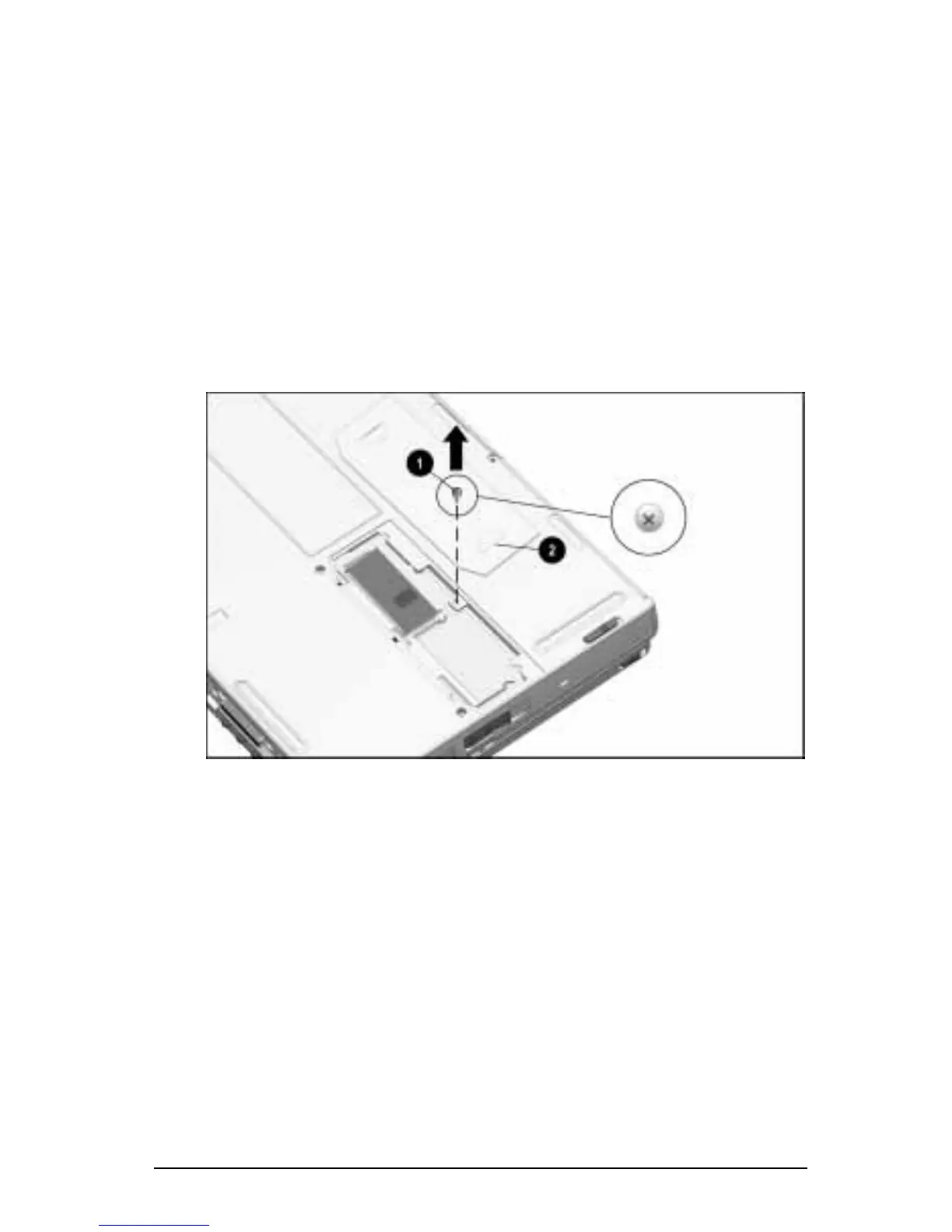
1. Place the computer on a flat surface, bottom side up.
2. Use a Torx T-8 screwdriver to remove the factory-installed
screw
1
that attaches the memory expansion slot cover
2
to
the computer.
Removing the Factory-Installed Screw
NOTE:
For information about adding memory and installing a
memory expansion board, refer to Chapter 11, “Increasing RAM.”











 To Next Page