1-8 Getting Started
Writer: Karen Williams Saved by: Cheryl Love Saved date: 09/05/97 2:30 PM
Part Number: 220709-003 File name: Ch01.doc
Turning On the Computer
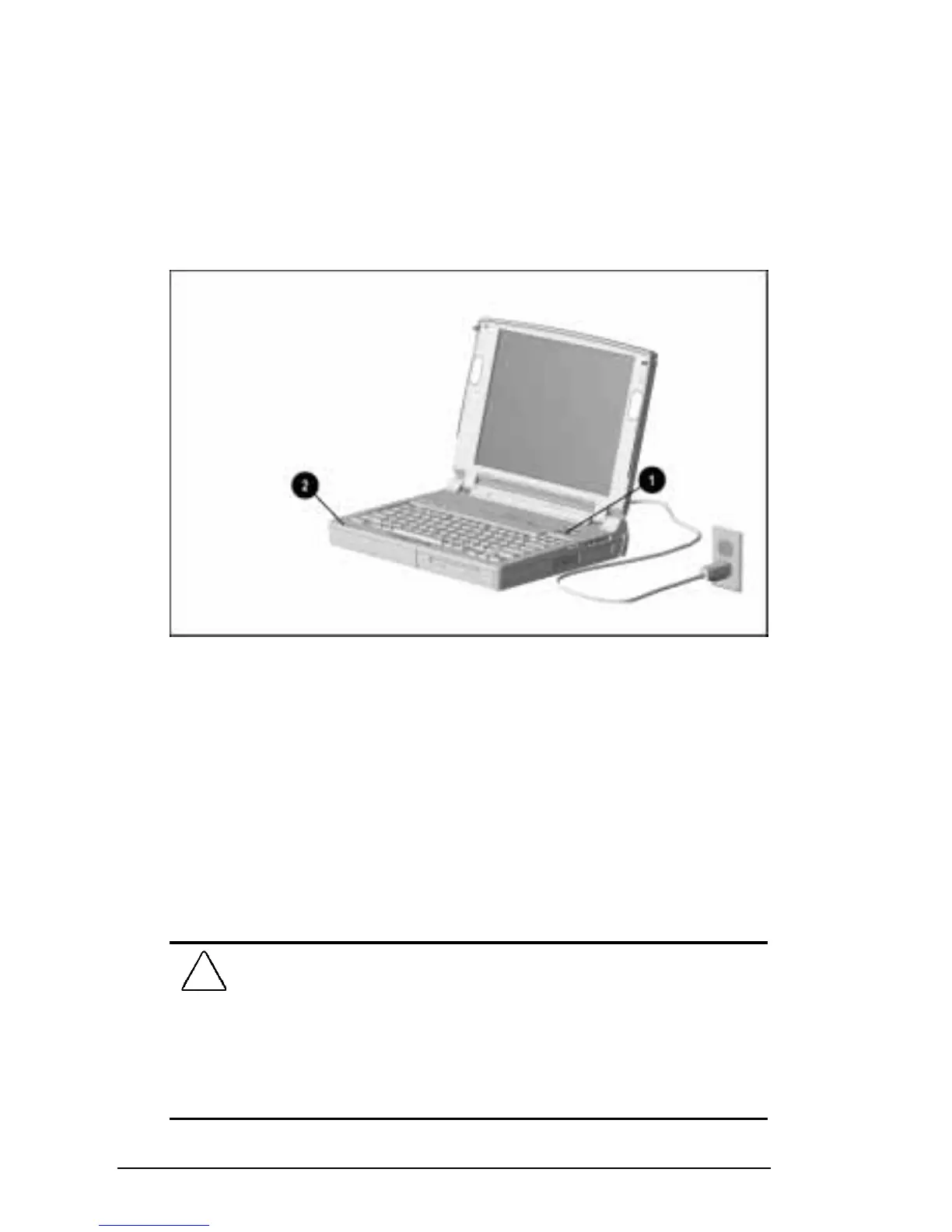
To turn on the computer, slide the power switch
1
and release it.
Whenever the computer is turned on, the power/suspend light
2
turns on to indicate that power is turned on.
NOTE:
To restore the screen if it is blanked by the screen saver
during a period of keyboard and mouse inactivity, press the
Shift
key.
Turning On the Computer
Setting Up the Software
When you turn on the computer the first time, the Compaq setup
screen appears.
When you select to begin software setup, online instructions guide
you through the setup process.
IMPORTANT:
After you select to begin software setup, you must
complete the entire process, which may require up to 20 minutes.
CAUTION:
To prevent file corruption and ensure the correct
software drivers are installed:
■
Before you begin software setup, be sure the diskette drive is in
the computer and that the computer is
not
docked in a docking
station.
■
During software setup, do not turn off or unplug the computer or
remove a drive.











 To Next Page