Using the Keyboard 3-3
Writer: Karen Williams Saved by: Cheryl Love Saved date: 09/05/97 2:31 PM
Part Number: 220709-003 File name: Ch03.doc
Calculating on the Keyboard
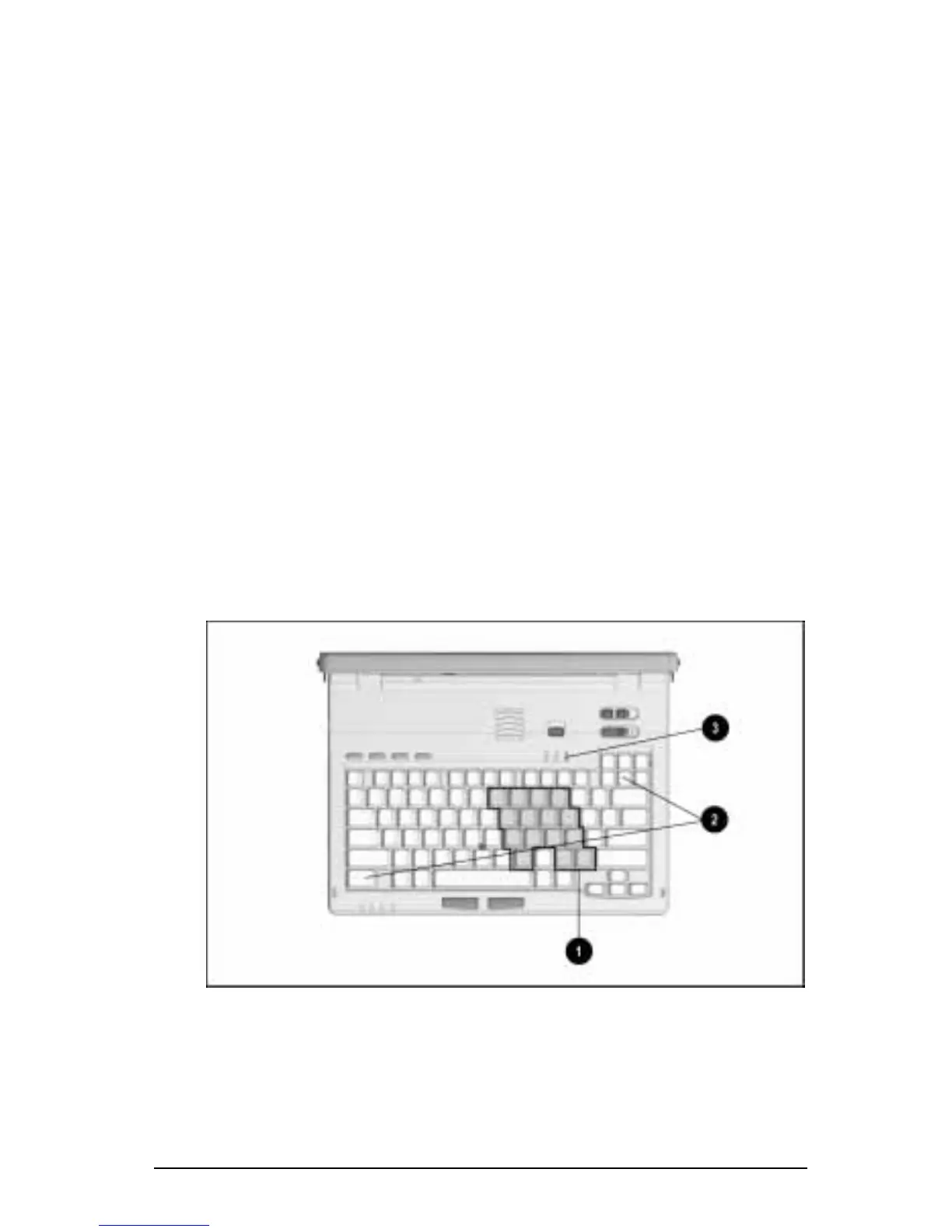
The computer keyboard features an embedded numeric keypad
1
that is activated and deactivated by toggling
Fn+Num Lk
2
.
When the embedded numeric keypad is toggled on:
■
The Num Lk light
3
is on.
■
The
blue
numbers and symbols on the top right of the
embedded numeric keypad keys are active.
When the embedded numeric keypad is toggled off:
■
The Num Lk light is off.
■
The
black
letters, numbers, and symbols on the embedded
numeric keypad keys are active.
To type the
black
letters, numbers, and symbols on embedded
numeric keypad keys while the embedded numeric keypad is on:
■
Press and hold
Fn
to type lowercase letters or the lower-left
symbols on the symbols keys.
■
Press and hold
Fn+Shift
to type uppercase letters or the upper-
left symbols on the symbols keys.
Embedded Numeric Keypad
NOTE:
An external numeric keypad can be connected to the
computer by using the serial connector or the keyboard/mouse
connector.











 To Next Page