6-10 Working with Removable Drives
Writer: Karen Williams Saved by: Cheryl Love Saved date: 09/03/97 9:43 AM
Part Number: 220709-003 File name: Ch06.doc
Removing a Diskette Drive or
CD-ROM Drive from the MultiBay
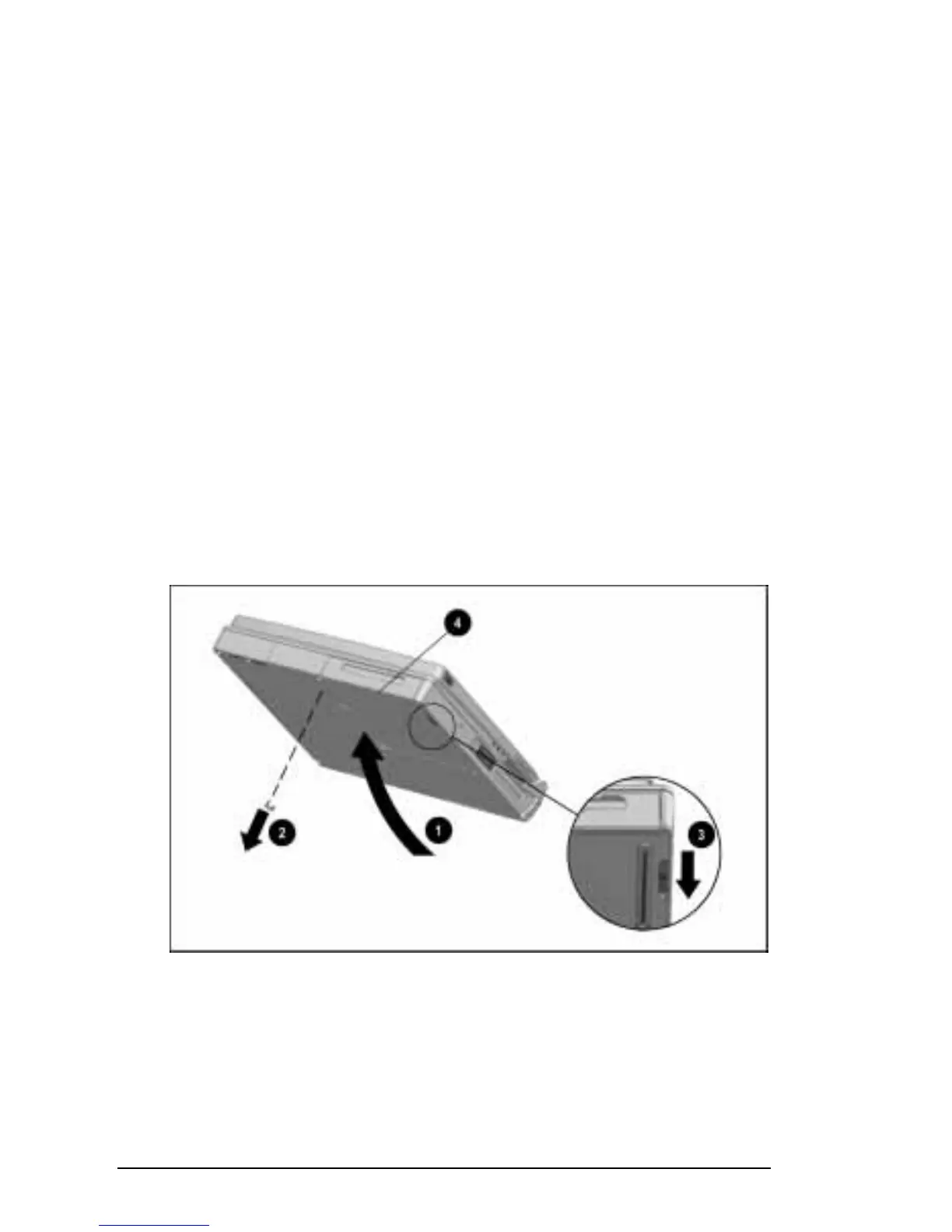
To remove a diskette drive or CD-ROM drive from the MultiBay:
1. If you are using Windows 95, save your work, exit all
applications, and shut down the computer.
NOTE:
If you are using Windows NT, it is not necessary to shut
down the computer before removing a diskette drive or a
CD-ROM drive from the MultiBay.
2. Remove the diskette from the diskette drive or the CD from
the CD-ROM drive. Ensure that the CD tray is closed.
3. Tilt the computer
1
to access the MultiBay release features.
4. If the drive has been secured in the MultiBay with a
single-bay security screw
2
or a dual-bay security screw,
remove the screw with the Torx T-10 screwdriver included
with the computer.
5. Slide the MultiBay release latch
3
back while pulling on the
drive from the recess
4
beneath the MultiBay. This releases
the drive from the MultiBay.
Releasing a Drive from the MultiBay











 To Next Page