9-4 Using PC Cards
Writer: Karen Williams Saved by: Cheryl Love Saved date: 09/03/97 9:46 AM
Part Number: 220709-003 File name: Ch09.doc
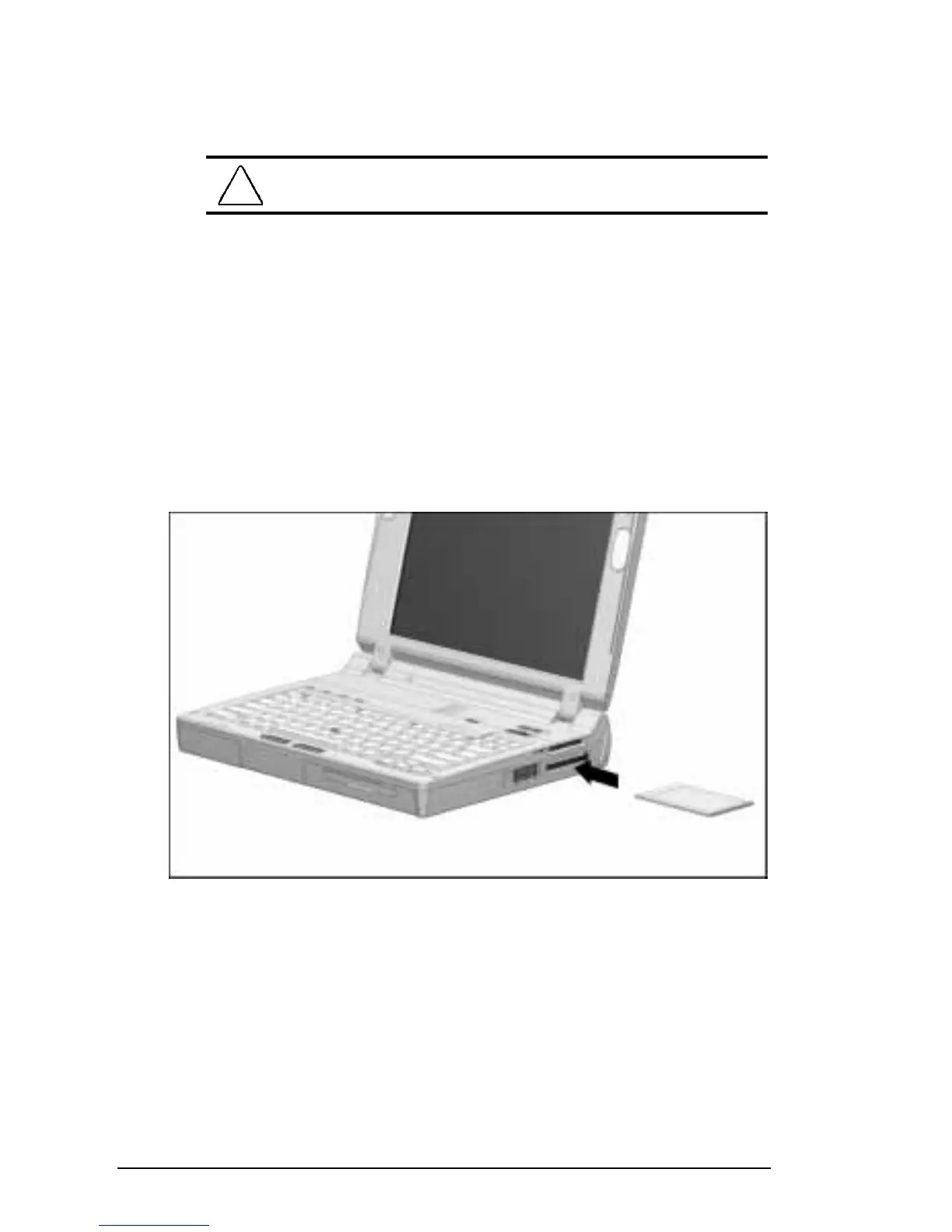
To insert a PC Card:
1. With the connector facing in, push the PC Card through the
PC Card doors and align the PC Card on the guide rails.
CAUTION:
Forcing a PC Card into a PC Card slot can
damage the slot.
2. Gently push the card into the slot until it is seated.
■
A computer running Windows 95 beeps twice when the
card is ready for use.
■
A computer running Windows NT beeps three times in
ascending tones when the card is recognized.
NOTE:
If you are running Windows NT, additional insertion
information and instructions appear onscreen when you insert
some PC Cards, such as LAN and SCSI cards. To ensure
proper PC Card performance, please follow these prompts.
Inserting a PC Card




 To Next Page