6-8 Working with Removable Drives
Writer: Karen Williams Saved by: Cheryl Love Saved date: 09/03/97 9:43 AM
Part Number: 220709-003 File name: Ch06.doc
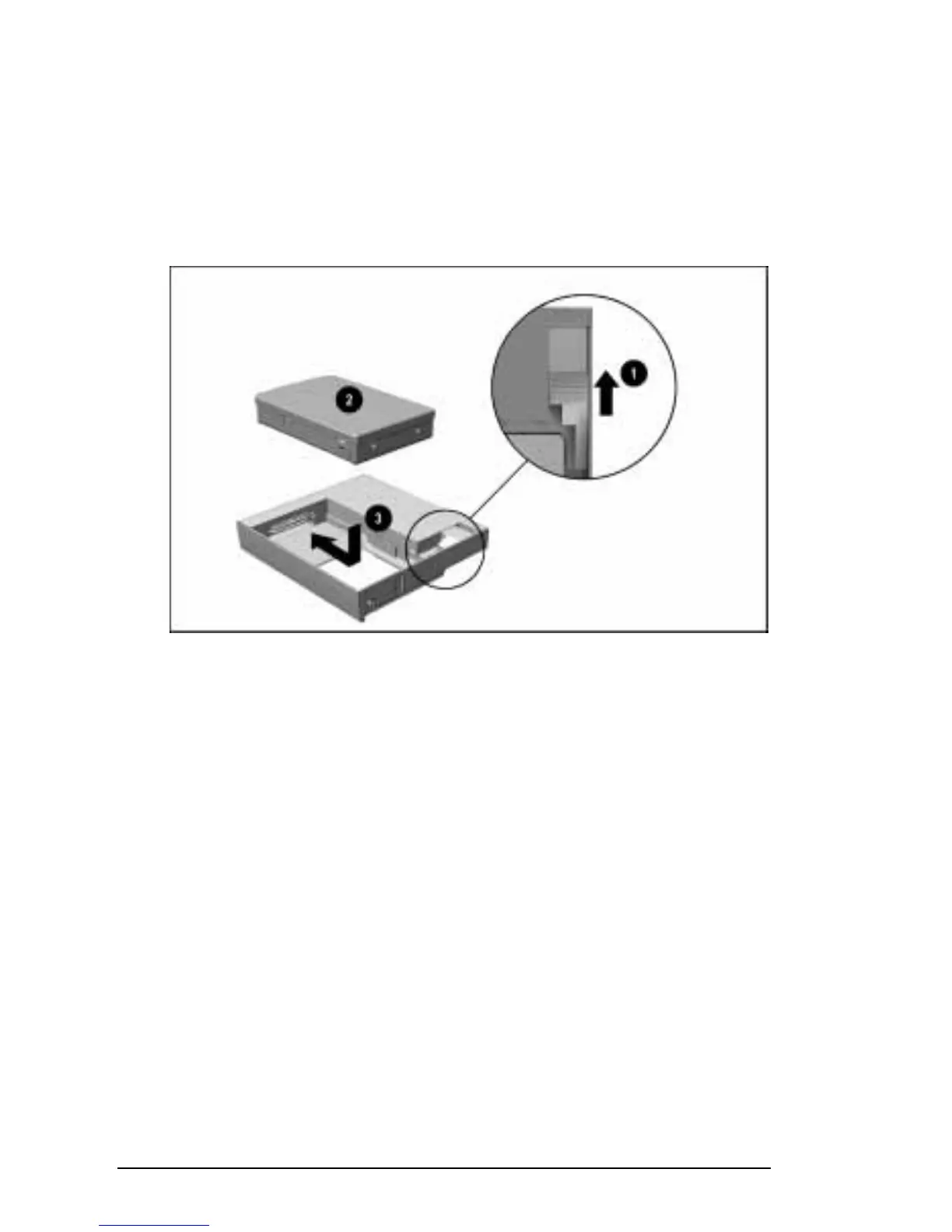
To insert a hard drive into the MultiBay:
1. Turn off the computer.
2. Push back the slide tab
1
on the MultiBay Adapter.
3. Lower the hard drive
2
into the MultiBay Adapter.
4. Slide the hard drive toward the connector
3
in the MultiBay
Adapter until both connectors are fully engaged.
Inserting a Hard Drive into an Armada 7000 Hard Drive MultiBay Adapter
5. Release the slide tab.
6. Slide the hard drive assembly into the MultiBay with the bezel
facing out.
NOTE:
You can secure the hard drive assembly in the MultiBay
with one of the single-bay security screws or dual-bay security
screws included with the computer. For information, refer to
“Securing Devices in the Hard Drive Bay and MultiBay” in
Chapter 13.











 To Next Page