3033-002B Section 2: Installation and Removal
Concordia Xpress Technical Support Manual 2-5
2900-300B
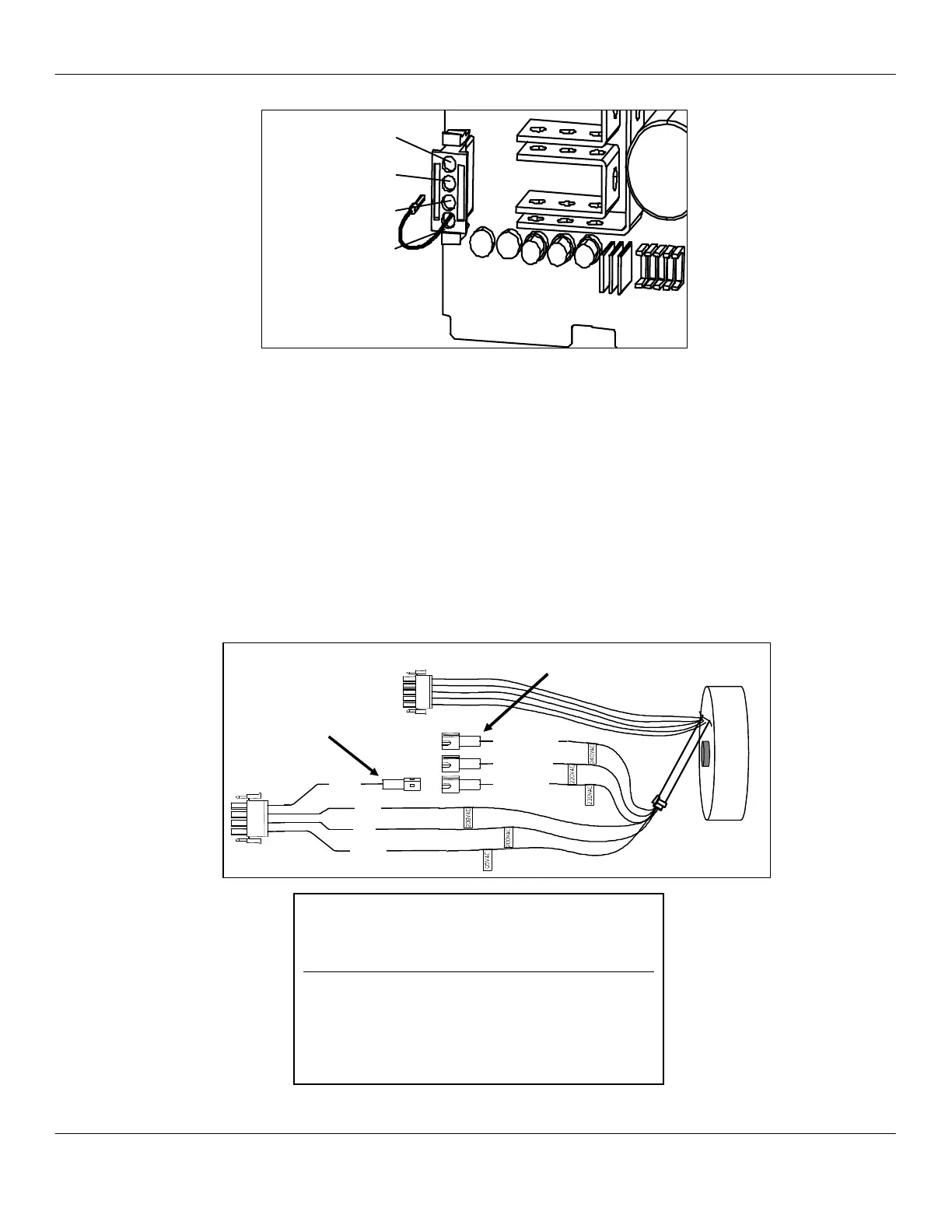
Configuring Transformer Auxiliary Connector
#1
It may be necessary to configure the auxiliary connector at the
transformer, depending on the measured supply voltage.
1. Remove the machine back panel.
2. Locate the transformer and connectors.
3. Using the voltage table, connect the transformer auxiliary
connector #1 to the appropriate connector labeled 220Vac,
230Vac, or 240Vac.
4. Reinstall the back panel and proceed with machine installation.
VOLTAGE TABLE
MEASURED SOURCE AUX
CONNECTOR CONNECTOR
VOLTAGE RANGE #1 SETTING
200 – 205 200 NO ADJUSTMENT
206 – 215 208 NO ADJUSTMENT
216 – 225 220-240 #3 GREEN WIRE
226 – 235 220-240 #4 WHITE WIRE
236 – 245 220-240 #2 ORANGE WIRE
Transformer Auxiliary Connector Configuration
Configuring the DC Jumper Plug
50-60Hz
200 VAC
208 VAC
220-240 VAC
200 VAC
208 VAC
220-240 VAC
L2



 To Next Page