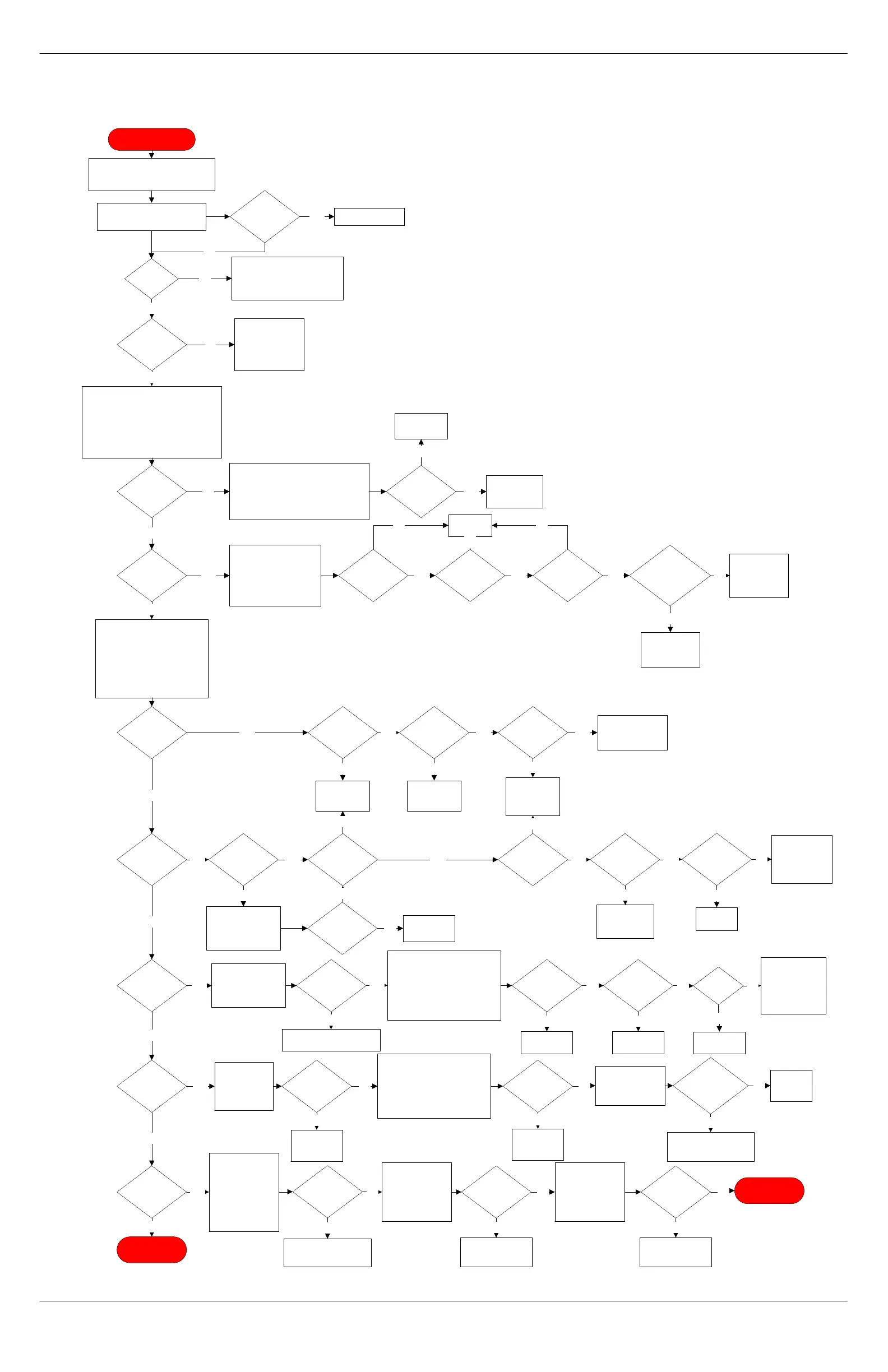
F19
blown?
No
F15
blown?
Analog
board
OK?
Display
board
OK?
Check
display board
cable.
Yes
Replace
DC board.
PN 2630-034
Yes Yes
Replace CPU
assembly.
PN 2630-111
No
Replace
display cable.
PN 2670-121
Replace
display board
assembly.
PN 2612-040
No
No
Yes
F16
blown?
Yes
CPU
green LED
lit?
Display
board
OK?
Analog
board
OK?
Group
fix sensors
OK?
Motor
hall sensors
OK?
Replace
DC board.
Yes
YesYesYesYes
No
Yes
Replace DC
board.
Remove CPU & DC
board. Replace fuse
F16 and reinsert DC
card. Power unit on.
5Vdc
present on
pin?
No
Replace or fix
sensor.
PN 2130-003
No
Replace coffee
piston motor.
PN 2130-012 or
2130-013
No
No
No
No
F17
blown?
Remove CPU & DC
board. Replace fuse
F17 and reinsert DC
card. Power unit on.
F17
blown?
Yes
Replace CPU assembly.
PN 2630-111
No
Transducer
failed?
Power unit down. Reinsert
CPU. Disconnect transducer,
water probe, and milk sensors.
Inspect for damage. One at a
time, plug in each item to
identify if any has blown the
F17 fuse.
Yes
Water
probe
failed?
Milk
sensor
fail?
Call Concordia
Beverage
Systems for
assistance.
1-800-778-0990
No
NoNo
Replace DC
board.
Replace DC
board.
Replace DC
board.
Yes
YesYes
No
F18
blown?
No
Inspect 24Vdc
harness for
pinched or cut
wires.
Yes
Harness
shorted?
Repair or
replace
harness.
Yes
Disconnect all fans and valve
coils. Inspect and measure for
shorts. Disconnect 24Vdc from
relays. Remove CPU from
backplane. Replace F18 on
DC board, reinsert board
carefully, and restart unit.
No
F18
blown?
Replace AC
drawer.
PN 2630-049
Yes
One by one,
Reconnect each
item from above
until F18 blows.
No
F18
blown?
Replace
DC board.
No
Replace component
that caused F18 to
short.
Yes
No
END PROCESS
With unit off,
disconnect motors
from harness.
Replace F19 and
power unit on.
Inspect harness &
backplane for
damage.
F19
blown?
Yes
Yes
Replace CPU
assembly.
PN 2630-111
Reconnect the left
drive motor.
Navigate to TEST
ROUTINES >
LEFT DRIVE and
activate.
No
F19
blown?
Reconnect the
right drive motor.
Navigate to TEST
ROUTINES >
RIGHT DRIVE and
activate.
No
F19
blown?
Replace lower
piston motor.
PN 2130-013
Yes
Replace lower
piston motor.
PN 2130-013
Yes
No
END PROCESS
DC Voltage Failure
Remove the electrical enclosure front
panel. If the unit is off, power unit on
temporarily. Check for DC voltage
LEDs lit on the DC card. Verify
voltages on pins above green LED.
Use the lowest pin as ground. Power
the unit down and unplug from the wall.
R2
OK?
Were
any RFR LEDs
lit?
No
Replace
backplane or
cable.
PN 2670-116
Was
the green LED
lit?
Verify source voltage at wall is
present and adequate for unit.
Voltage
present?
Inform customer to verify
breaker is on. If breaker OK,
have customer call electrician
to fix no voltage problem.
No
Yes
DC
board jumper
correct?
Reset DC board
jumper and
transformer jumper
per technical
manual.
No
Yes
Pull DC board and inspect JP9 for
damaged or shorted pins. Inspect
connection to transformer plug. Unplug
transformer cable, plug unit in, power
unit on, and carefully measure voltages
at 15 pin connector.
Voltages
present?
No
Yes
Replace DC
board.
PN 2630-034
Replace
transformer.
Yes
Yes
Power unit on. Measure
voltage from “GND” pin
to RFRDRV1,
RFRDRV2, & RFRDRV3.
Verify that they are all
above 10.4Vdc.
All
voltages
present?
Replace
DC board.
D7 & D8
OK?
Yes
No
Voltage
at refrigeration
unit
module?
Yes No
Yes
Replace
refrigeration
unit module.
Observe if any other red lights
are lit. If so, verify the fuse
corresponds to the lit red LED.
F15 = -12Vdc
F16 = 5Vdc
F17 = 12Vdc
F18 = 24Vdc
F19 = 38Vdc
Yes
No
No
No
AC
drawer fuse F1
and F2
blown?
Replace fuse.
DO NOT POWER UP UNIT UNTIL
TROUBLESHOOTING TREE
INSTRUCTS YOU TO DO SO.
Yes
No



 To Next Page