3033-004B Section 4: Software
Concordia Xpress Technical Support Manual 4-27
2900-300B
Connecting a Laptop to a Machine
NOTE: This process is for customers using the default drink recipes. For
customers with custom drink recipes, see the Updating Software for
Customers with Customer Drink Recipes topic on page 4-30.
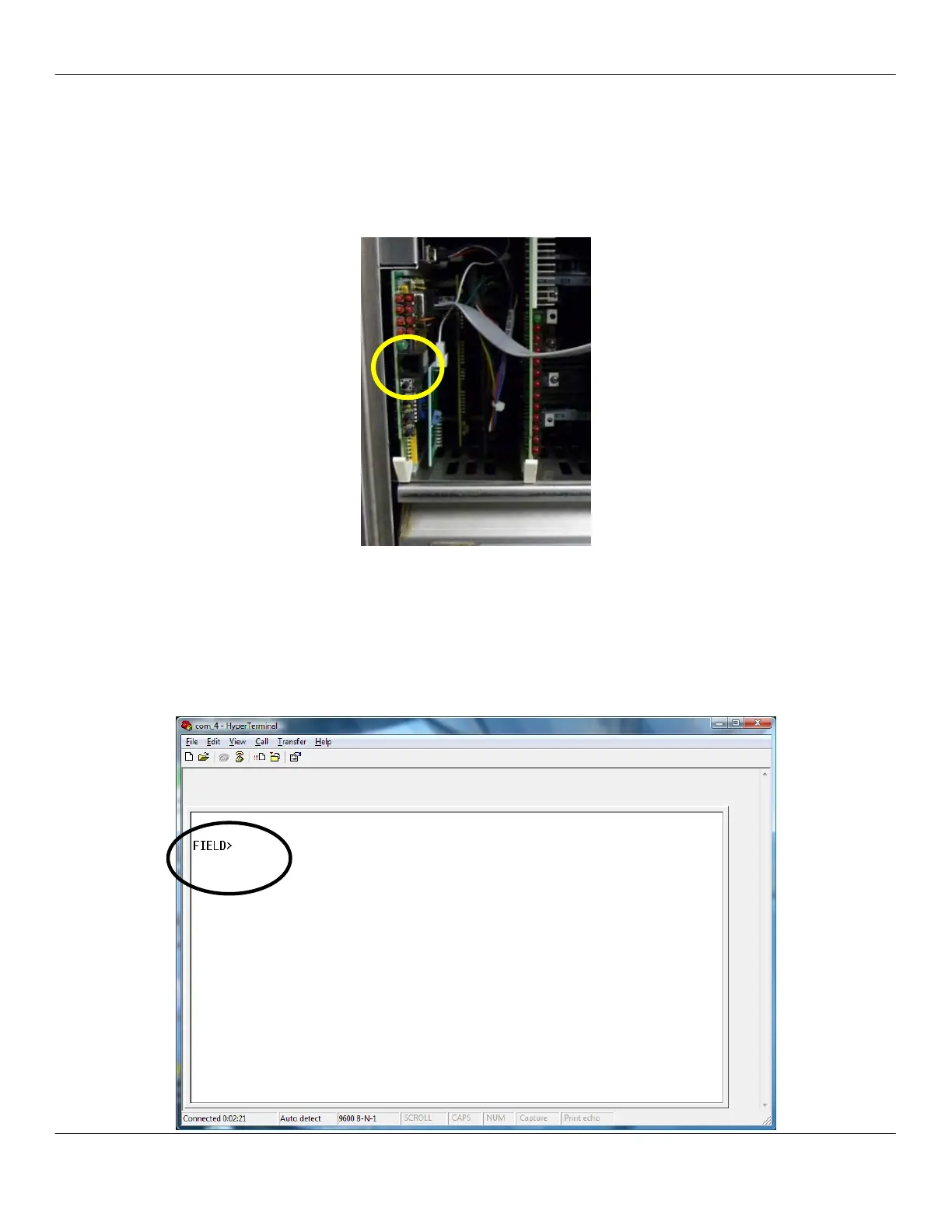
1. Connect the phone line end of the communications cable into the
service port on the far left board in the CPU area of the machine.
2. Connect the 9-pin D-Sub end of the communications cable into
the RS232 serial port of the laptop.
NOTE: Newer laptops may require a USB-to-RS232 adapter.
3. Press the service switch into the SERVICE position.
4. Open HyperTerminal and press Enter.
5. If the connection was successfully made, Field will appear in the
HyperTerminal window.



 To Next Page