3033-004B Section 4: Software
Concordia Xpress Technical Support Manual 4-19
2900-300B
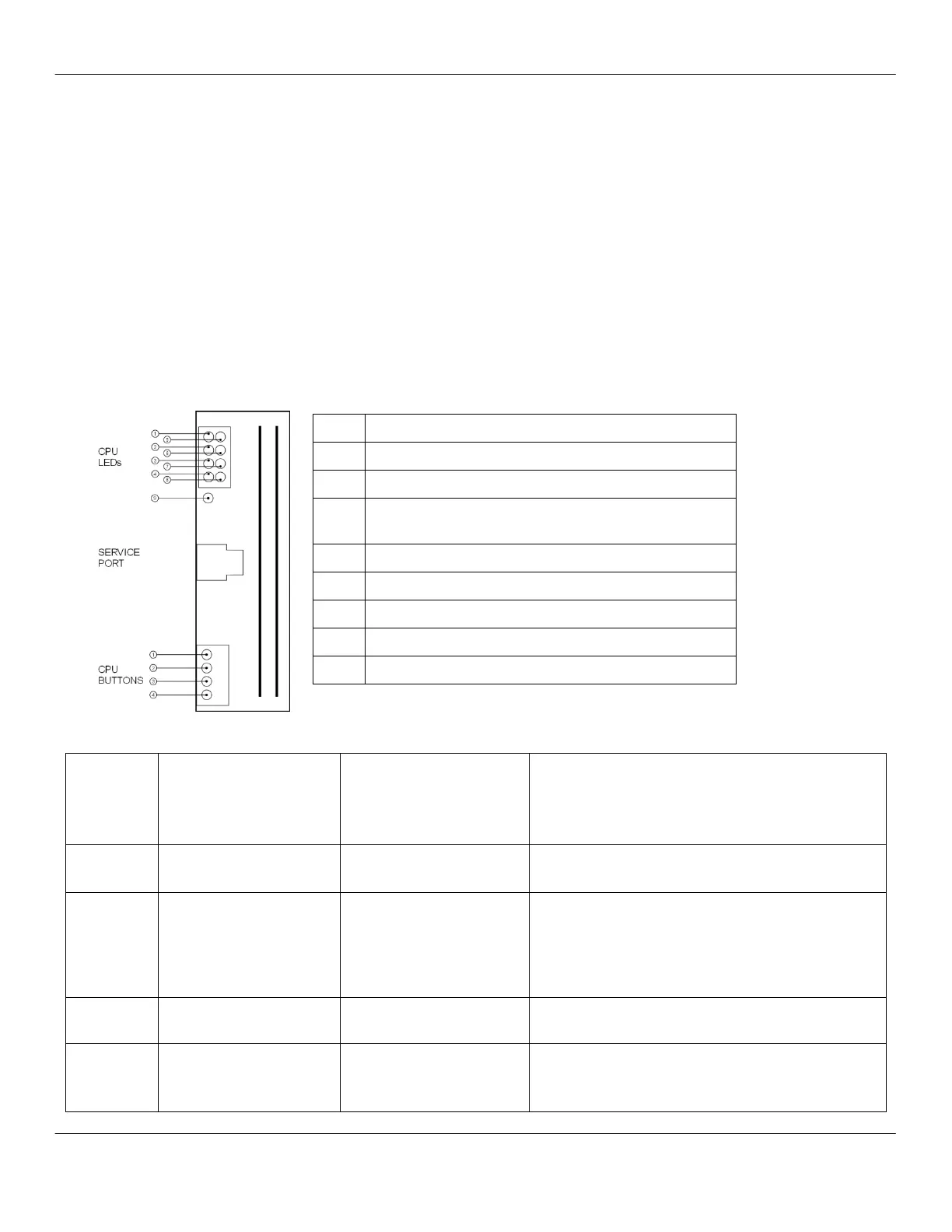
CPU Board
The CPU board contains a series of LEDs and buttons that indicate the
current state of the machine. When the green LED is illuminated, the
CPU board is receiving power. When a red LED is illuminated, a
particular subsystem is experiencing failure or it may be a warning
condition. The display may reflect the fault.
Each CPU button has multiple functions based on the state of the
machine when the button is pressed. The button may be held and the
machine powered on or the button may be pressed after the machine is
powered on.
NOTE: If ALL LEDs are lit, the software has been erased and the
machine will not function.
System warning or fault (will illuminate when
doors/front panel are open)
Green LED: power to CPU board
POWER OFF
Hold BUTTON &
Turn on Power Supply
and release button
POWER ON
READY TO MAKE
DRINK
Press CPU button
Front panel keyboard
test mode
Two Functions:
1. Load factory defaults
2. Reset PM counter
1. Press button once to enter READY MODE,
regardless of message for group, water, or steam
temperature.
2. Must be in the MISCELLANEOUS category to
access.
Inhibit auto-run of brew
group initialization
At times, inhibiting brew group initialization is
required.
Load software
(Press button 1 at the
same time)
Reserved
(no current function)
Reserved. Factory use only.



 To Next Page