3033-007B Section 7: Milk System and Refrigeration Unit
Concordia Xpress Technical Support Manual 7-15
2900-300B
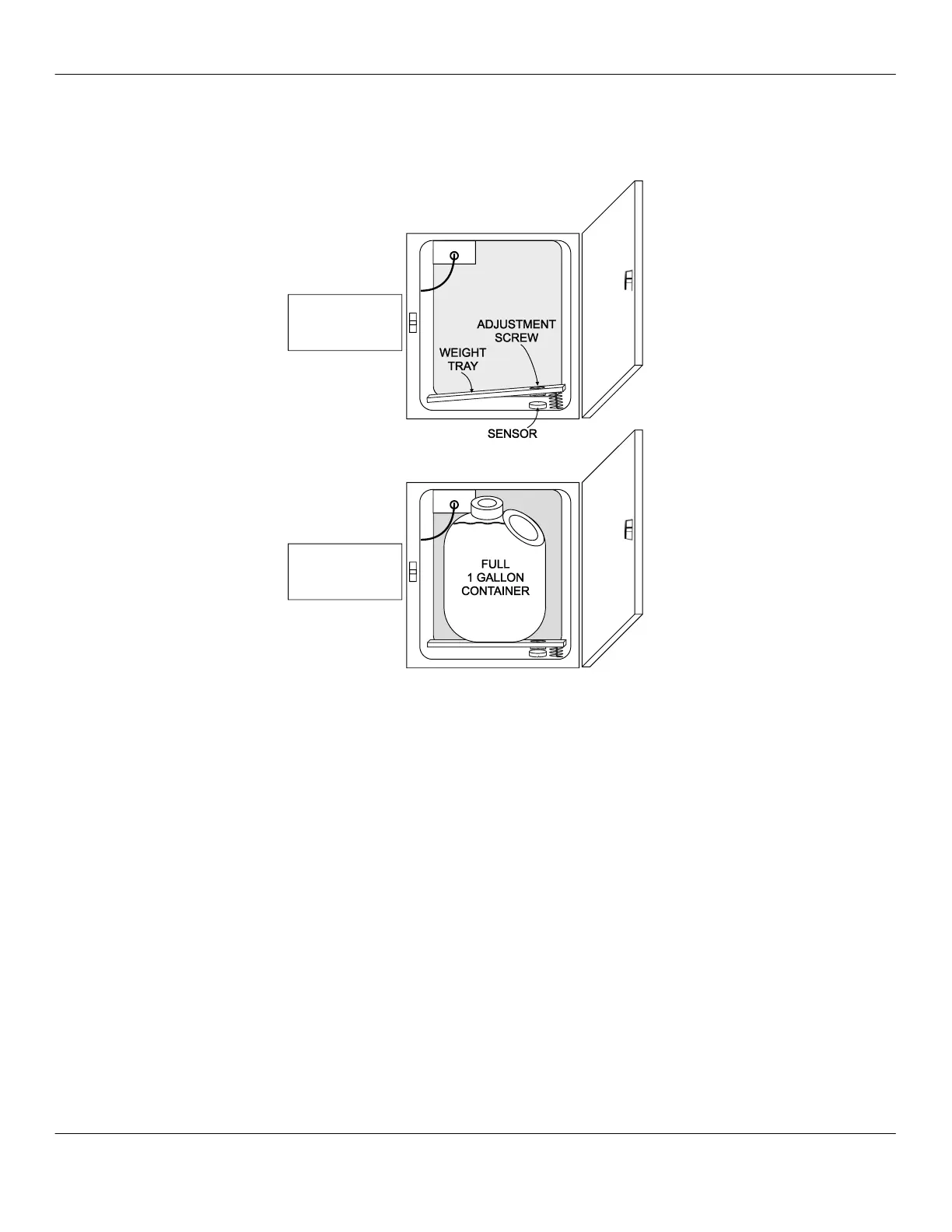
Adjusting a Milk Weight Tray
The milk level should be 60±1 with an empty milk weight tray in place.
With a full, 1-gallon (4-liter) milk container in the center of the milk weight
tray, the display should read: 185±10.
1. Remove the milk container from the refrigeration unit.
2. Navigate to TEST ROUTINES > MILK LEVEL.
3. The display should read 60±1.
4. If the display is not 60±1, turn the adjustment screw until the
display reads 60.
NOTE: Ensure the milk weight tray is properly placed in the
refrigeration unit, prior to making any adjustment.
5. Place a full milk container on the milk weight tray and verify the
display reads 185±10.
NOTE: The closer the milk container is to the left side of the
milk weight tray, the less accurate the reading will be.
6. If either number is incorrect, remove the milk container and
adjust the screw on the milk weight tray until the above numbers
are achieved. If the milk count does not change, verify the
sensor is operating.
Test Routines
60 Ok / 60 Ok
Milk Level
Test Routines
185 Ok / 185 Ok
Milk Level



 To Next Page