3033-004B Section 4: Software
Concordia Xpress Technical Support Manual 4-3
2900-300B
FLAVOR TIMINGS
Changes the flavor dosage of drinks, in seconds of pour time.
DRINK PRICES
For machines with vending capability only.
Allows prices to be set for each type of vended drink.
SPECIAL FEATURES
This category allows configuration of the following features: vending,
grounds bin, grinder configuration, espresso button assignment, hot
water button, extra room volume, cold drink button, milk system
configuration, country, and low beans sensing.
MISCELLANEOUS
Displays the current software component version and machine ID, loads
defaults, resets the Preventive Maintenance (PM) counter, and enables
features such as run syrup clean.
TEST ROUTINES
Used for service diagnostic testing; each component of the machine can
be tested independently.
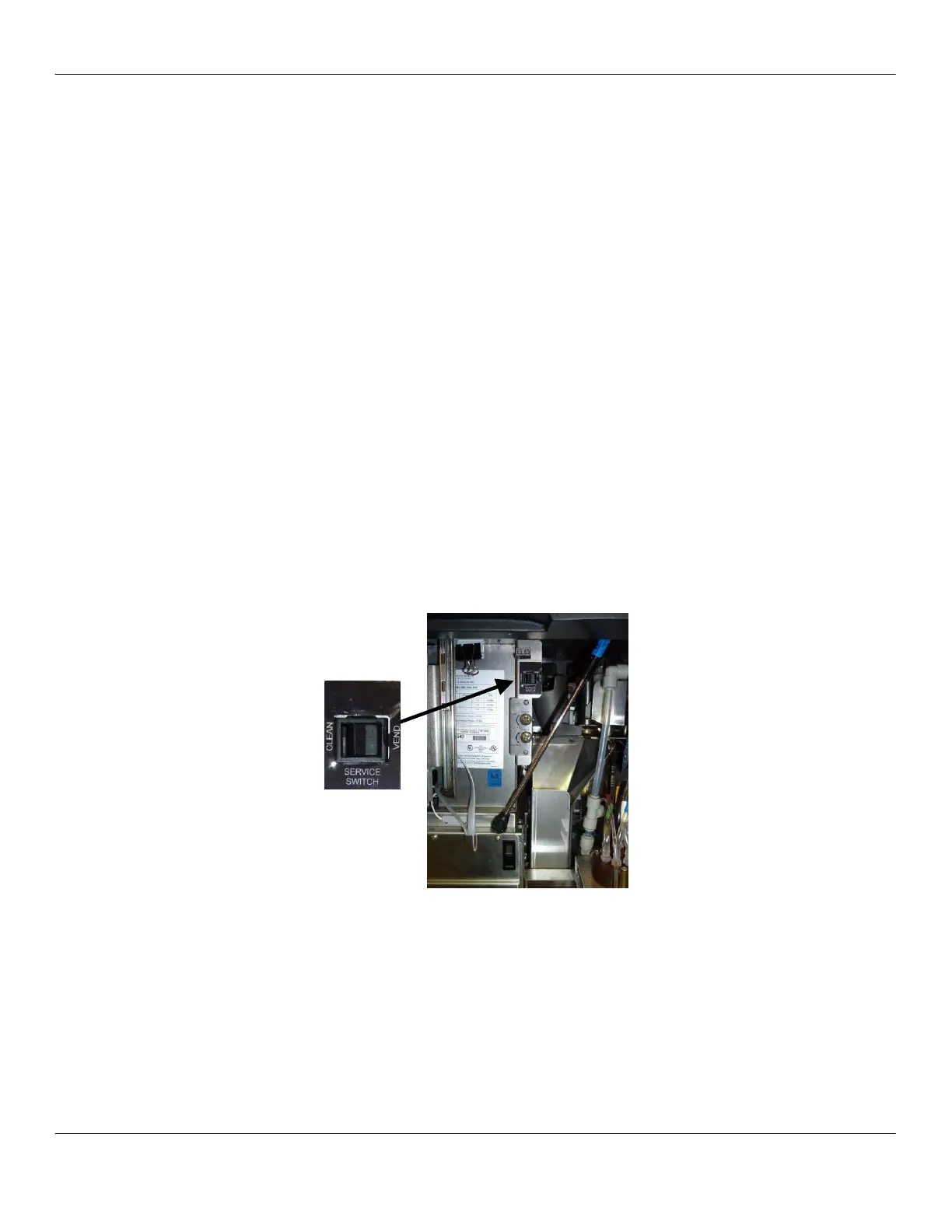
Service Switch
Located behind the front panel, the service switch must be in the CLEAN
position in order to access the programming menu.
Once the service switch is in the CLEAN position, press the PROGRAM
button three times. The display will change from SELECT DRINK to
SELECT CATEGORY.
When not cleaning the machine or accessing the software menu, ensure
the service switch is in the VEND position.



 To Next Page