3033-003B Section 3: Electrical
Concordia Xpress Technical Support Manual 3-17
2900-300B
6. Re-install the DC power supply board.
IMPORTANT: Ensure the board is fully seated by pressing
firmly on board.
7. Re-install electrical enclosure cover (verify display cable is not
stressed, pinched or cut when front panel is lowered)
WARNING: Improper setting of the DC jumper plug connection can
lead to machine malfunction, short circuit, blown fuses, overheating
and/or damage to circuit boards.
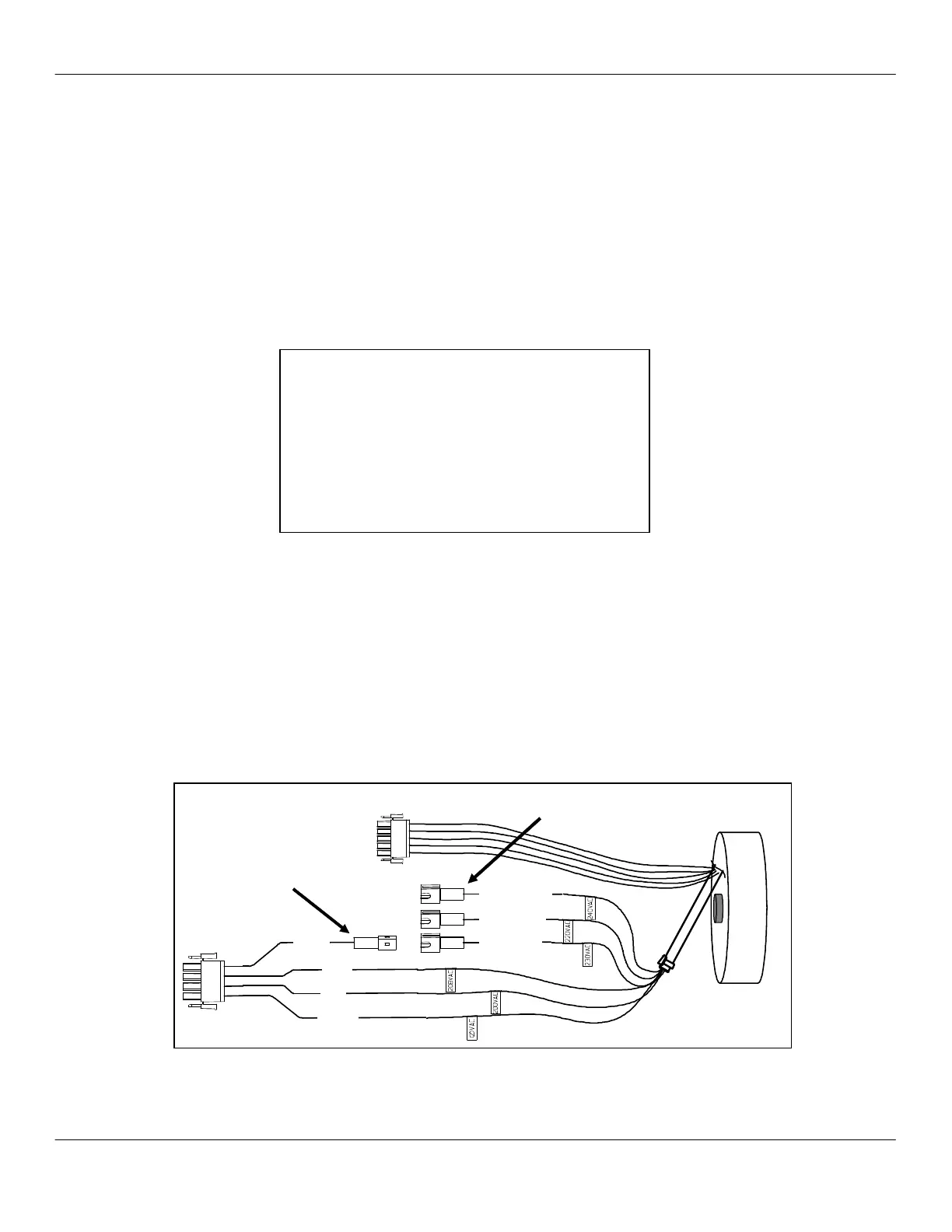
Set Transformer Auxiliary Connector #1
8. If source voltage is between 200 – 215Vac, no adjustment is
necessary.
9. If source voltage is between 216 – 245Vac, set transformer
auxiliary connector.
10. Remove machine back panel.
11. Locate the power supply transformer and connectors.
12. Using the voltage table, connect transformer auxiliary connector
#1 to appropriate transformer connector #2, #3, or #4.
13. Reinstall back panel and proceed with machine installation.
VOLTAGE TABLE
MEASURED SOURCE AUX
CONNECTOR CONNECTOR
VOLTAGE RANGE #1
SETTING
200 – 205 200
NO ADJUSTMENT
206 – 215 208 NO ADJUSTMENT
216 – 225 220-240 #3 GREEN WIRE
226 – 235 220-240 #4 WHITE WIRE
236 – 245 220-240
#2 ORANGE WIRE
Transformer is accessible from the back of the machine



 To Next Page