13
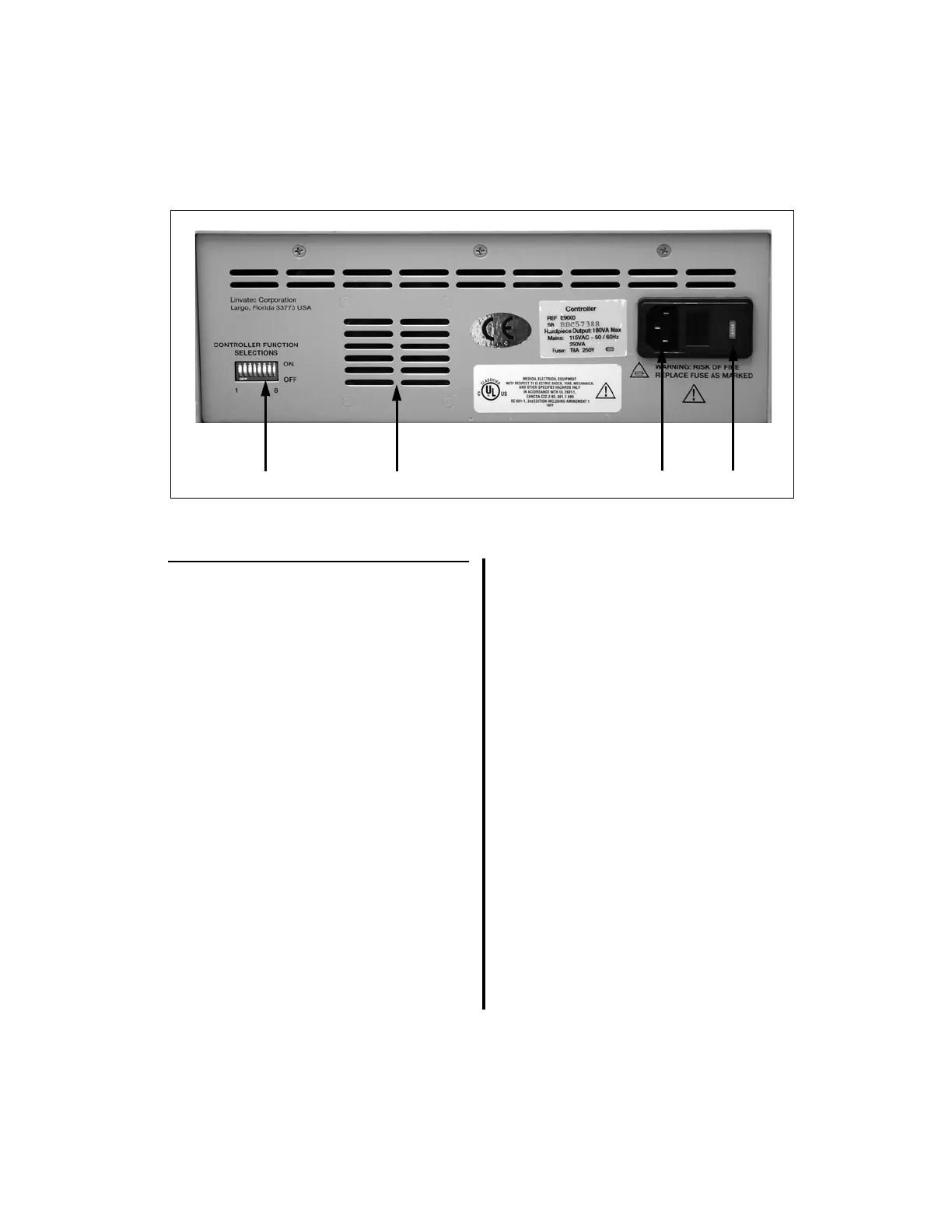
1.6.5 E9000 Controller Back Panel
1. “CONTROLLER FUNCTION
SELECTIONS” Switches — Used to set
specific controller functionality settings;
i.e., Day-to-Day Memory, Footswitch
Operating Mode, Audio Mode, and
Handpiece Oscillate Operating Mode (See
“2.1.3 Controller Options/Function
Switches and Settings” on page 36).
2. Speaker — Used for the output of audible
information.
3. Mains Receptacle — Accepts the supplied
power cable to provide AC power.
4. Voltage Selection Means — Used to set
the controller to the appropriate voltage
source (See “4.4 Fuse Replacement and
Voltage Selection Means” on page 130 for
more information). NOTE: Does not apply
to the model E9000J controller.















 To Next Page