67
E9000
HANDPIECES
B
3.2.3 Neuro Guard Attachment
When using a neuro guard and bur, the bur is
inserted before the guard.
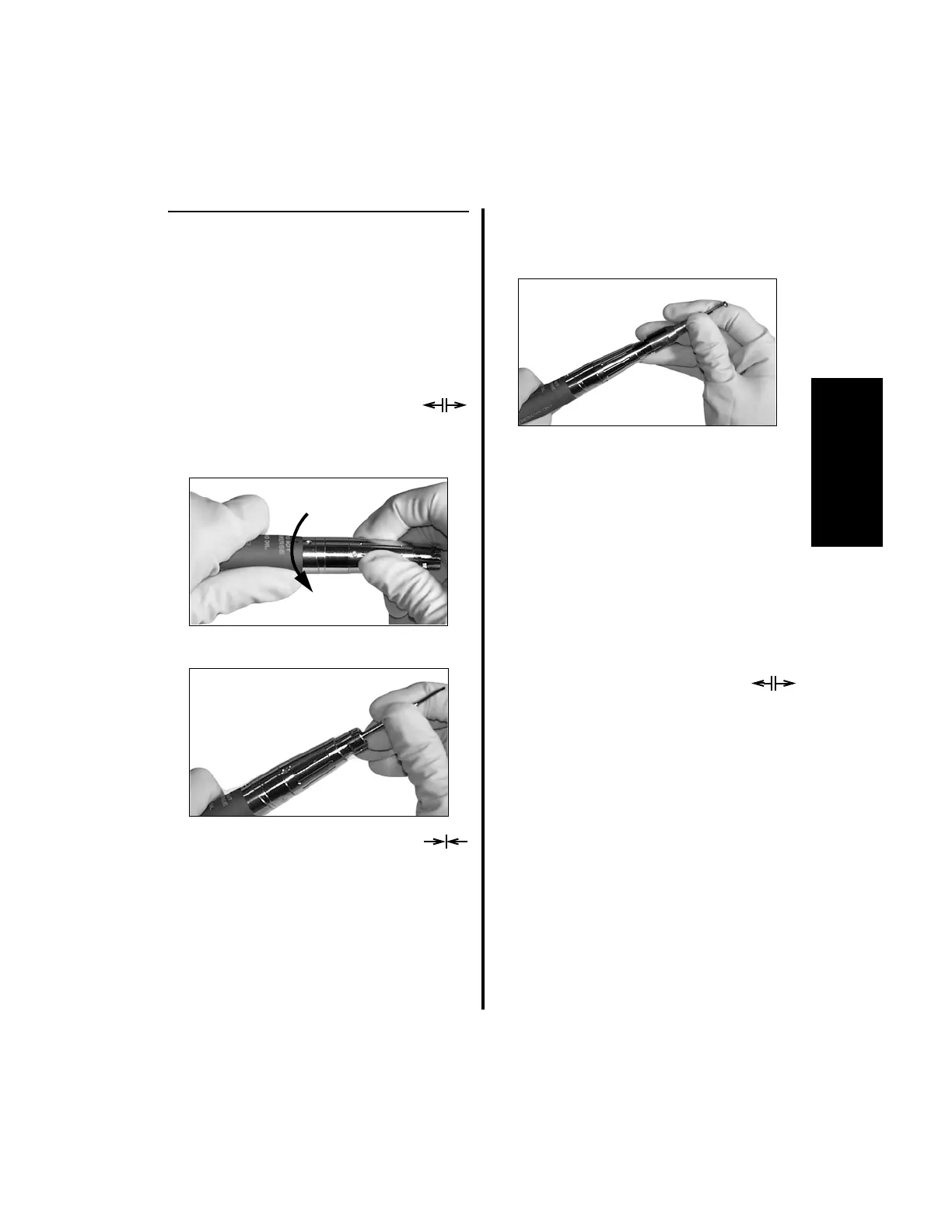
1. To install the bur:
(a) Select the proper bur for the guard
being used.
(b) Rotate the keyless chuck
counterclockwise until the
collet screws are aligned with the
“unlock” icon.
(c) Completely insert the bur.
(d) Rotate the keyless chuck clock-
wise until the collet screws are
aligned with the “lock” icon.
(e) Pull on the bur to ensure it is locked in
place.
2. To attach a neuro guard:
(a) Select the appropriate guard for the bur
being used.
(b) Align the etch mark on the guard with
the etch mark on the handpiece guard
collet.
(c) Looking at the nose of the handpiece,
hold the swivel sleeve and push the
guard completely inward. Twist
clockwise and release. The guard is
now locked into place.
3. To remove the bur and guard, the guard
must be removed first:
(a) Remove the guard by pushing the
guard inward, twisting the guard
counterclockwise and removing it.
(b) Remove the bur by rotating the
keyless chuck
counterclockwise until the collet
screws are aligned with the “unlock”
icon. Remove the bur.















 To Next Page