98
SHAVER
HANDPIECES
D
3.9 Group 3 Handpiece Operation
3.9.1 Activating the Handpiece
3.9.1.1 Activating the Handpiece with
the Footswitch
NOTE: This process applies to ALL shaver
handpieces.
1. To activate these handpieces, depress the
appropriate footswitch pedal (see “2.1.7
Footswitch Operation (Advantage Top
Portion Only, PowerPro and E9000)” on
page 55).
3.9.1.2 Activating the Handpiece with
the Handpiece ON/OFF Button
NOTE: This process applies ONLY to the
APEX and Advantage 2-Button Handpieces
(C9824, D9824/D9924), and the APEX and
MicroChoice Full-Function Handpieces
(C9828, MC9828).
1. To activate these handpieces, press
and release the handpiece ON/OFF
button.
3.9.2 Changing Handpiece Speeds
3.9.2.1 Using the Controller Speed
Buttons to Change Speed
NOTE: This process applies to ALL shaver
handpieces (C9820, D9820, D9920, MC9820,
C9824, D9824, D9924, C9828, MC9828,
C9840, MC9840) and pertains to the E9000
Controller and Port 1 and Port 2 ONLY of
the Advantage Controller.
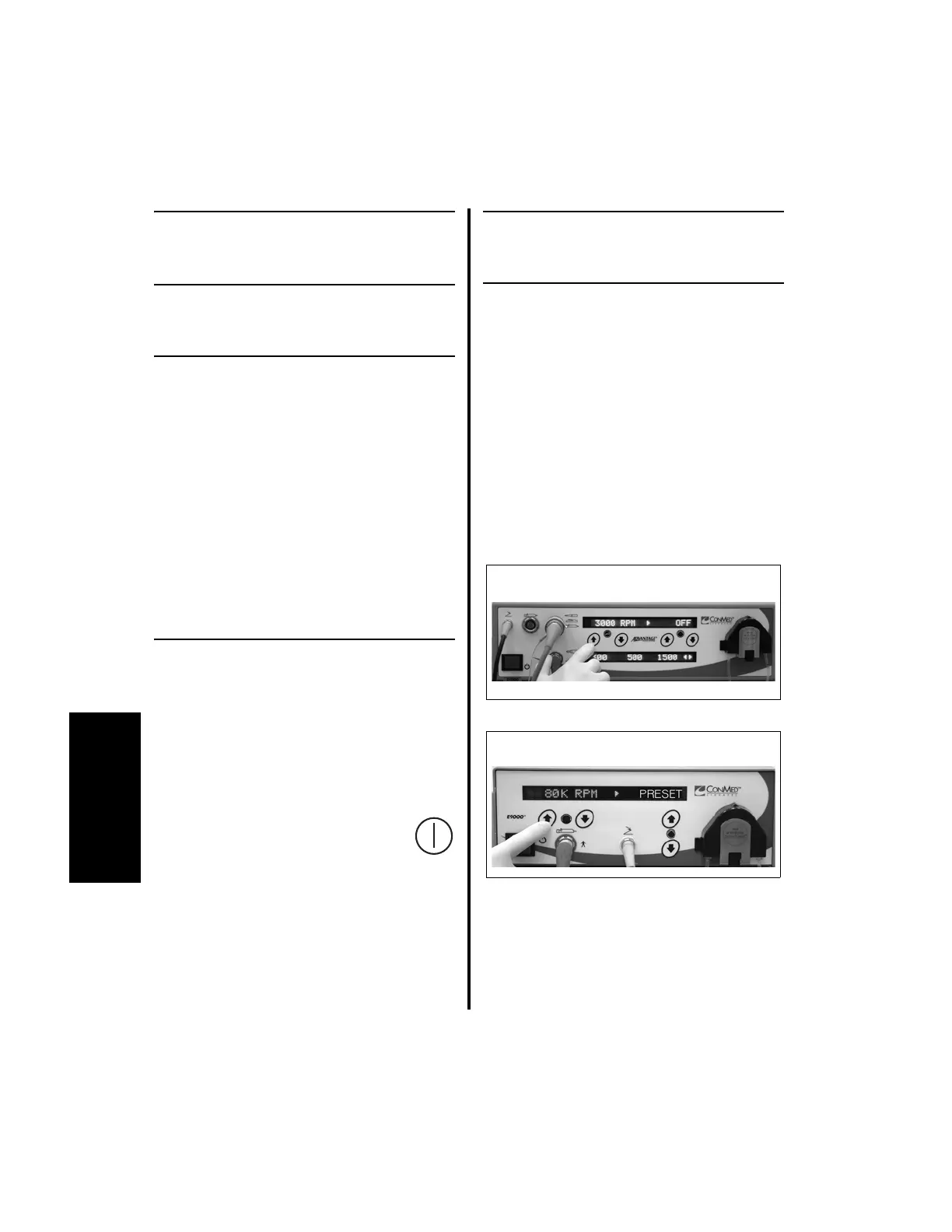
1. To change operating speeds using the
E9000 or Advantage (Top Portion Only)
controller buttons, press the controller
Speed Increase or Decrease buttons.















 To Next Page