ADJUSTING SIEVE CASE CHAFF
cf1O728a
Adjust the lever according to crop
separation and splashed grain condi-
tions. Refer to the following table.
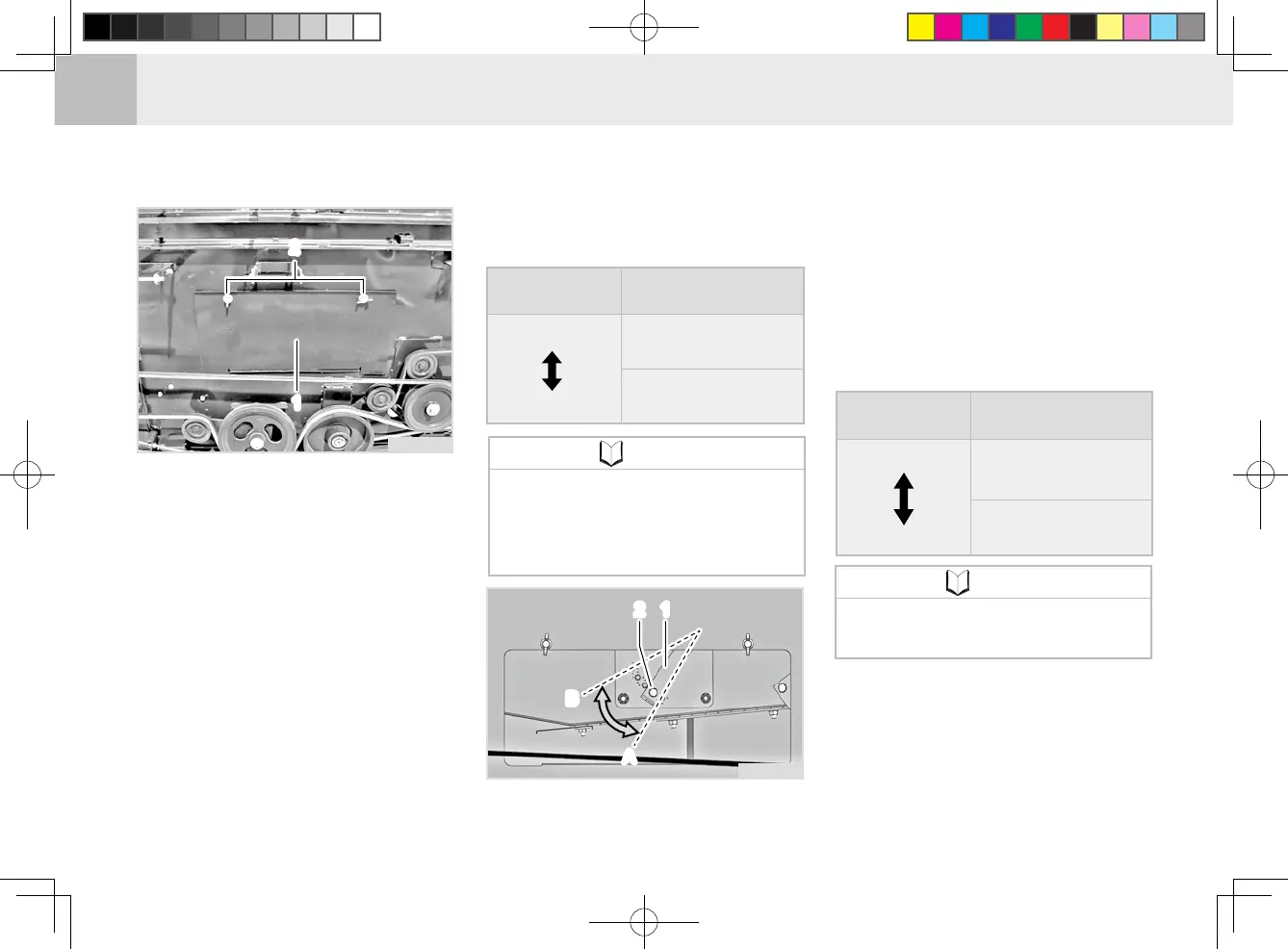
1. Remove the left threshing unit
covers (3 & 4).
2. Remove the wing bolt to remove
the clean-out cover of the thresh-
ing unit left plate.
3. Remove the bolt.
4. Operate the sieve case chaff con-
trol lever as desired for change
and then x it with the bolt.
(1) Clean-out cover on left plate of threshing
unit
(2) Wing Bolt
▶Adjusting sieve case chaff
Sieve case chaff lever
Adjusting di-
rection
S
ymptom (condition)
(Open)
(Closed)
•
Excessive grain loss
• Poor separation
quality
cf1O748a
(1) Chaff Control Lever (2) Mounting Bolt
(A) Open (B) Close
After checking the crop and separa-
tion conditions, adjust the sieve case
auxiliary plate or replace the net, re-
ferring to the following table.
▶
Adjusting the sieve case auxiliary
plate position
ADJUSTING THE SIEVE CASE
AUXILIARY PLATE POSITION
AND REPLACING THE NET
Adjusting di-
rection
S
ymptom (condition)
(Open)
(Closed)
•
A lot of grains are
hulled and shattered
• E
xcessive grain loss
• Poor separation
quality
The front section is fully pulled
as standard.
•
NOTE
If the No. 2 section (opening/
closing) is deteriorated, crop
separation quality can become
poor.
•
NOTE
CF100(DSF75GT)_콤바인_영문판_07.indd 36 2017-07-03 오후 2:34:01


 To Next Page