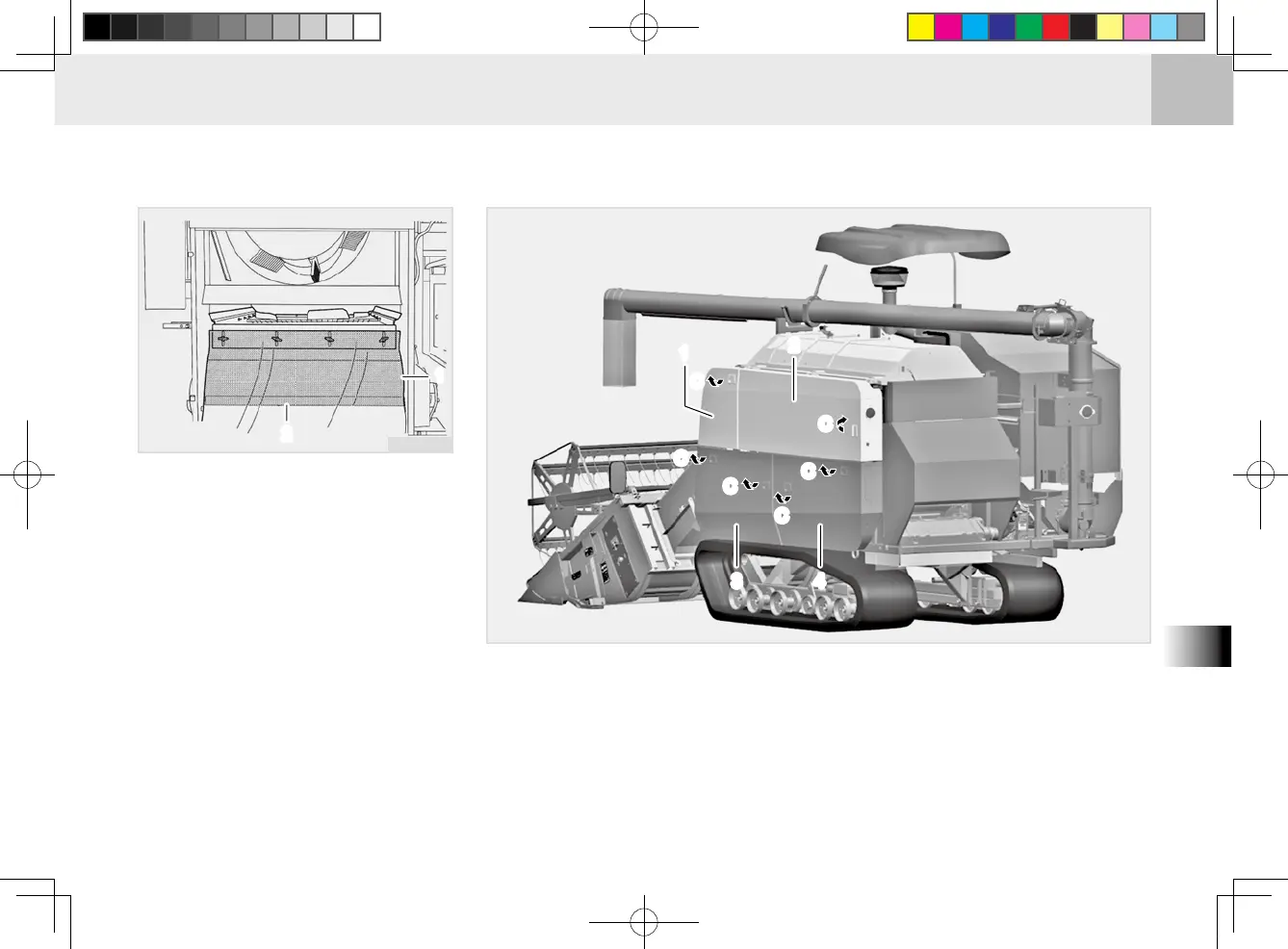
CF1O849B
(1) Side Cover 1
(2) Side Cover 2
(3) Side Cover 3
(4) Side Cover 4
(C) Attach / Detach Cover
(One-touch)
ATTACHING AND DETACHING COVER
FIXING HANDLE
1. Remove the cover by pulling the xing handle.
2. Install the cover by tting its lower groove to the xing rod. After installation,
push the xing handle to lock the cover in place.
CF1O805B
(1) Rocker Shaft Seal
(2) Fuel Tank Seal
3. Install the rocker arm of the rocker
shaft onto the sieve case.
4. Place the rocker shaft seal prop-
erly so that it comes below the fuel
tank seal.
5. Install the dust cover (rear) in the
reverse order of removal.
6. Install the clean-out cover on the
left plate of the threshing unit.
7. Install the left covers (3 & 4) onto
the threshing unit. Then, close the
threshing unit lever cover 2.


 To Next Page