Chapter 8 Letter Design
104 BECS-A88/C88 computerized embroidery machine owner’s manual
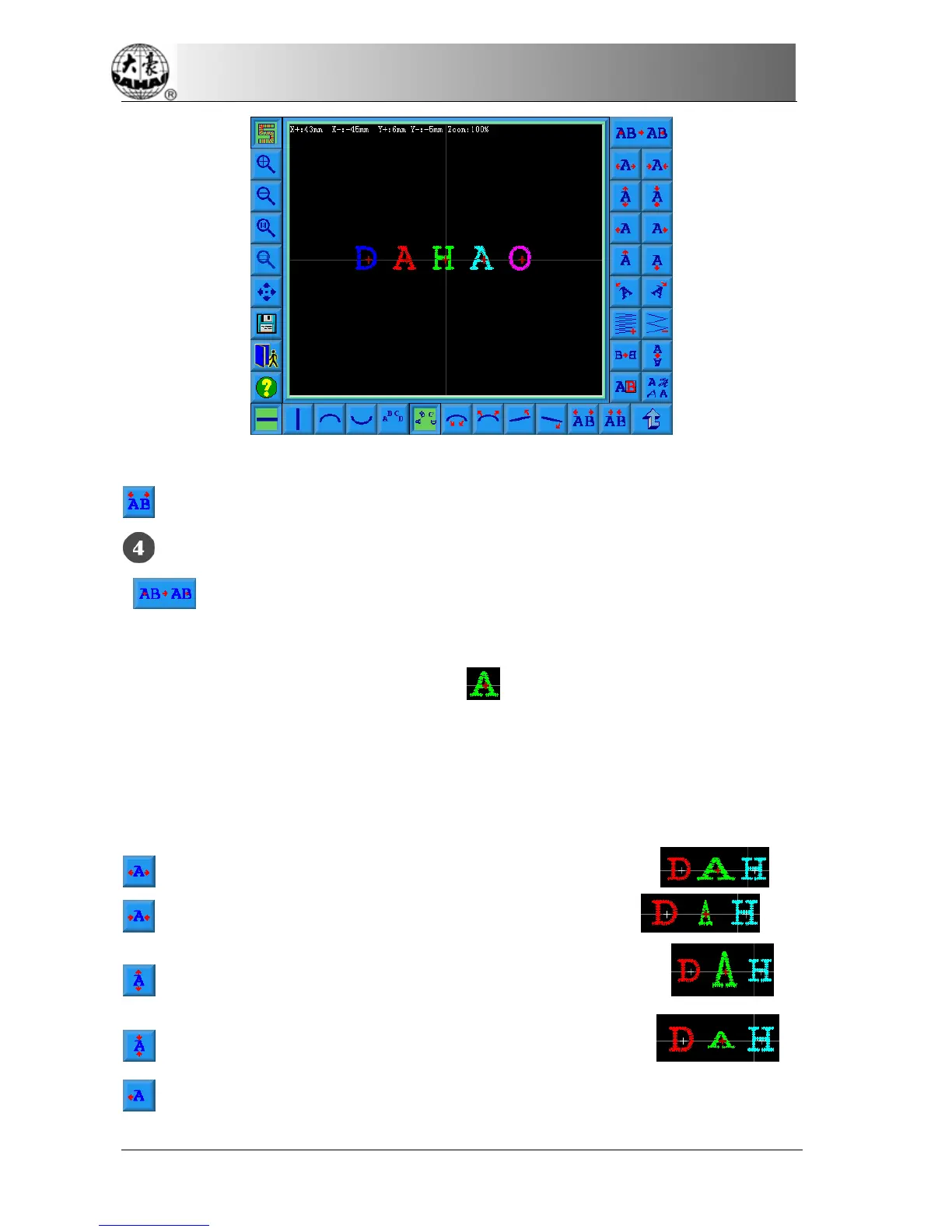
“Reduce letter space”: reduce space between letters.
Pick out letter adjustment key
“Select switch”: switch selected letter. Must pick out a certain letter and
then can carry on the editor for it. When there is a red“+”in the center of letter,
meaning the letter to is pick out, such as:
. The system default will pick out all
letters. After click “select switch” key, pick out the first letter, then click, pick out
the second, depend on this kind to push. After picking out the end letter, then click
“select switch”, will pick out all letters again.
“Increase width": increase width of selected letter. Such as:
“Reduce width”: reduce width of selected letter. Such as:
“Increase height”: increase height of selected letter. Such as:
“Reduce height”: reduce height of selected letter. Such as:
“Left move”: Move the selected letter toward left side. Such as:


 To Next Page