Chapter 6 Memory Design Management
66 BECS-A88/C88 computerized embroidery machine owner’s manual
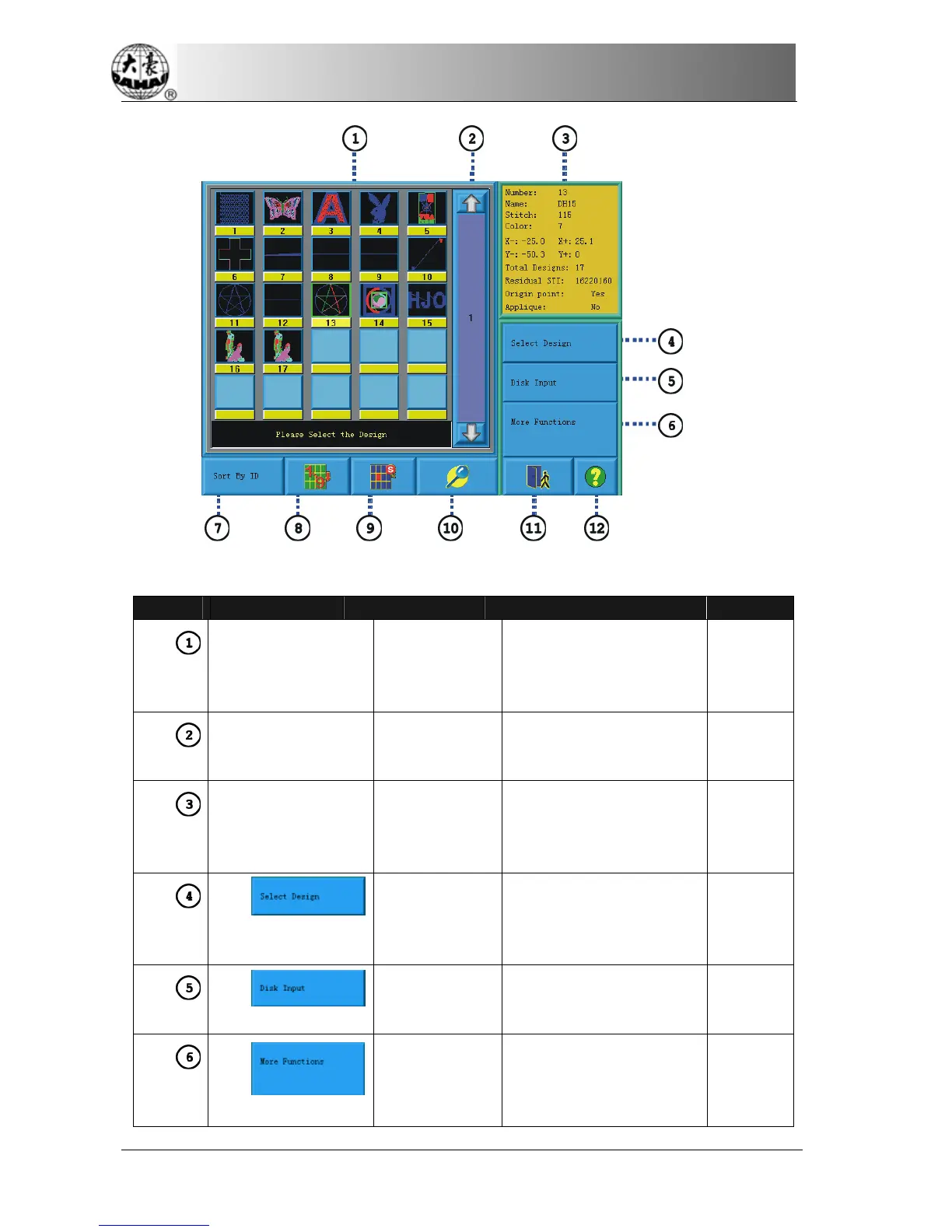
Number Icon Name Description Reference
Design image
display area
Show the design files in
memory by icons. It’s
mainly for selection
purpose.
Navigation and
pagination area
It’s for quick switching to
the designated page of
memory design list.
Information
area
Display the detailed
information of the selected
design and memory
information.
Select design In the embroidery
preparation status use the
selected design as
embroidery design.
Disk input Open the disk
management screen to
input the designs.
More functions Click it to do operations
such as design copying,
deleting, combination and
editing.



 To Next Page