RS20iInstallationandOperatingGuide
Page 77
RS20i Installation & Operating Guide Document # 9301H52900 Ver. 1.02
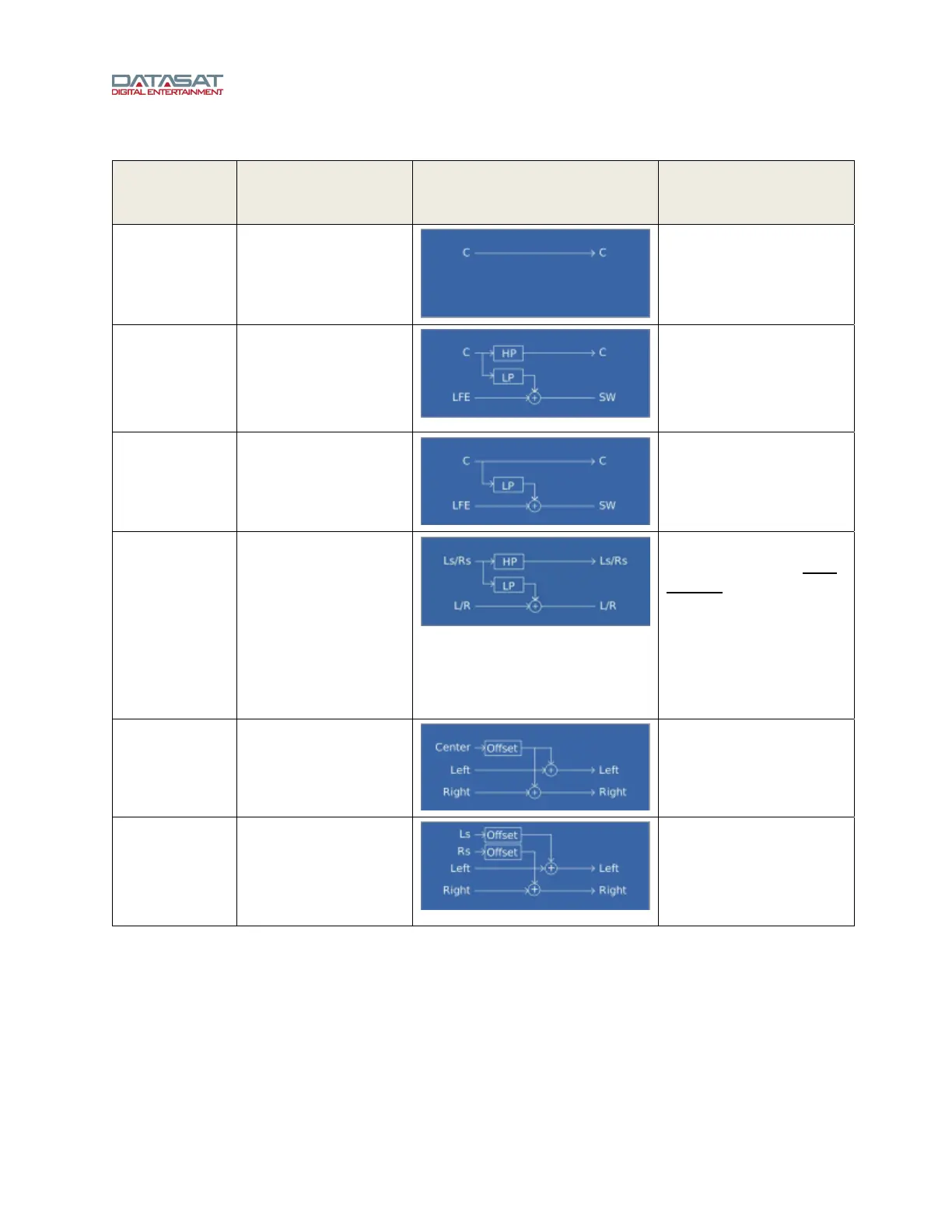
Table 28. Speaker Option with One or More Subwoofers
Controls Applicable
Channels
Diagram
(replace center with
applicable channel)
Description
Large All No modifications to
channel
Small,
Enable High
Pass
All
Crossed with LFE
High pass on channel
audio
Low pass to LFE
Small,
High Pass Not
Enabled
Center, Left/Right
Channel audio is crossed
with LFE
Low pass to LFE
Small, cross to
(other speaker)
Depends on speaker:
C cross to L/R
Ls/Rs cross to L/R
Lb/Rb cross to L/R
HL/HR cross to L/R
HC cross to C
HLs/HRs cross to
Ls/Rs
T cross to L/R/LS/RS
When this option is used,
the "other" speaker must
be large. If it is not, there
will be an error message
in red text displayed
below the diagram on the
screen.
Phantom
Center
Center Center channel offset and
mixed with Left and Right
channels.
Phantom
Surround
Left Surround/
Right Surround
Left Surround offset and
mixed with Left channel,
Right Surround offset and
mixed with the Right
channel.
Table 29 shows the possible types of speaker configuration options available when the speaker
configuration includes no subwoofer.



 To Next Page