User's Guide
- 105 -
10—E-mailing
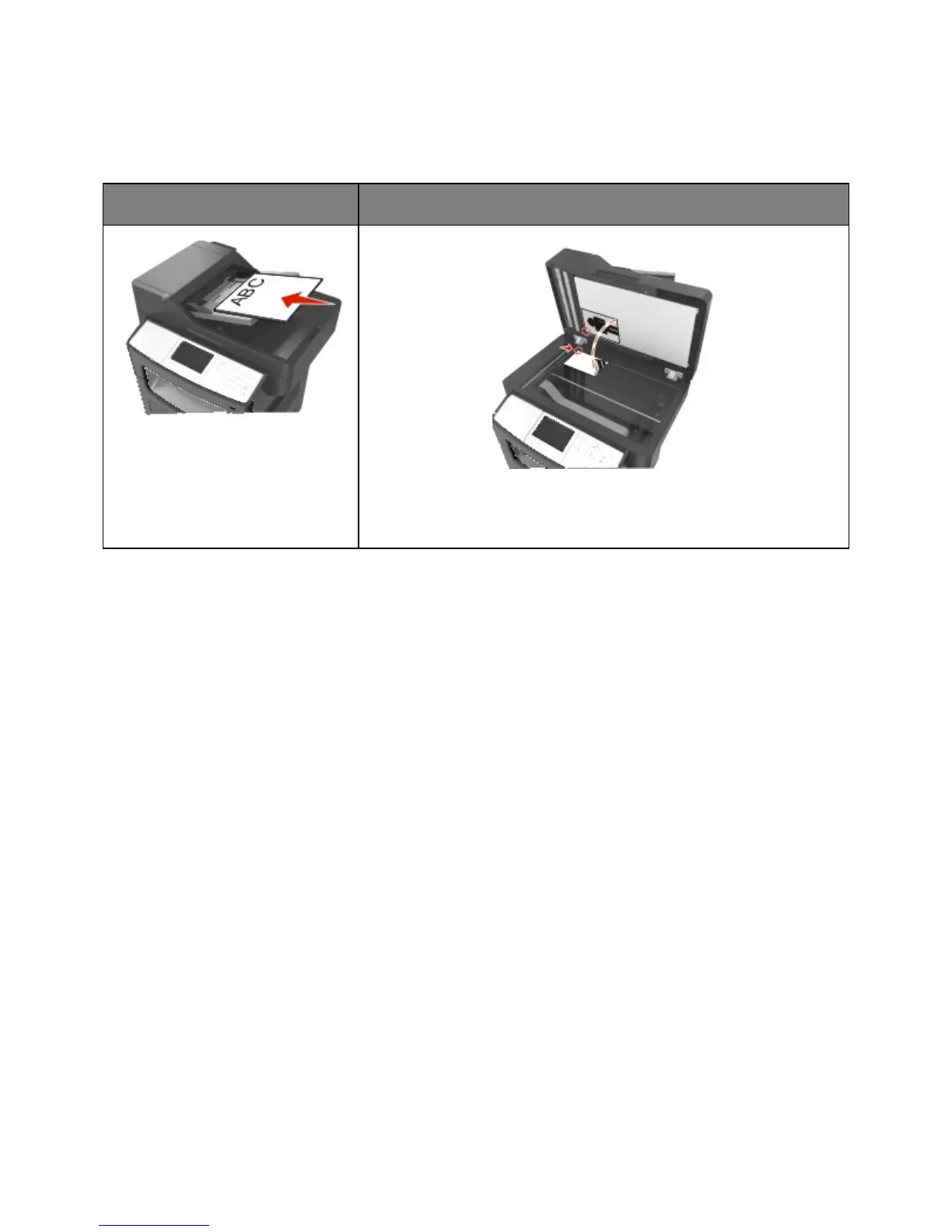
Automatic document feeder (ADF)
Use the ADF for multiple-page
documents.
Use the scanner glass for single pages, small items (such as postcards or
photos), transparencies, photo paper, or thin media (such as magazine
clippings).
You can use the printer to e-mail scanned documents to one or more recipients. There are three ways to
send an e-mail from the printer. You can type the e-mail address, use a shortcut number, or use the
address book.
Setting up the printer to e-mail
Setting up the e-mail function
1. Open a Web browser, and then type the printer IP address in the address field.
Notes:
- View the printer IP address on the printer home screen. The IP address appears as four sets of
numbers separated by periods, such as 123.123.123.123.
- If you are using a proxy server, then temporarily disable it to load the Web page correctly.
2. Click Settings >E-mail/FTP Settings >E-mail Settings.
3. Enter the appropriate information, and then click Submit.










 To Next Page