User's Guide
- 50 -
2. Add any installed hardware options, and then click OK.
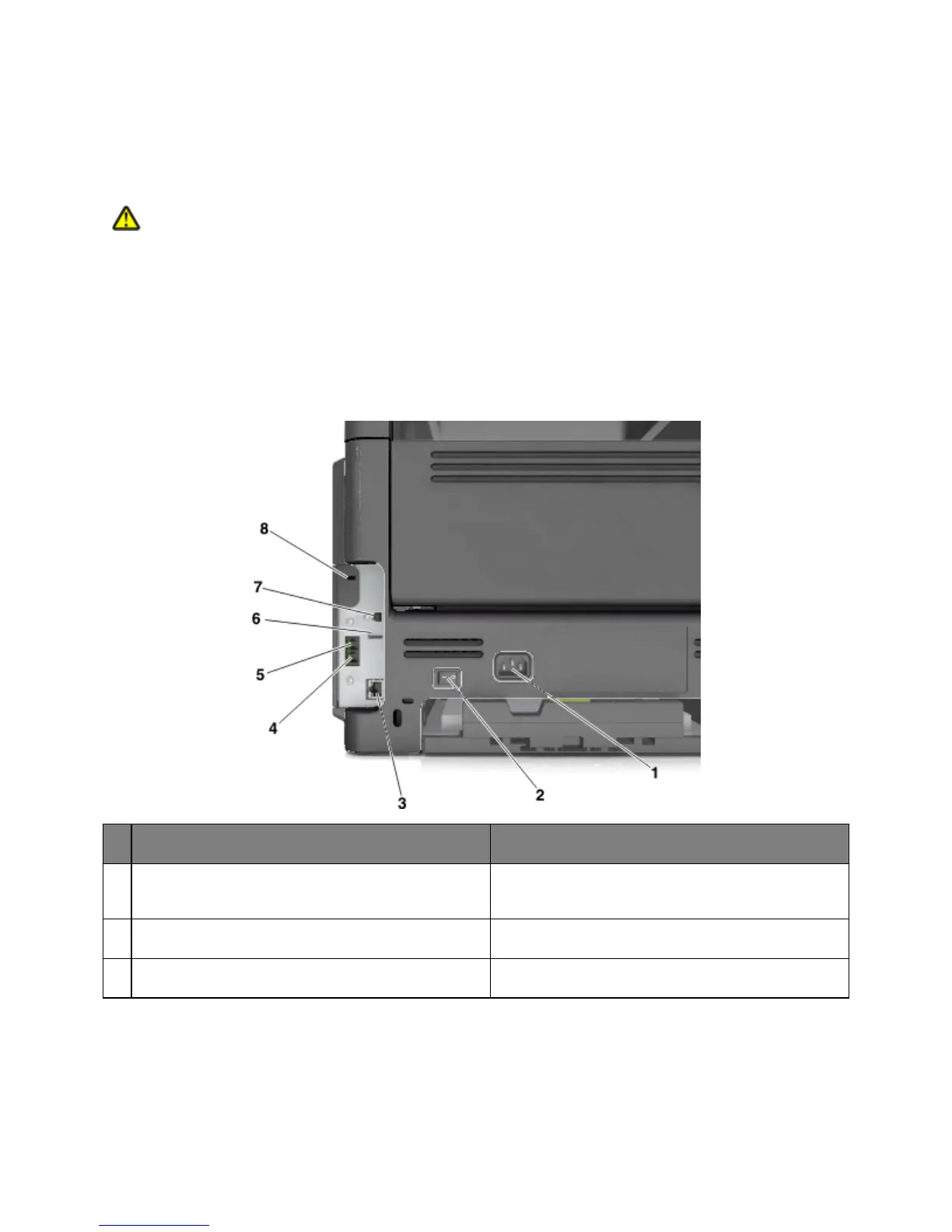
Attaching cables
CAUTION—POTENTIAL INJURY: Do not use the fax feature during a lightning storm. Do not set up
this product or make any electrical or cabling connections, such as the fax feature, power cord, or
telephone, during a lightning storm.
Connect the printer to the computer using a USB cable or to the network using an Ethernet cable.
Make sure to match the following:
• The USB symbol on the cable with the USB symbol on the printer
• The appropriate Ethernet cable with the Ethernet port
Printer power cord socket Connect the printer to a properly grounded electrical
outlet.
Turn the printer on or off.
Ethernet port Connect the printer to an Ethernet network.










 To Next Page