User's Guide
- 18 -
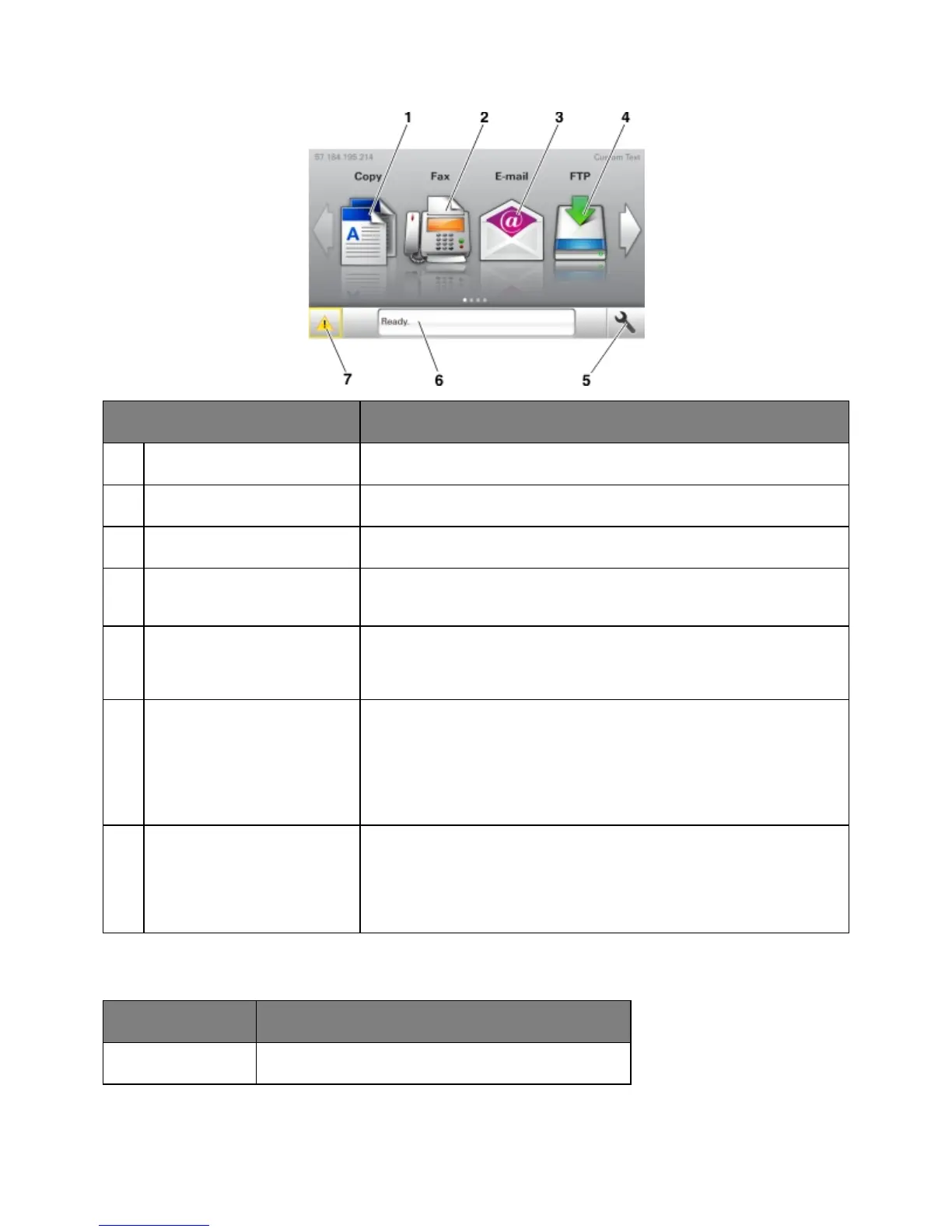
Touch To
Copy Access the Copy menus and make copies.
Fax Access the Fax menus and send fax.
Access the E-mail menus and send e-mails.
Access the File Transfer Protocol (FTP) menus and scan documents
directly to an FTP server.
Note: The menus are available only when the printer is in ready state.
Status message bar
• Show the current printer status such as
or
.
• Show printer supply conditions such as Imaging unit low or
Cartridge Low.
• Show intervention messages and the instructions on how to clear them.
• Show a printer warning or error message whenever the printer requires
intervention to continue processing.
• View more information on the printer warning or message, and on how
to clear it.
This may also appear on the home screen:
Search current held jobs.










 To Next Page