User's Guide
- 265 -
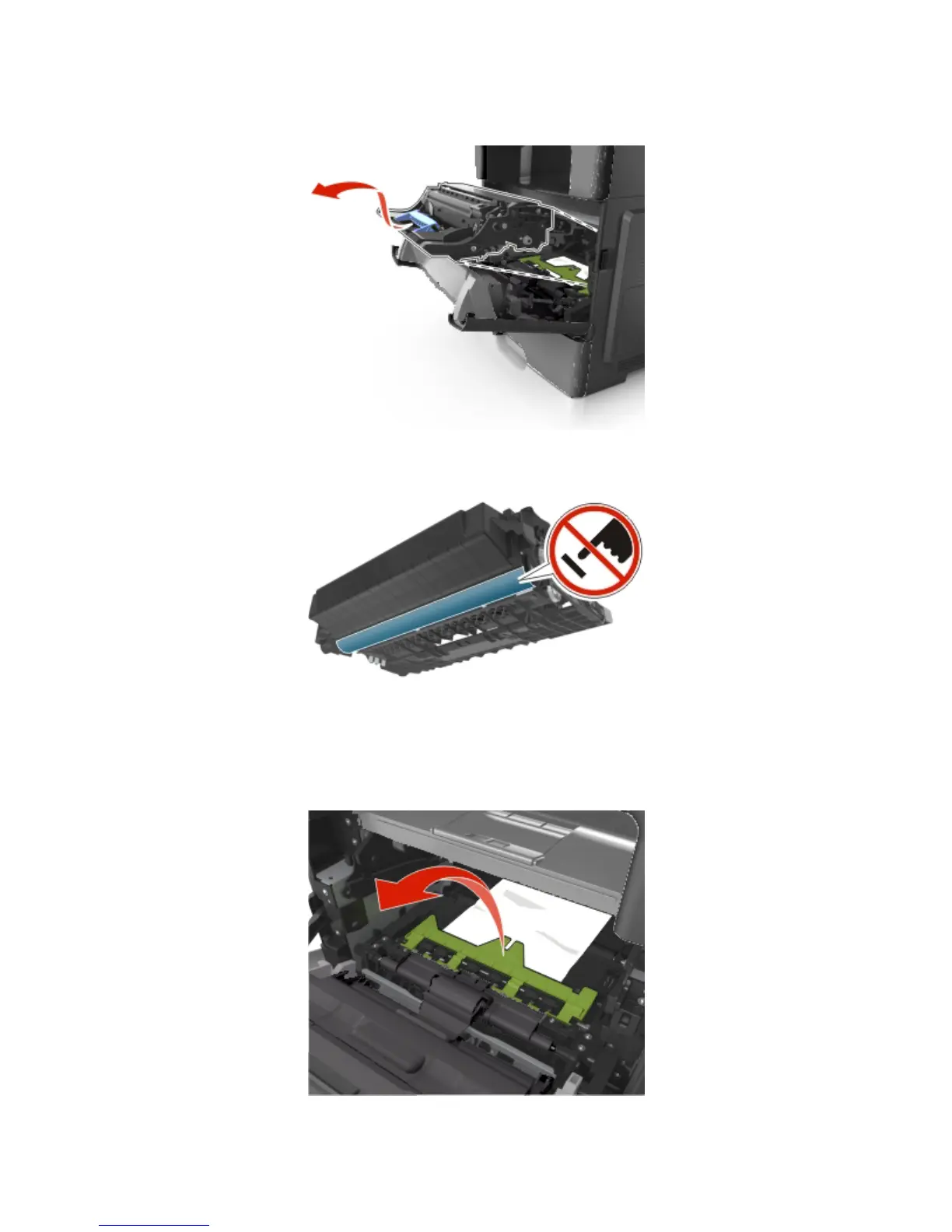
3. Lift the blue handle, and then pull the imaging unit out of the printer.
Warning—Potential Damage: Do not touch the shiny blue photoconductor drum under the imaging
unit. Doing so may affect the quality of future print jobs.
4. Place the imaging unit aside on a flat, smooth surface.
Warning—Potential Damage: Do not expose the imaging unit to direct light for more than 10
minutes. Extended exposure to light may cause print quality problems.
5. Lift the green flap in front of the printer.










 To Next Page