User's Guide
- 40 -
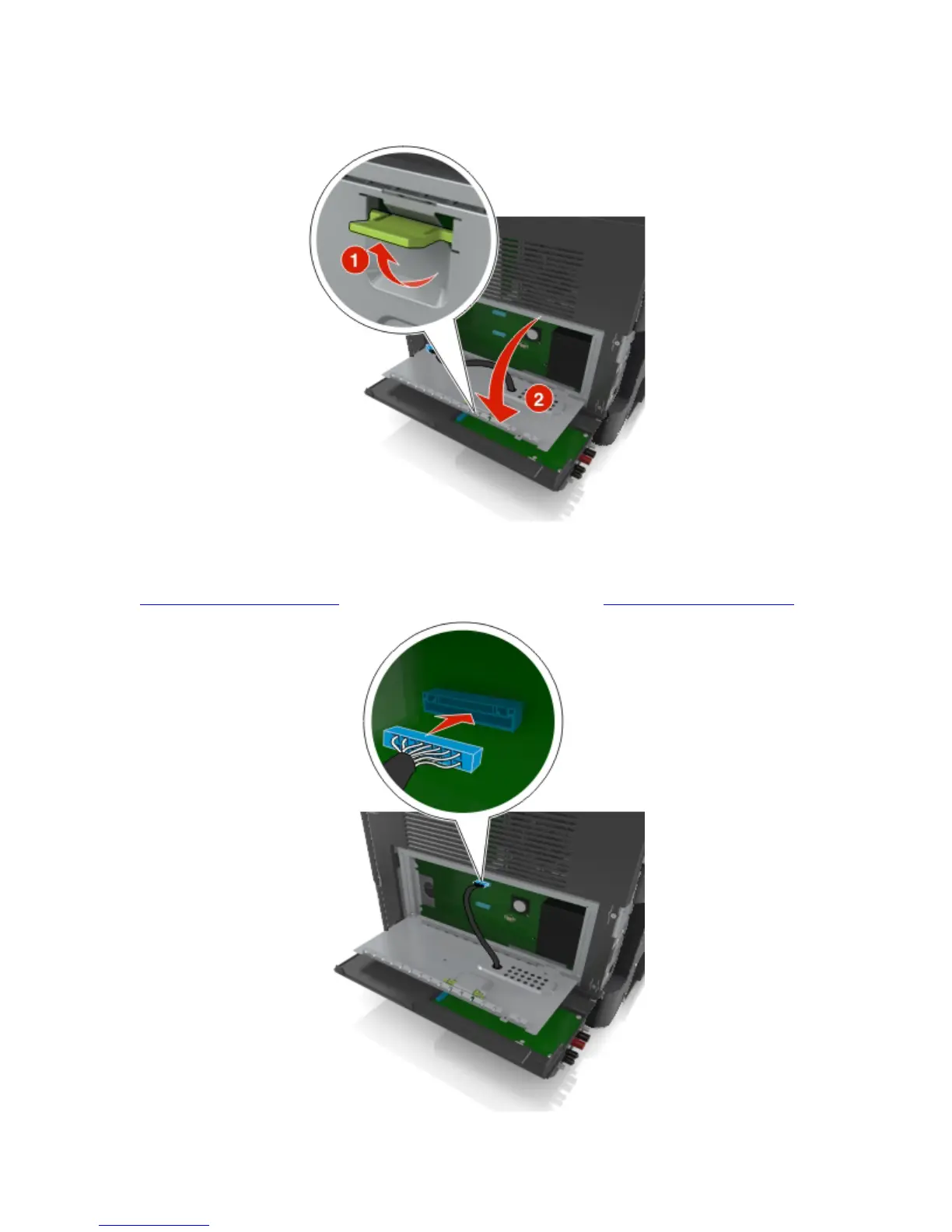
11. Open the controller board shield using the green handle.
12. Attach the blue plug of the ISP solution interface cable into the blue receptacle on the controller board.
Note: If you have installed a printer hard disk, then you need to remove it. For more information, see
Removing a printer hard disk. To reinstall the printer hard disk, see Installing a printer hard disk.










 To Next Page