ineo+ 650/550/451 4-5
Box Operations
4
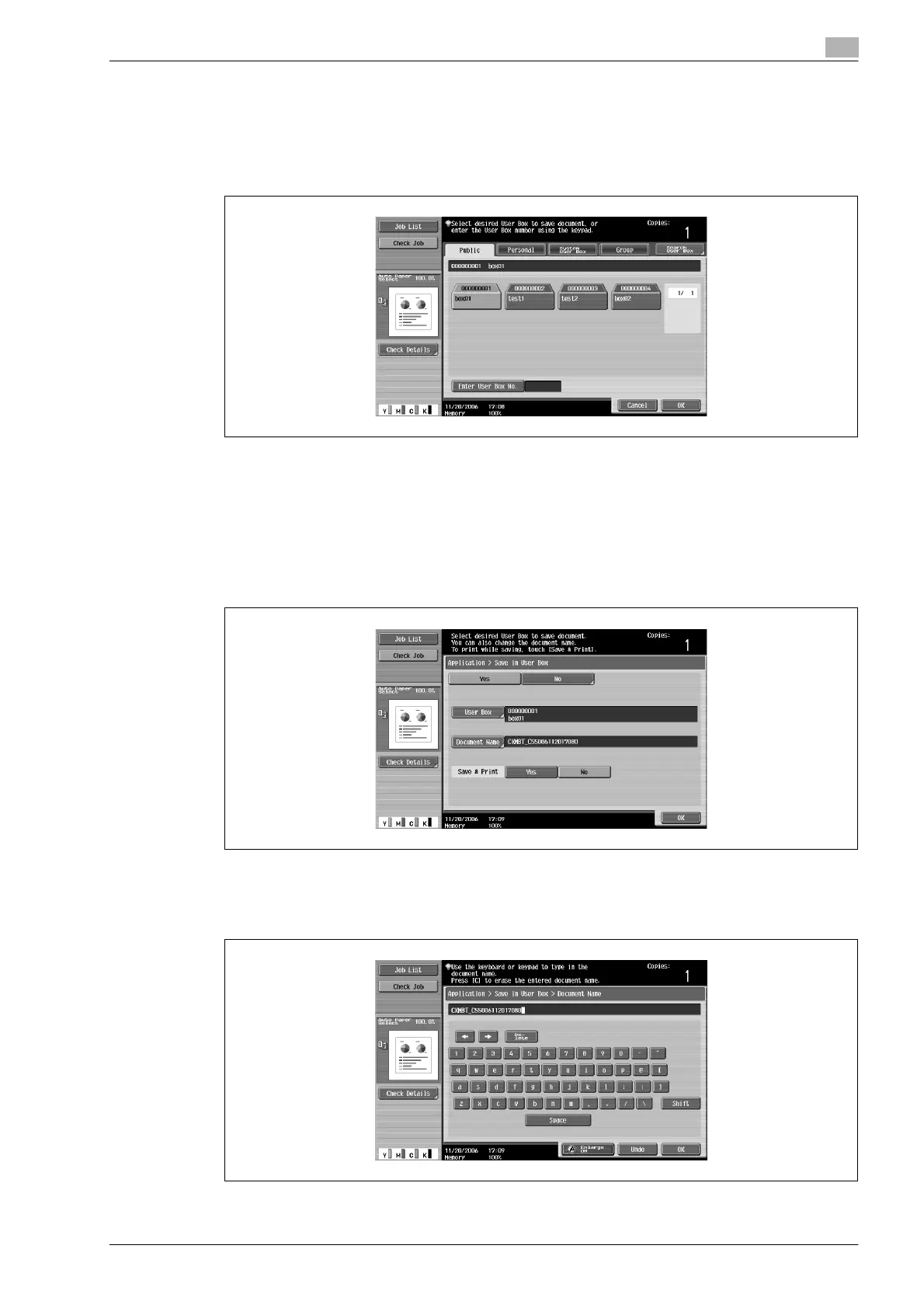
5 Touch the tab for the desired user box, and then touch the button for the user box to select it.
– To type in a user box number to specify the user box, touch [Enter User Box No.].
– To save the document in the Annotation User Box, touch [System User Box], and then touch
[Annotation User Box] to select the user box.
The button for the selected user box appears selected.
?
Is a password required when saving data?
% It is not necessary to enter the password when saving data, even if a password has been specified
for the user box.
6 Touch [OK].
7 Specify the name of the document to be saved. To change the automatically specified name, touch
[Document Name].
8 After typing in the name, touch [OK].
– To change the name, touch [Delete] until the characters are deleted, and then type in the new name.
– To erase all of the text, press the [C] (clear) key.












 To Next Page