2
Copy Operations
2-84 ineo+ 650/550/451
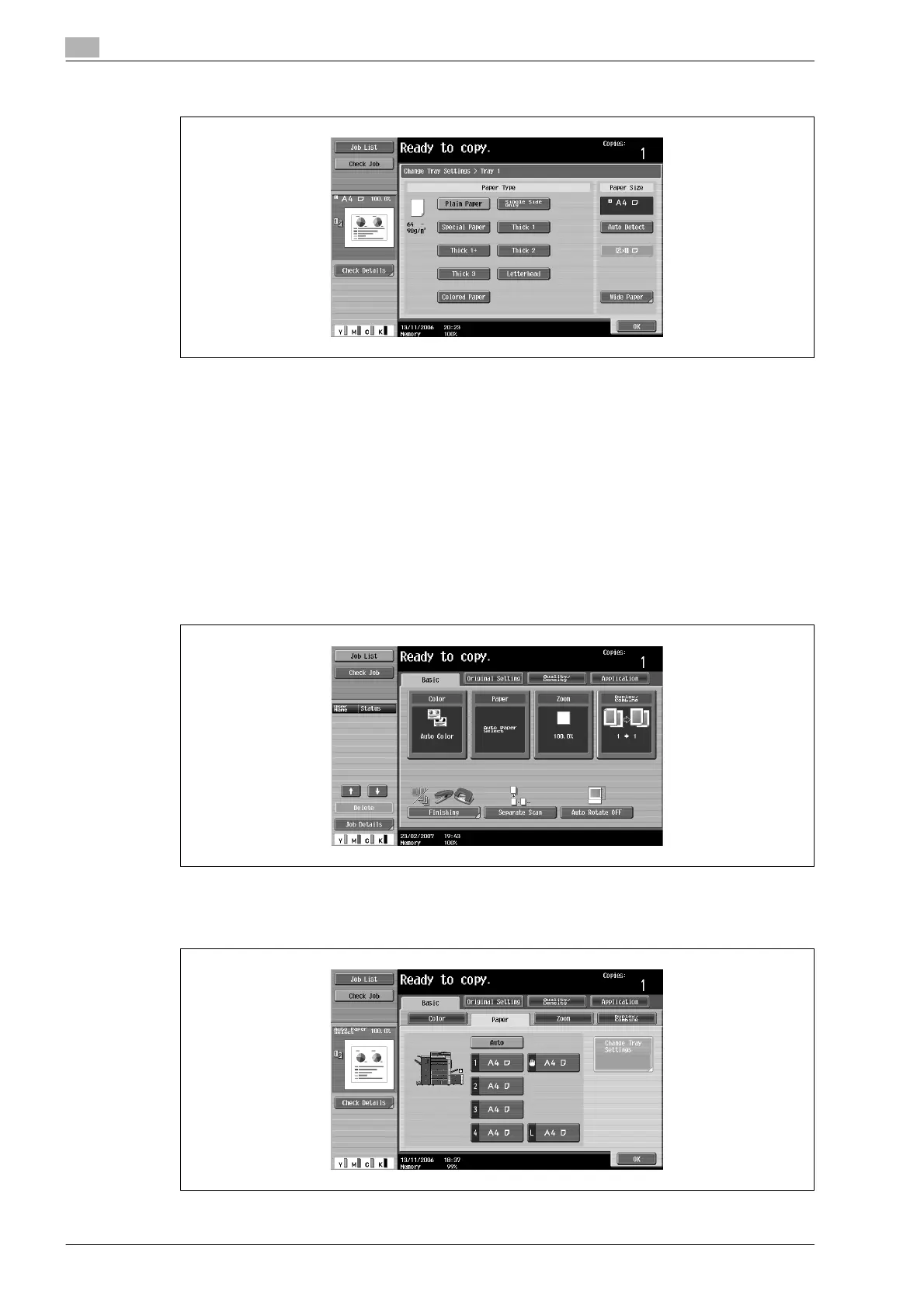
4 Touch [Auto Detect].
As the factory default, "Auto Detect" is selected.
5 Touch [OK], and then touch [OK] in the next screen that appears.
The Basic screen appears again.
Selecting a paper size setting ("Size" setting)
The paper size can be set for the bypass tray so that it can be used with the specified paper size.
This is useful, for example, when the size of the paper that is loaded cannot be automatically detected (such
as with postcards or paper in inch sizes).
The following procedure describes how to specify the setting for postcards loaded into the bypass tray.
1 In the Basic screen, touch [Paper].
The Paper screen appears.
2 Select the button for the bypass tray.









 To Next Page