5
Network Scanner Operations
5-74 ineo+ 650/550/451
FTP
Settings can be specified for the following for the FTP destination to be registered.
1 Touch [1 Create One-Touch Destination (Address Book)] in the Create One-Touch Destination screen.
2 Touch [5 FTP].
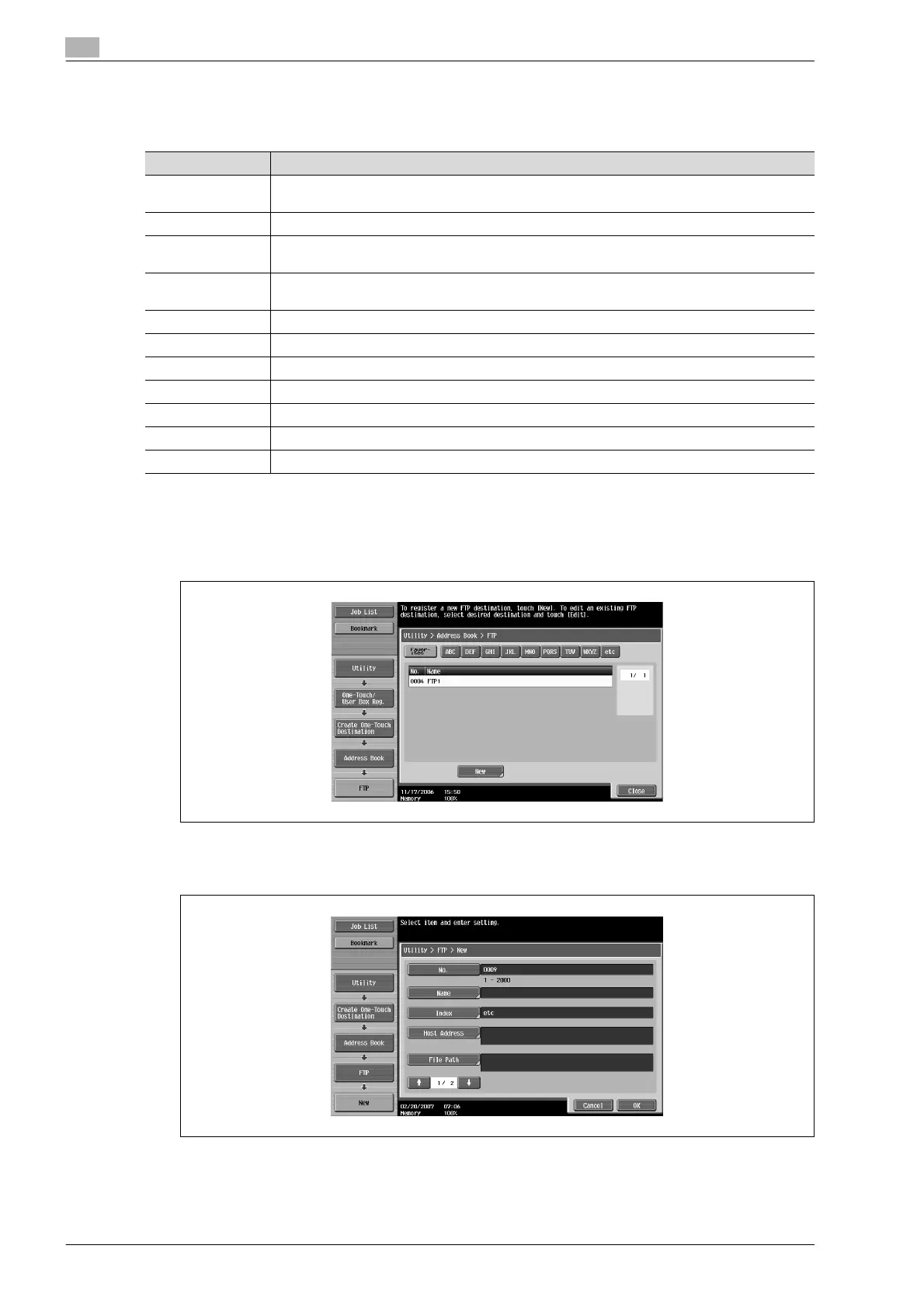
The FTP screen appears.
3 Touch [New].
The New screen appears.
4 To specify the registration number, touch [No.], and then use the keypad to type in the number.
Parameter Description
No. Type in the registration number (between 1 and 2000) for the address book destination. When
the screen appears, the displayed number is the lowest available number.
Name Type in a name of 24 characters or less for the registered destination.
Index Select the index characters. For frequently used destinations, touch [Favorites] so that the des-
tination can be found more easily.
Host Address Type in the host address in the format of a host name, IPv4 address or IPv6 address.
For a host name, type in 63 characters or less.
File Path Type in 96 characters or less for the path to the saved file.
User ID Type in 47 characters or less for the user ID for logging onto the host computer.
Password Type in 31 characters or less for the password for logging onto the host computer.
anonymous To specify no user ID for logging onto the host computer, touch [ON].
PASV Select whether or not the PASV mode is used.
Proxy Select whether or not a proxy server is used.
Port Number Type in the port number. (Range: 1 to 65535)









 To Next Page