ineo+ 650/550/451 4-23
Box Operations
4
4.5 Deleting a document
From the File Document screen, documents that are no longer needed, for example, documents that have
already been printed, can be deleted.
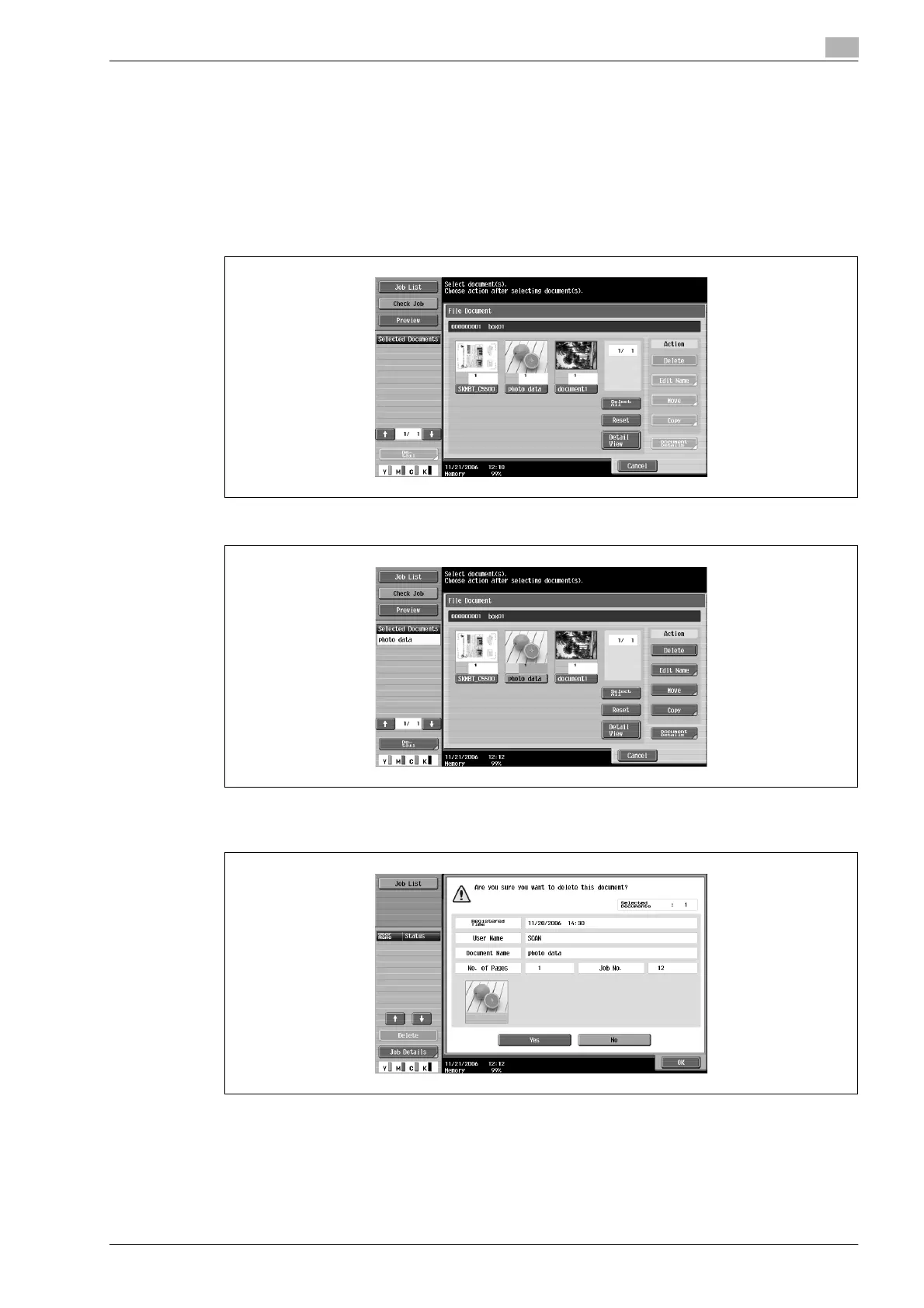
1 From the File Document screen, select the document to be deleted.
– Multiple documents can be selected.
– To select all documents, touch [Select All].
– To cancel the selection of all documents, touch [Reset].
2 Touch [Delete].
3 Check the document information that appeared, touch [Yes], and then touch [OK] to delete the
document.
The documents are deleted.









 To Next Page