ineo+ 650/550/451 2-39
Copy Operations
2
Slightly reducing the copy ("Minimal" setting)
A document image can be printed slightly smaller (93.0%) than the original document size and centered in
the copy.
0 As the factory default, "Full Size" is selected.
0 The zoom ratio of the "Minimal" setting can be changed (between 90.0% and 99.9%).
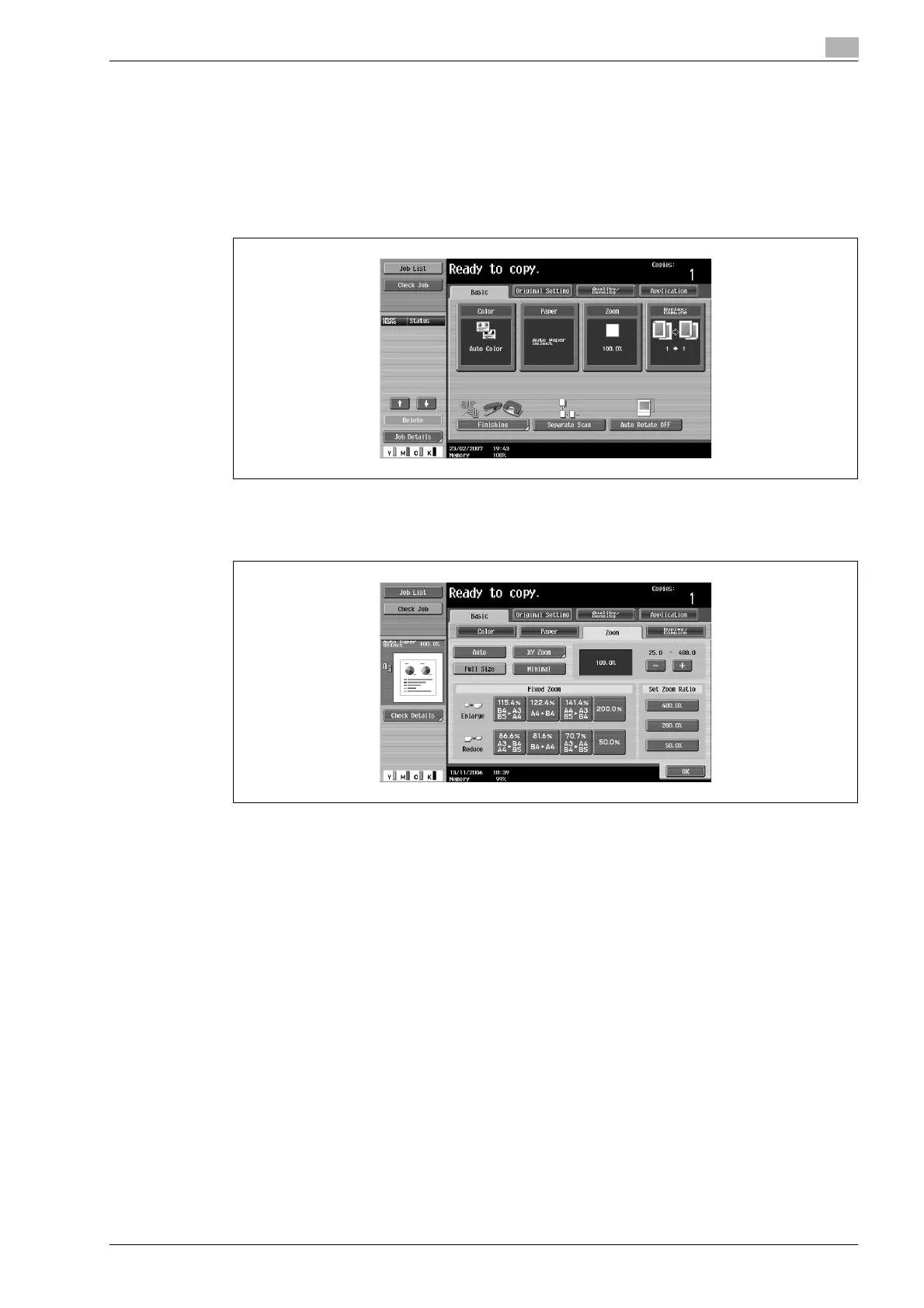
1 In the Basic screen, touch [Zoom].
The Zoom screen appears.
2 Touch [Minimal].
3 Touch [OK].
The Basic screen appears again.









 To Next Page