ineo+ 650/550/451 5-41
Network Scanner Operations
5
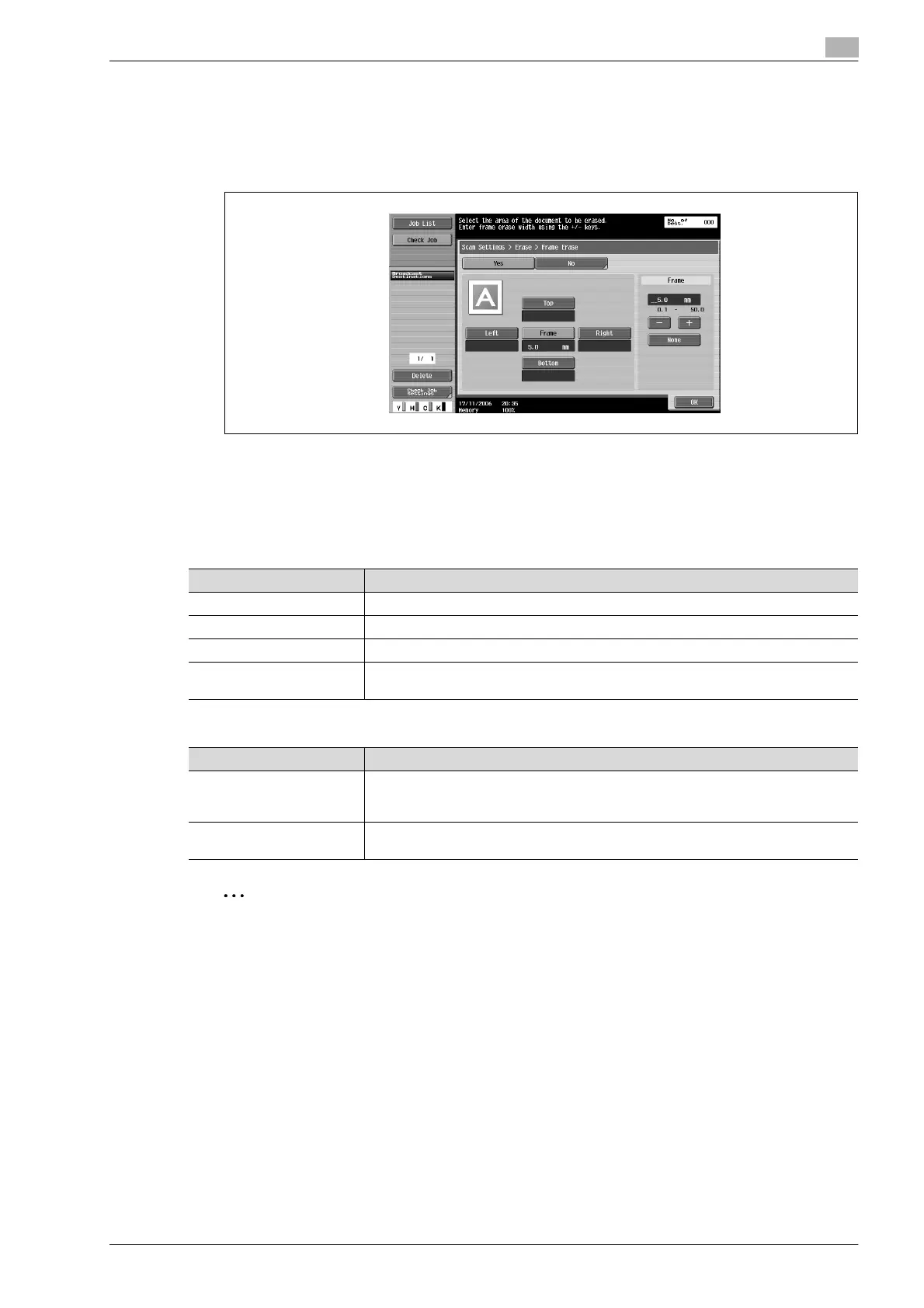
4 Select the width of the area to be erased.
– To use frame erasing, touch [Yes].
– To erase the same width on all sides, touch [Frame], and then specify a value.
– To specify different widths for the top, left, right and bottom, touch the button for the desired
location, and then specify a value. To cancel frame erasing, touch [None].)
5 Touch [OK], and then touch [OK] in the next two screens that appear.
Book copy (Book scan)
Select the method for scanning page spreads. The following four scanning methods are available. In addition,
the binding position and erase settings can be specified.
The document can be scanned while erasing the shadows typical for page spreads.
2
Note
Specify the size of the page spread as the scan size.
If a width to be erased around the document is specified with "Frame Erase" with the "Book Copy"
function, the same settings are also applied on the Frame Erase screen (displayed from the Erase
screen).
Setting Description
Book Spread Select this setting to scan a page spread as a single page.
Separation Select this setting to scan a page spread as two separate pages (left and right).
Front Cover Select this setting to scan the first page as the front cover.
Front + Back Covers Select this setting to scan the first page as the front cover, the second page as the
back cover, and the remaining pages as the body.
Parameter Description
Frame Erase An area around the edge of the document can be erased. Areas with a width between
0.1 and 50 mm can be specified separately for the left and right sides and the top and
bottom.
Center Erase An area along the center of the document can be erased. Areas with a width between
0.1 and 30 mm can be specified.









 To Next Page