2
Copy Operations
2-86 ineo+ 650/550/451
Specifying a non-standard paper size ("Custom Size" settings)
Non-standard-sized paper can be loaded into the bypass tray.
If wide paper is loaded, it will be necessary to enter the paper size.
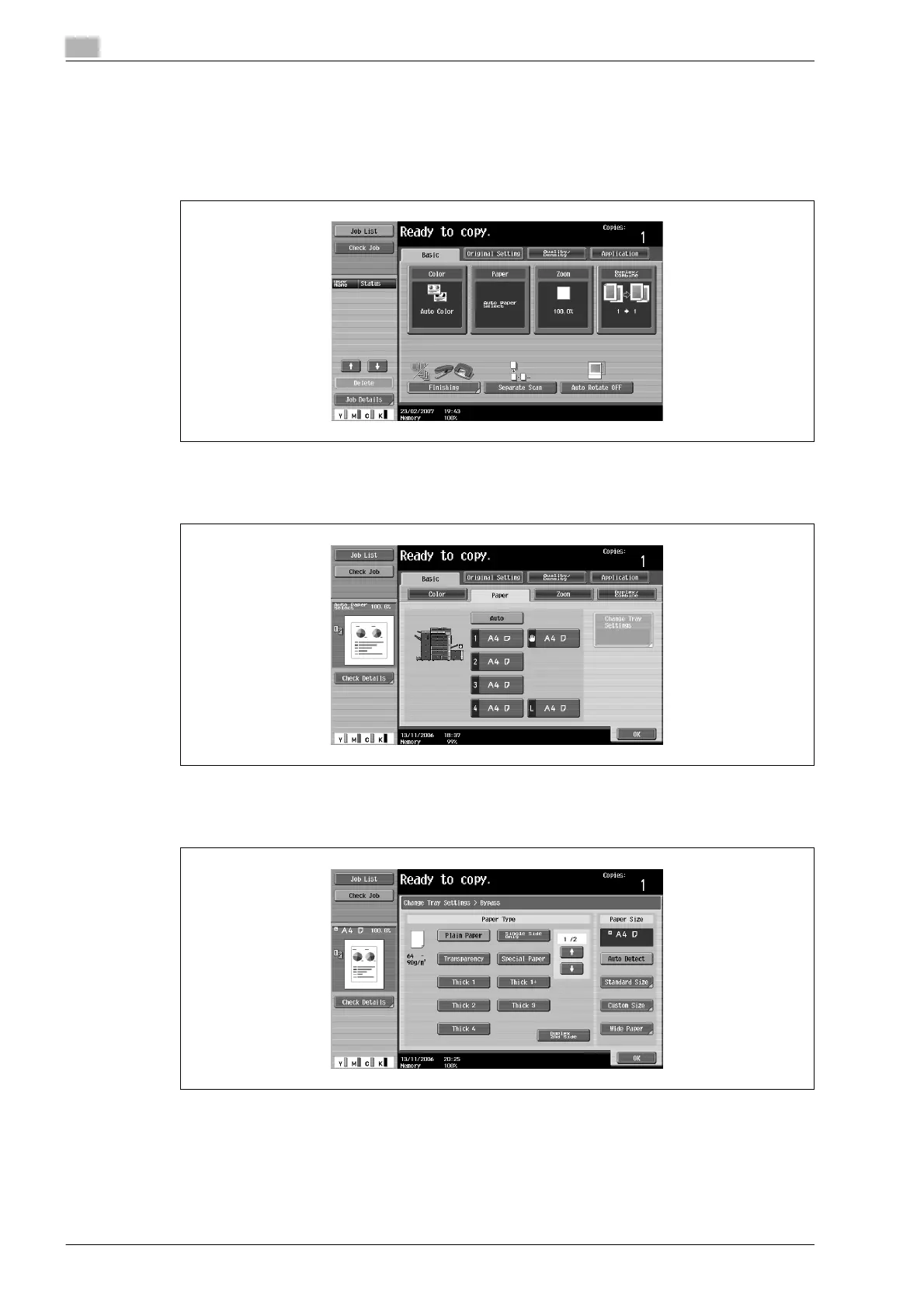
1 In the Basic screen, touch [Paper].
The Paper screen appears.
2 Select the button for the bypass tray.
3 Touch [Change Tray Settings].
4 Touch [Custom Size].
The Custom Size screen appears.









 To Next Page