ineo+ 650/550/451 4-43
Box Operations
4
4.12 Combined printing
Available combined printing parameters
Multiple documents can be printed together. Up to 10 documents can be selected to be printed together.
Additional settings, such as those for the number of copies, can be specified for the selected document.
Settings can be specified for the following.
2
Note
Documents saved in a box and having a front cover, back cover and blank insertion in addition to Image
Repeat and OHP Interleave settings specified cannot be combined and printed.
"Sort", "Group" and "Tri-fold" cannot be specified with combined printing.
!
Detail
The Fold/Bind and Center Staple/Fold settings are available only if the optional finisher is installed.
The Punch settings are available only if the punch kit is installed on the optional finisher.
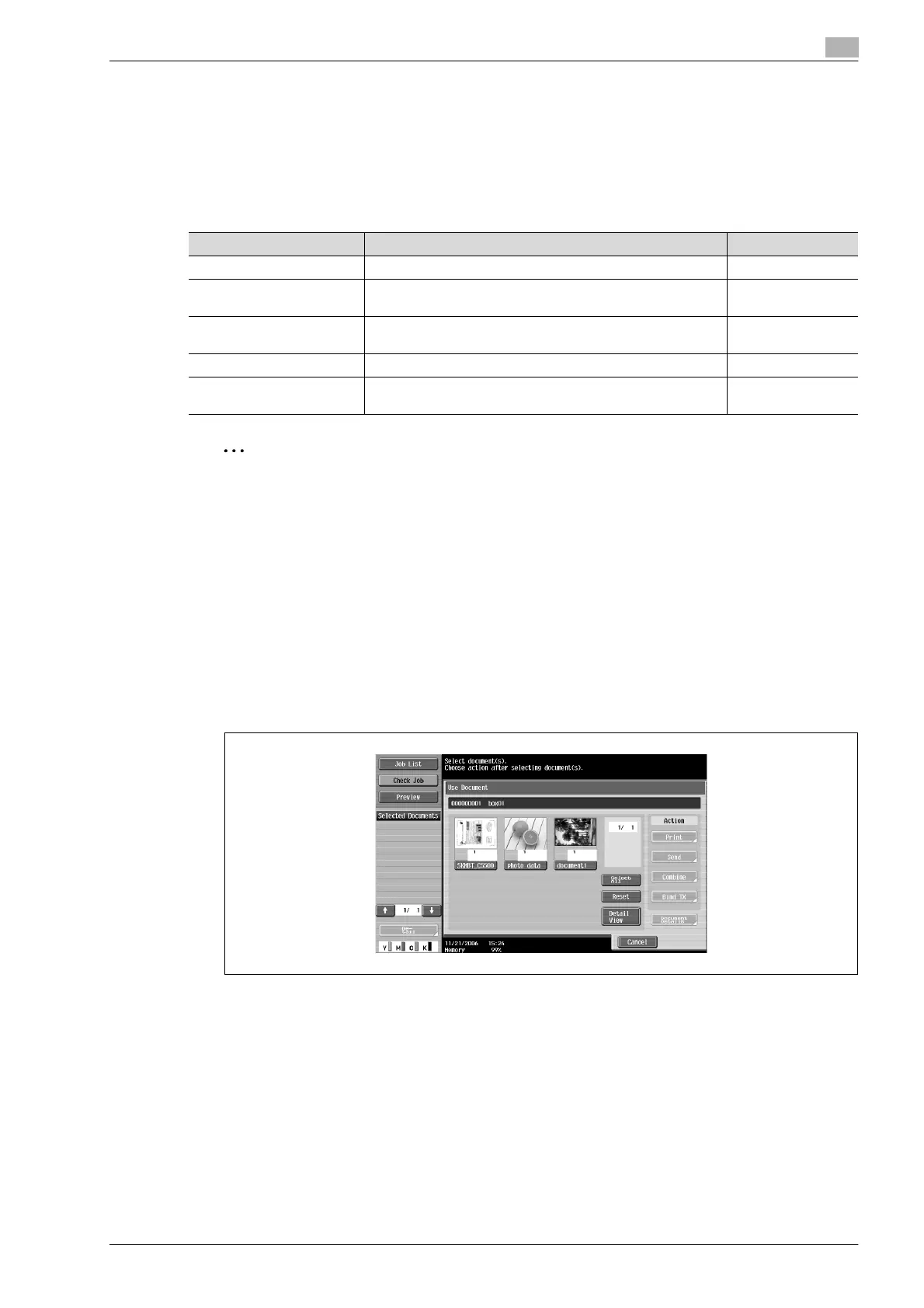
To print a document
1 From the Use Document screen, select the document to be printed.
Available parameters Description Page reference
Copies Specify the number of copies to be printed. p. 4-38
Print Select whether a single-sided or double-sided copy is to be
printed.
p. 4-38
Finishing Specify settings for offsetting, stapling, hole punching, fold-
ing/binding or center stapling/folding.
p. 4-39
Page Margin Print the document with a binding margin added.
Stamp/Composition Print the document with the date/time, page number or a
stamp added.









 To Next Page