3
Print Operations
3-64 ineo+ 650/550/451
3.18 Paper tray/output tray (PPD driver for Mac OS X)
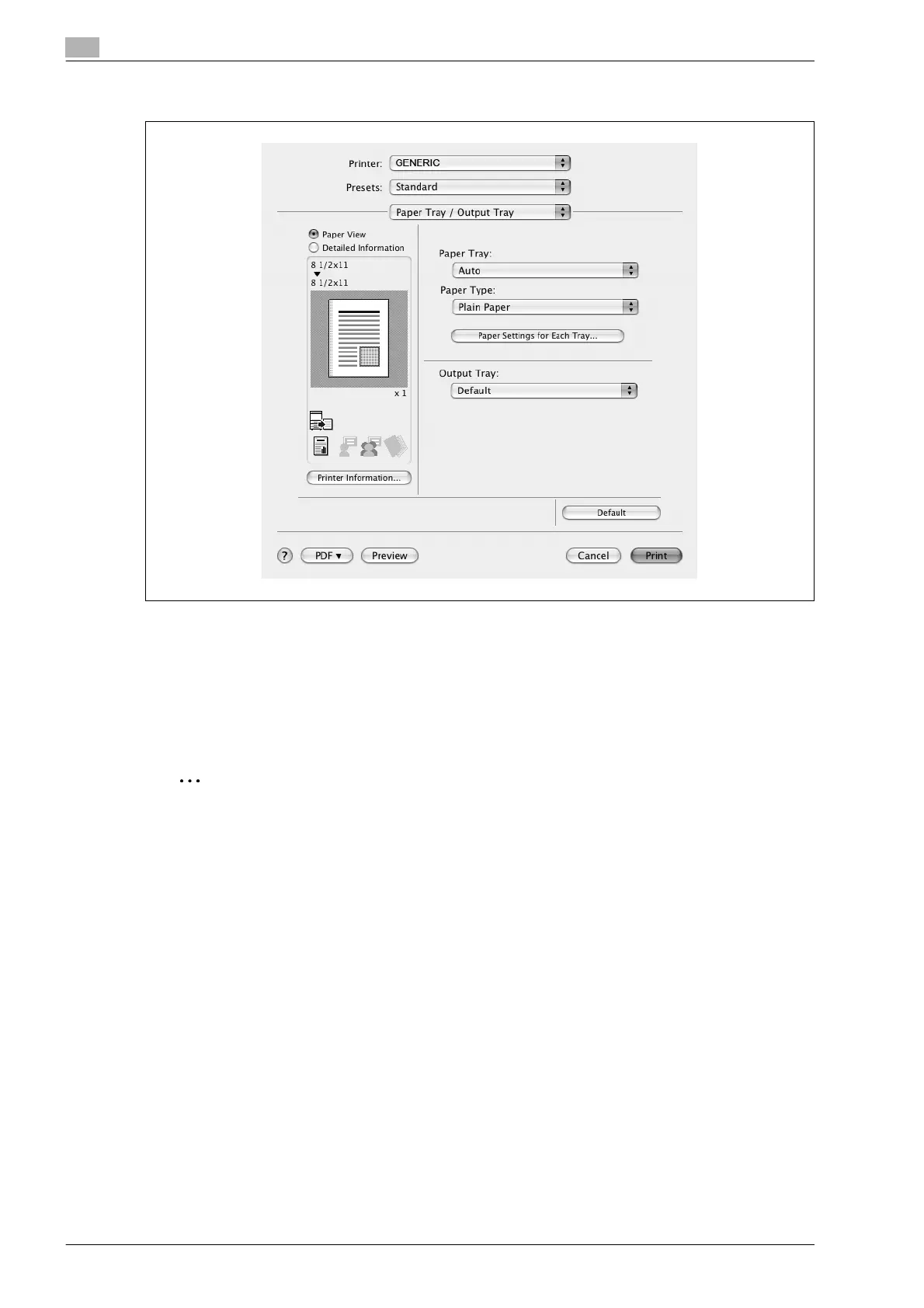
Paper Tray: Selects the paper tray for printing.
Paper Type: Selects the paper type for printing. This setting can be specified when the paper tray setting is
set to "Auto".
Paper Settings for Each Tray: Specifies the paper type for each paper tray. For details, refer to "Specifying
the paper type for a paper tray" on page 3-65.
Output Tray: Specifies the tray where to output the printed pages.
2
Note
If "Auto" is specified as the paper tray, you can select the paper type. If the paper tray setting is
changed to a setting other than "Auto", the paper type is fixed to its preregistered setting. Specify a
paper type by clicking the [Paper Settings for Each Tray] button.









 To Next Page