ineo+ 650/550/451 5-51
Network Scanner Operations
5
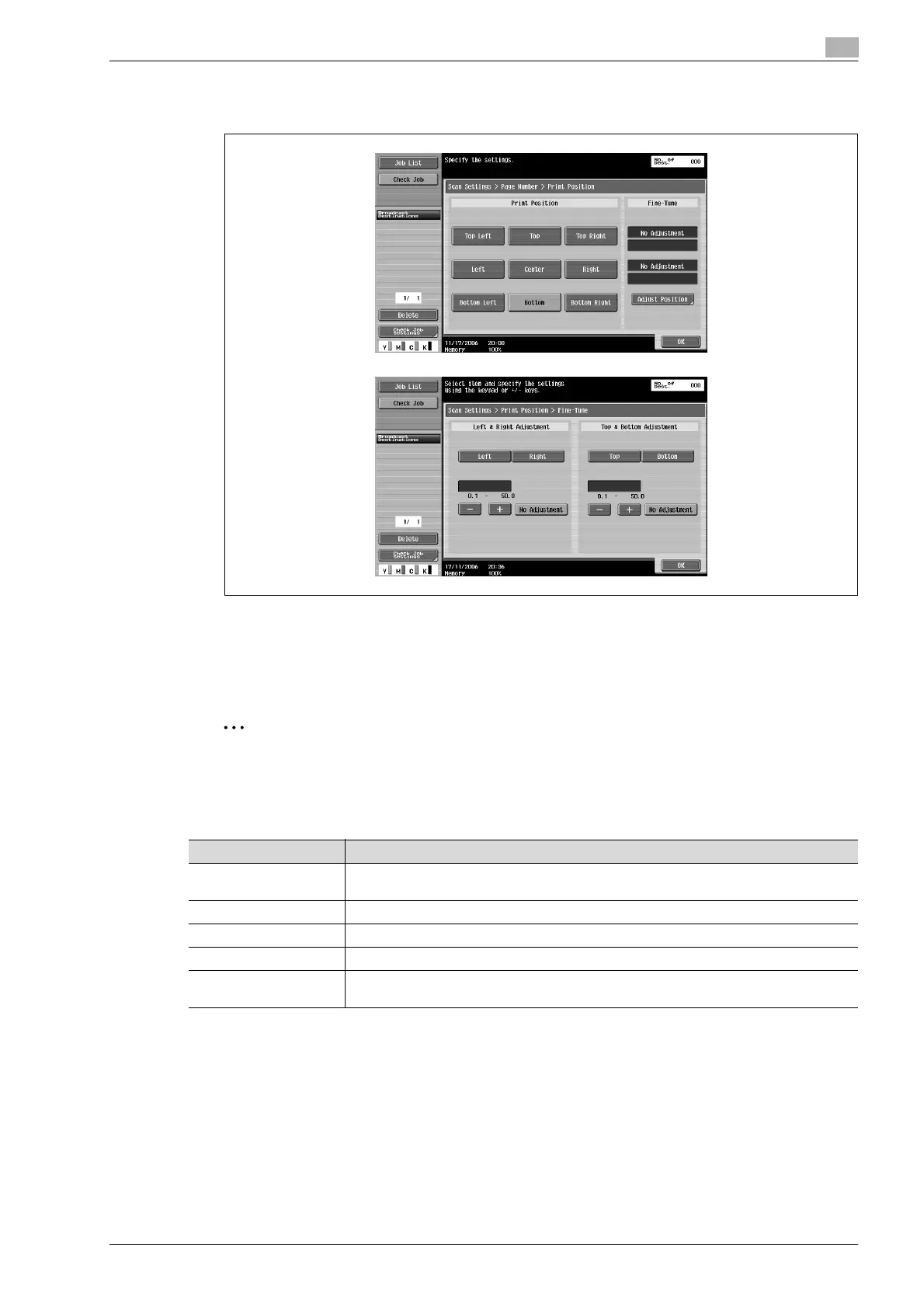
– To make fine adjustments, touch [Adjust Position]. The position can be adjusted between 0.1 and
50 mm in the left/right direction and the up/down direction.
6 Touch [OK], and then touch [OK] in the next three screens that appear.
Stamp (Application)
Preset text, such as "URGENT", can be added to all pages of a document.
2
Note
If "File Type" is set to "PDF" or "Compact PDF", the stamps are added as images. They cannot be
added as text.
Settings can be specified for the following.
Parameter Description
Stamp Type/Preset
Stamps
Select a stamp, such as "URGENT", "PLEASE REPLY" or "DO NOT COPY".
Pages Select the pages to be printed on (either all pages or 1st page only).
Text Color Select the printing color (black, red, blue, green, yellow, cyan and magenta).
Text Size Select the size (minimal or std.) in which text is printed.
Print Position Select the position within the page where the image is printed. After a position is selected,
it can be finely adjusted.









 To Next Page