2
Copy Operations
2-42 ineo+ 650/550/451
2.14 Selecting a combined copy setting
Document images of multiple pages (2, 4 or 8 pages) can be combined and printed on a single page, reducing
paper use.
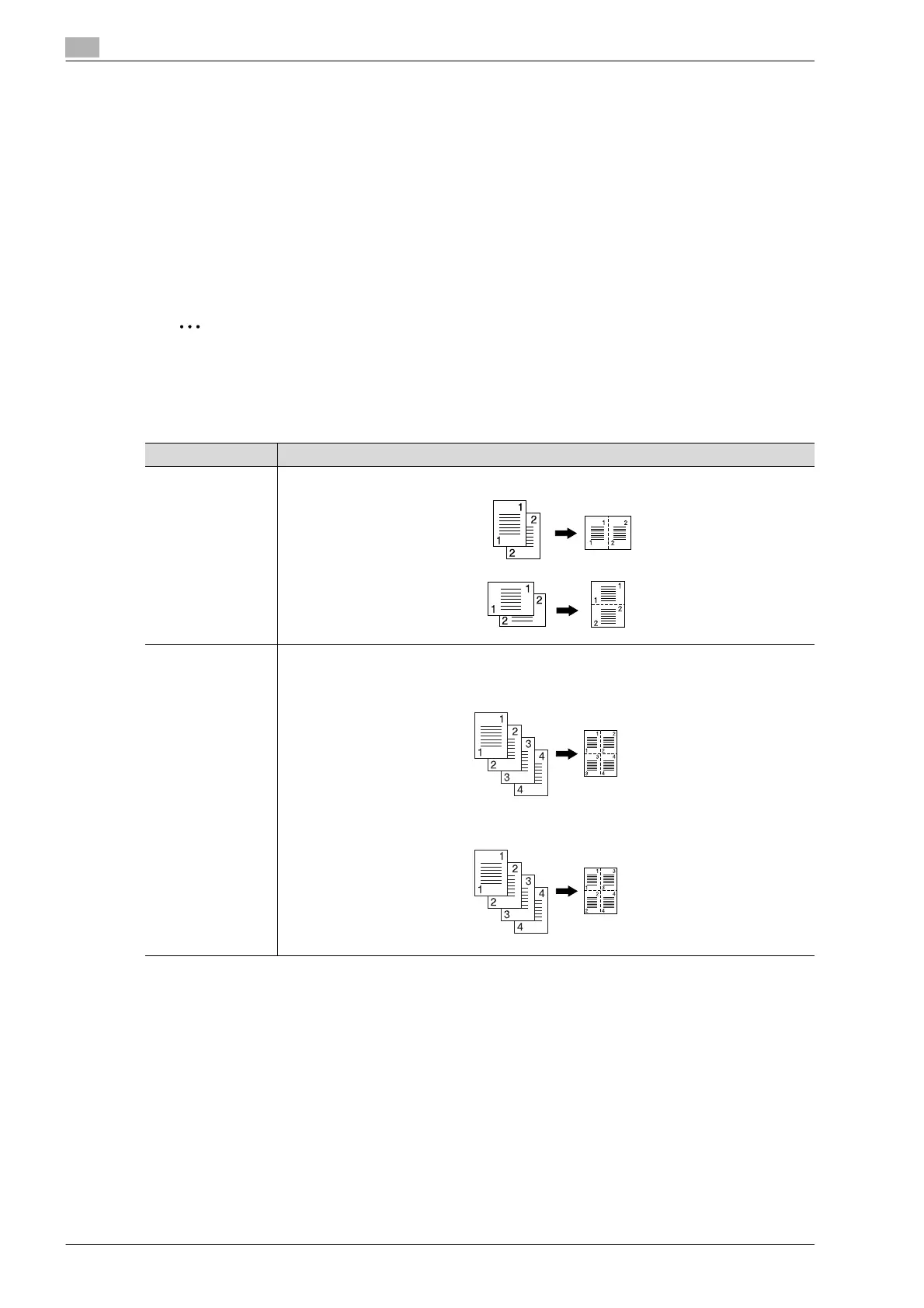
The following three combined copy settings are available.
!
Detail
When select the combined copy setting, copies are produced with the most appropriate zoom ratio
(recommended zoom ratio) selected for the document and paper size. The zoom ratio that is selected
can be changed manually.
2
Note
As the factory default, "Auto Display Zoom Ratio" is selected.
The "Auto Zoom for Combine/Booklet" parameter in Utility mode can be set so that the recommended
zoom ratios are not used. In that case, specify the zoom ratio manually.
Setting Description
2in1 Select this setting to print two document pages on one page.
4in1 Select this setting to print four document pages on one page. The page arrangement (Num-
bering Direction setting) can be specified.
Horizontal
Vertical
Horizontal
Vertical









 To Next Page