6
Web Connection Operations
6-16 ineo+ 650/550/451
Document operations
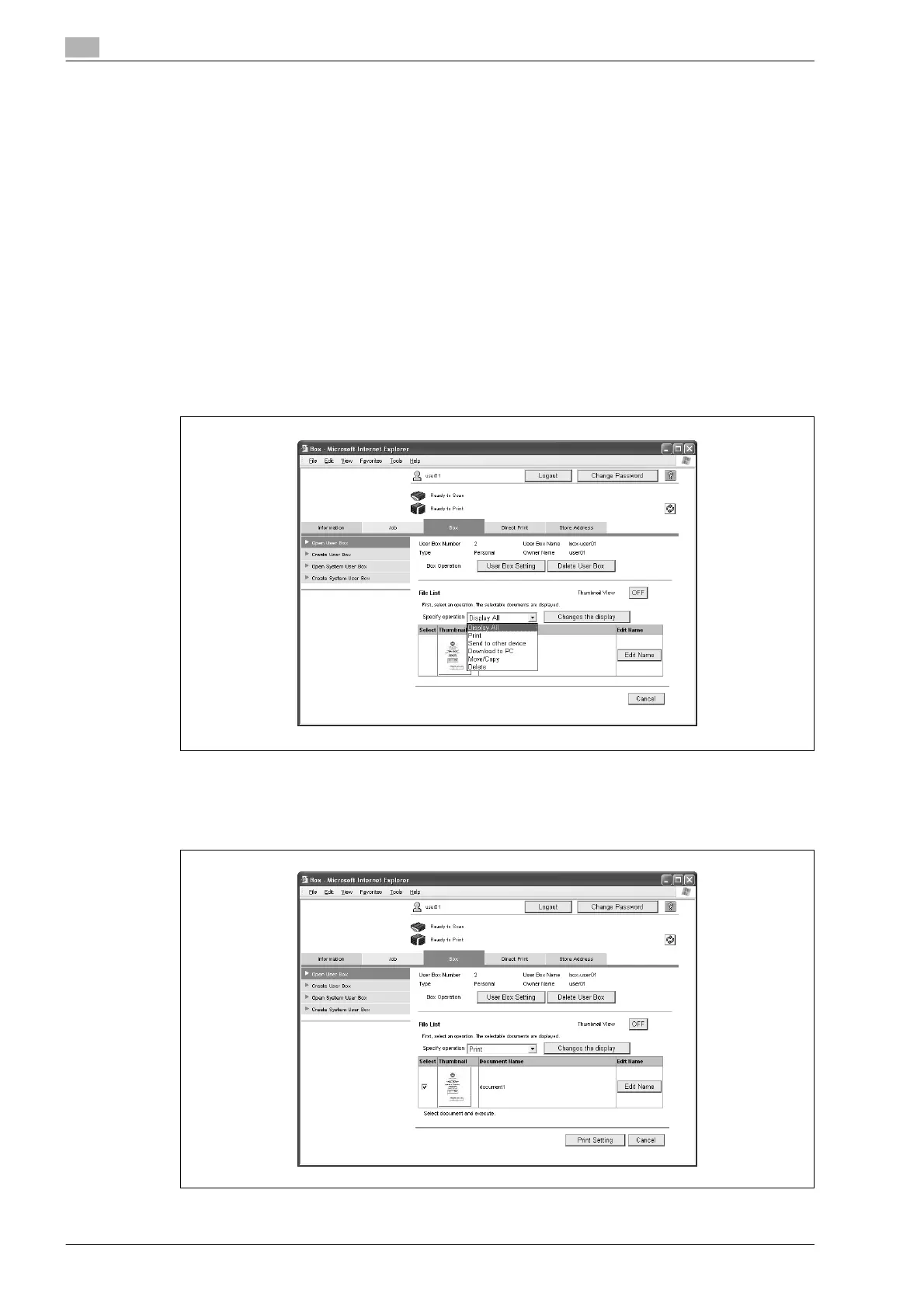
Select from the following document operations.
- Display All
- Print
- Send to other device
- Download to PC
- Move/Copy
- Delete
!
Detail
"Send to other device" and "Download to PC" can be used with documents saved in Fax/Scan mode.
Some operations and documents may not be available, depending on the function limitation and output
permission settings specified for the account or user who is logged on.
1 Select the operation from the "Specify operation" list, and then click the [Changes the display] button.
A check box appears beside all documents with which the selected operation can be performed.
2 Select the check box beside the documents with which the operation is to be performed, and then click
the settings button.
The corresponding settings page appears.









 To Next Page