8
Network Fax Operations (Option)
8-14 ineo+ 650/550/451
8.5 Specifying only one destination
Only one destination can be specified in internet fax in the following ways.
- Specifying from registered destination
- Specifying by direct input
- Specifying from the program destination
!
Detail
For details on the method of specifying form registered destination, refer to "Specifying from registered
destination" on page 8-14.
Refer to "Specifying by direct input" on page 8-17 for the method to specify by direct input.
Refer to "Send a fax with program destination" on page 8-21 for the method to specify from the
program.
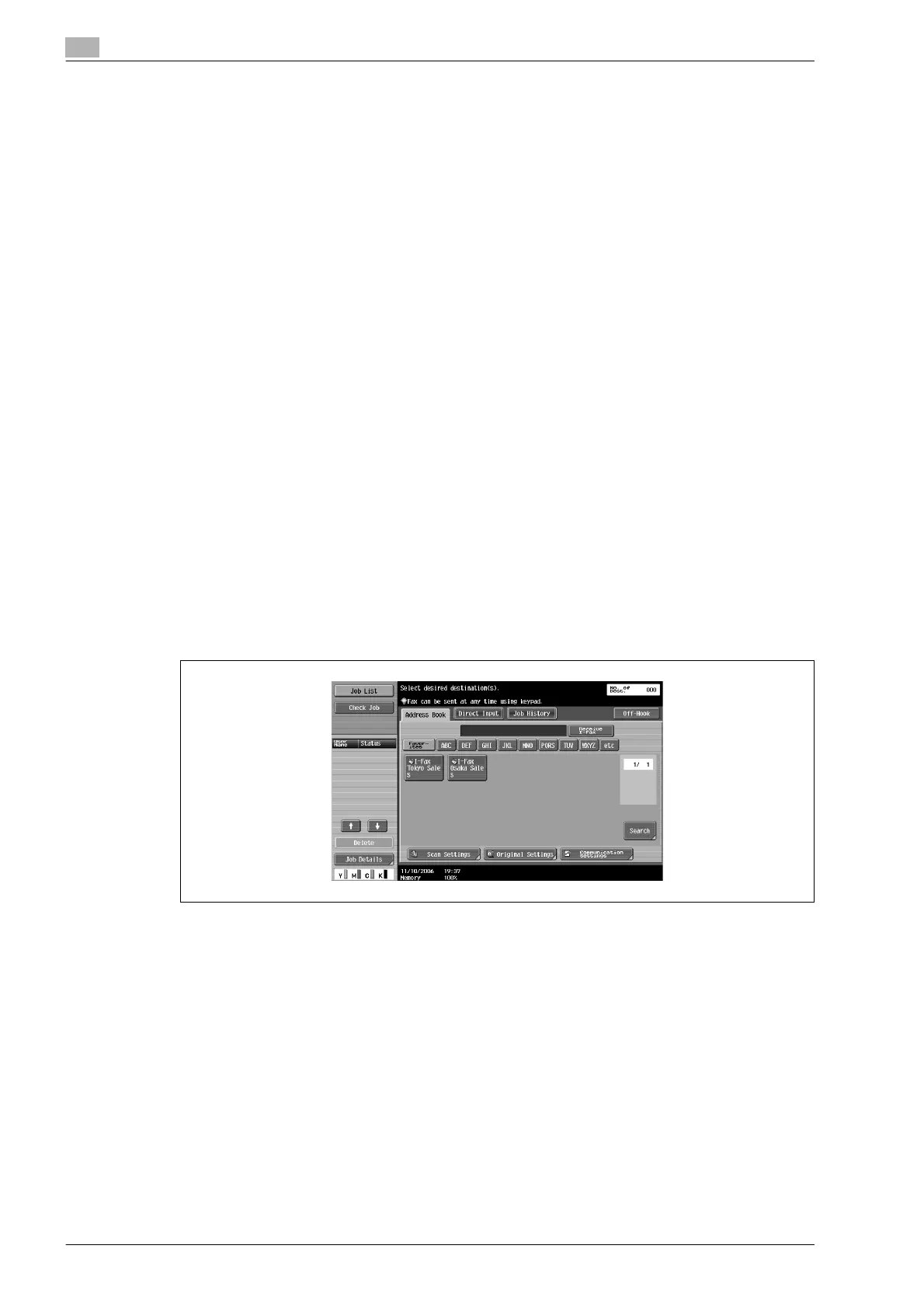
Specifying from registered destination
When the Address Book is registered, specification can be done by searching from registered search text.
% Touch the desired destination button in displayed [Address Book] tab.
– When desired destination button is not displayed, it can be searched by the following methods.
Touch search text button
Searching by destination type
Enter the details and search
– Re-select the destination to be cancelled to cancel the selected destination.
– If [Reset] key is pressed, the selected destination and the settings are cleared.
– Refer to the "Searching the registered destination (Search text button)" on page 8-15 for the method
of searching the registered destination by touching search character button.
– For details on method of searching by destination type, refer to the "Searching the registered
destination (Address type)" on page 8-15.
– For details on searching after entering the details, refer to the "Searching the registered destination
(Detail search)" on page 8-16.
The destination is specified.









 To Next Page