ineo+ 650/550/451 5-59
Network Scanner Operations
5
Send & Print (Application)
Settings can be specified to print while scanning. Various print settings can be specified.
Settings can be specified for the following.
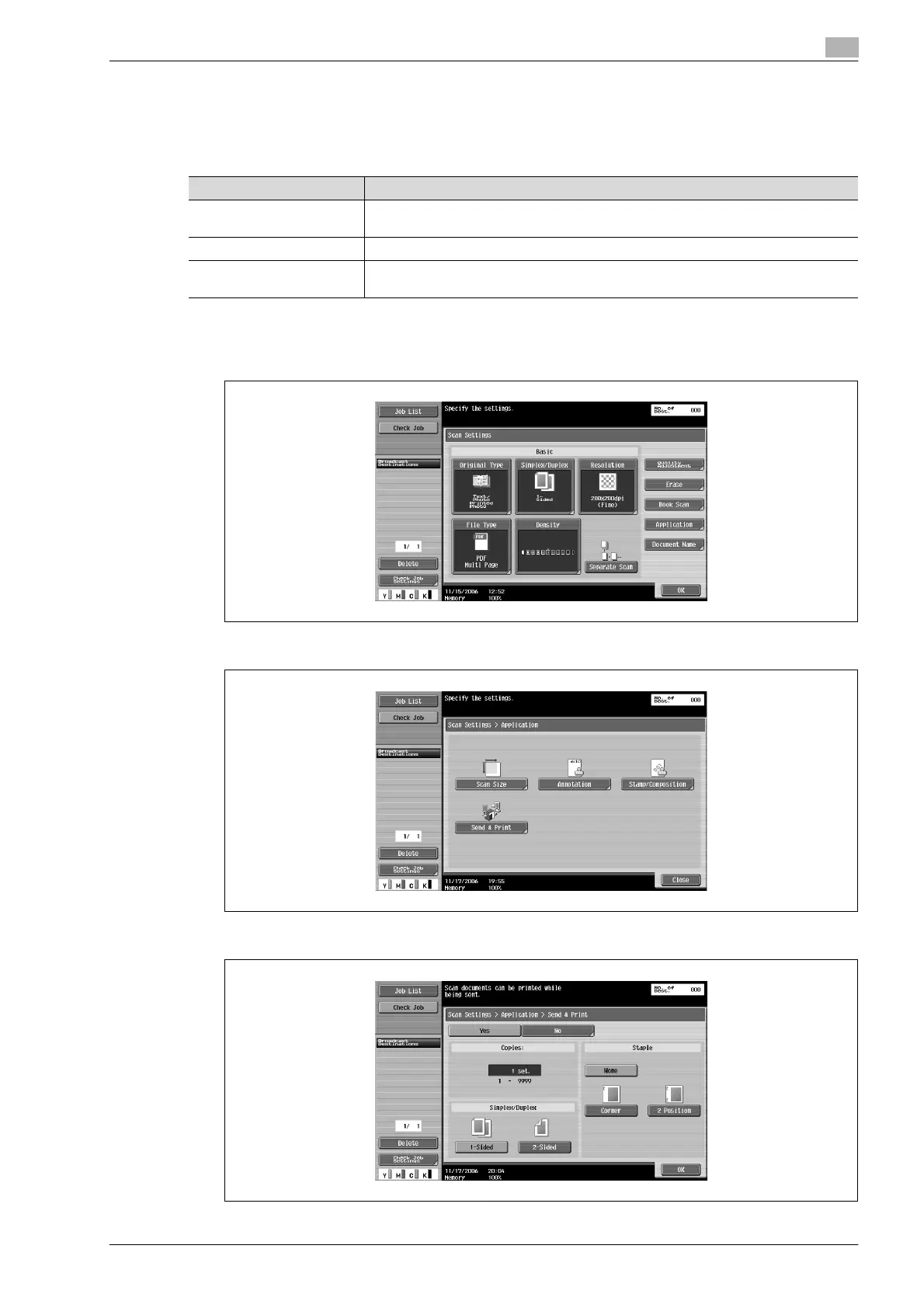
1 Touch [Scan Settings] in the Fax/Scan mode screen.
2 Touch [Application].
3 Touch [Send & Print].
4 To print while scanning, touch [Yes], and then specify the desired settings.
Parameter Description
Copies Use the keypad to type in the number of copies to be printed. A number between 1 and
9999 can be specified.
Simplex/Duplex Select whether a single-sided or double-sided copy is to be printed.
Staple Select whether or not the prints will be stapled. If they will be stapled, select the
number of staples and the position.









 To Next Page